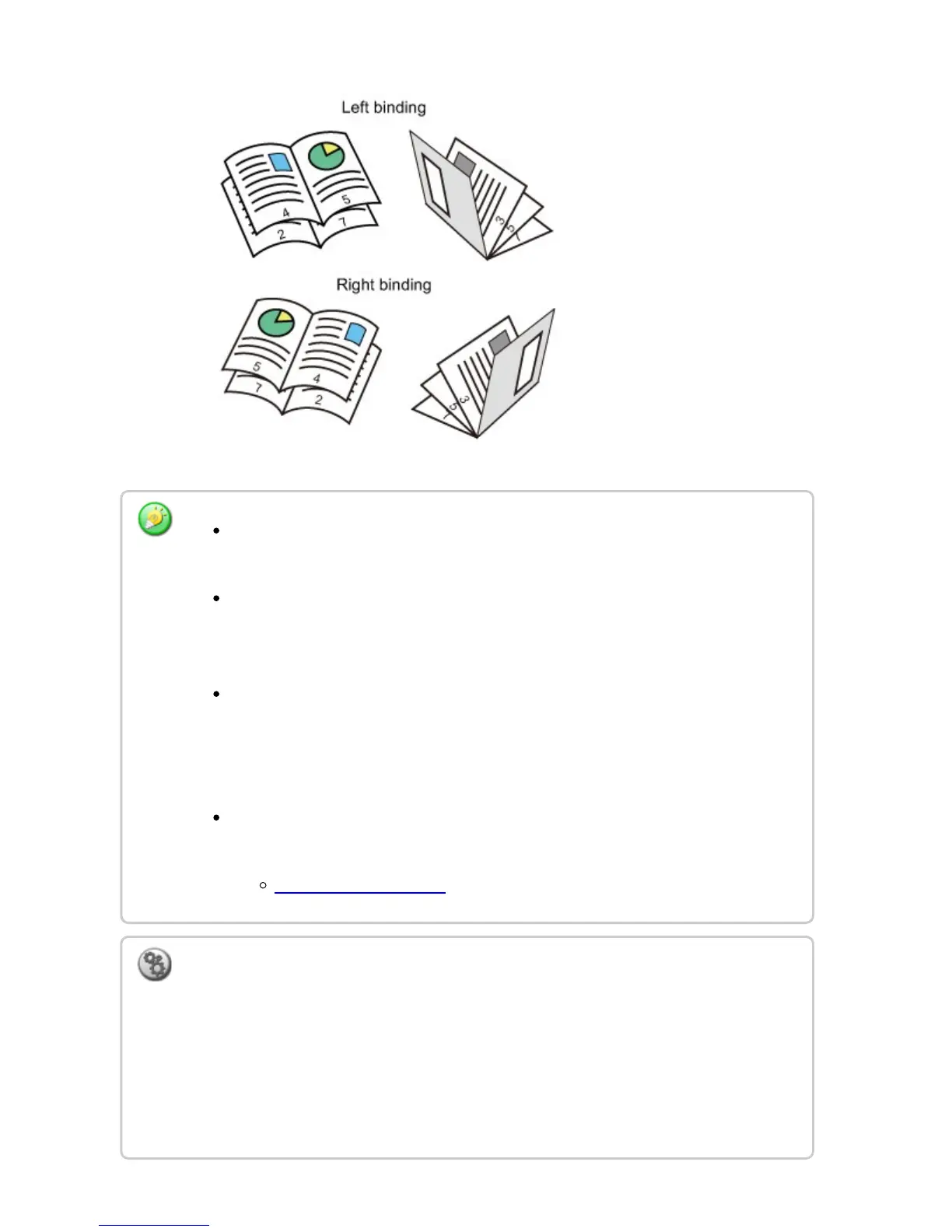
To make pamphlet copies of a book or other bound original, use the book copy
function.
When Pamphlet Copy is selected, 2-sided copying mode is automatically selected.
When settings are selected that prevent 2-sided copying, the pamphlet copy
function cannot be used.
Scan the originals in order from the first page to the last page. The order of
copying will be automatically adjusted by the machine. Four original pages will be
copied onto each sheet of paper. Blank pages will be automatically produced at
the end of pamphlet copies if the number of original pages is not a multiple of four.
When a saddle finisher is installed, you can select the [Staple Sort] and set the
Saddle Stitch (Staple each set of copies at two positions in the center of paper).
STAPLE SORT SETTING
To staple copies automatically when Pamphlet Copy is enabled:
From the "Setting mode", select [System Settings] → [Copy Settings] → [Copy Setting]
→ [Automatic Saddle Stitch].
This is used to activate Saddle Stitch automatically when Pamphlet Copy is enabled when
a saddle finisher is installed. To make pamphlet copies without stapling when the
[Automatic Saddle Stitch] option is ON, tap the [Staple Sort] key. Then, select [Pamphlet
Copy] and tap the [OFF] key on the saddle stitch screen.
USER'S MANUAL | MX-M365N/MX-M465N/MX-M565N USER'S ... http://siica.sharpusa.com/portals/0/downloads/Manuals/MX-M365N-M...
281 of 1441 3/17/2016 7:14 AM



 To Next Page