Operation
Place the original and tap the [Preview] key.
Place the original in the document feeder tray of the automatic document feeder,
or on the document glass.
AUTOMATIC DOCUMENT FEEDER
DOCUMENT GLASS
Tap the [Others] key, and tap the [Pamphlet Copy] key.
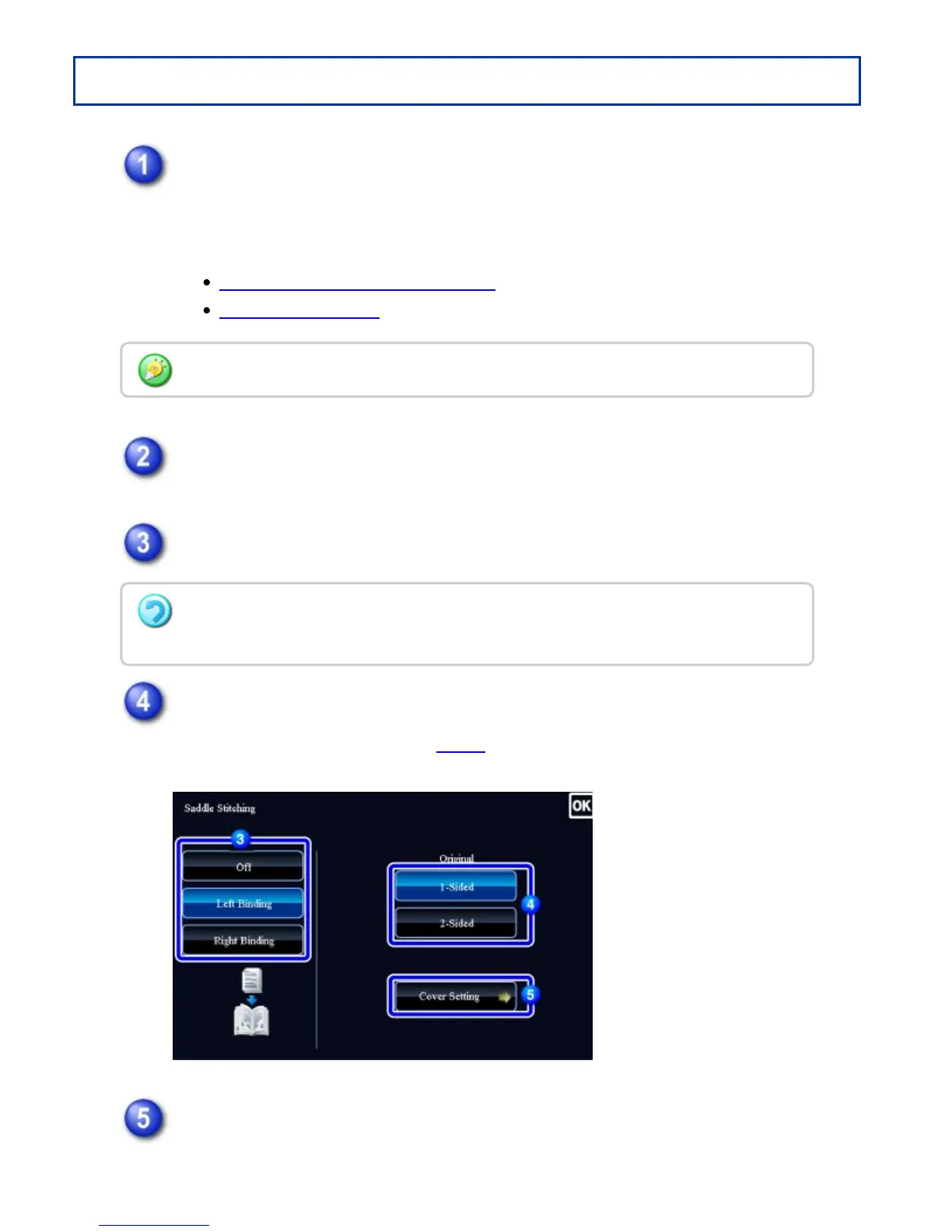
Select the binding edge.
Tap the [1-Sided] or [2-Sided] key to meet the original.
When not inserting a cover, go to step 6.
When inserting a cover, tap the [Cover Setting] key, and tap the [On] key.
If the originals are 2-sided, place them in the document feeder tray.
To cancel the pamphlet staple settings
Tap the [Off] key.
USER'S MANUAL | MX-M365N/MX-M465N/MX-M565N USER'S ... http://siica.sharpusa.com/portals/0/downloads/Manuals/MX-M365N-M...
282 of 1441 3/17/2016 7:14 AM



 To Next Page