PADDING UNAUTHORIZED COPY PREVENTION
DATA
(PATTERN PRINT)
Overview
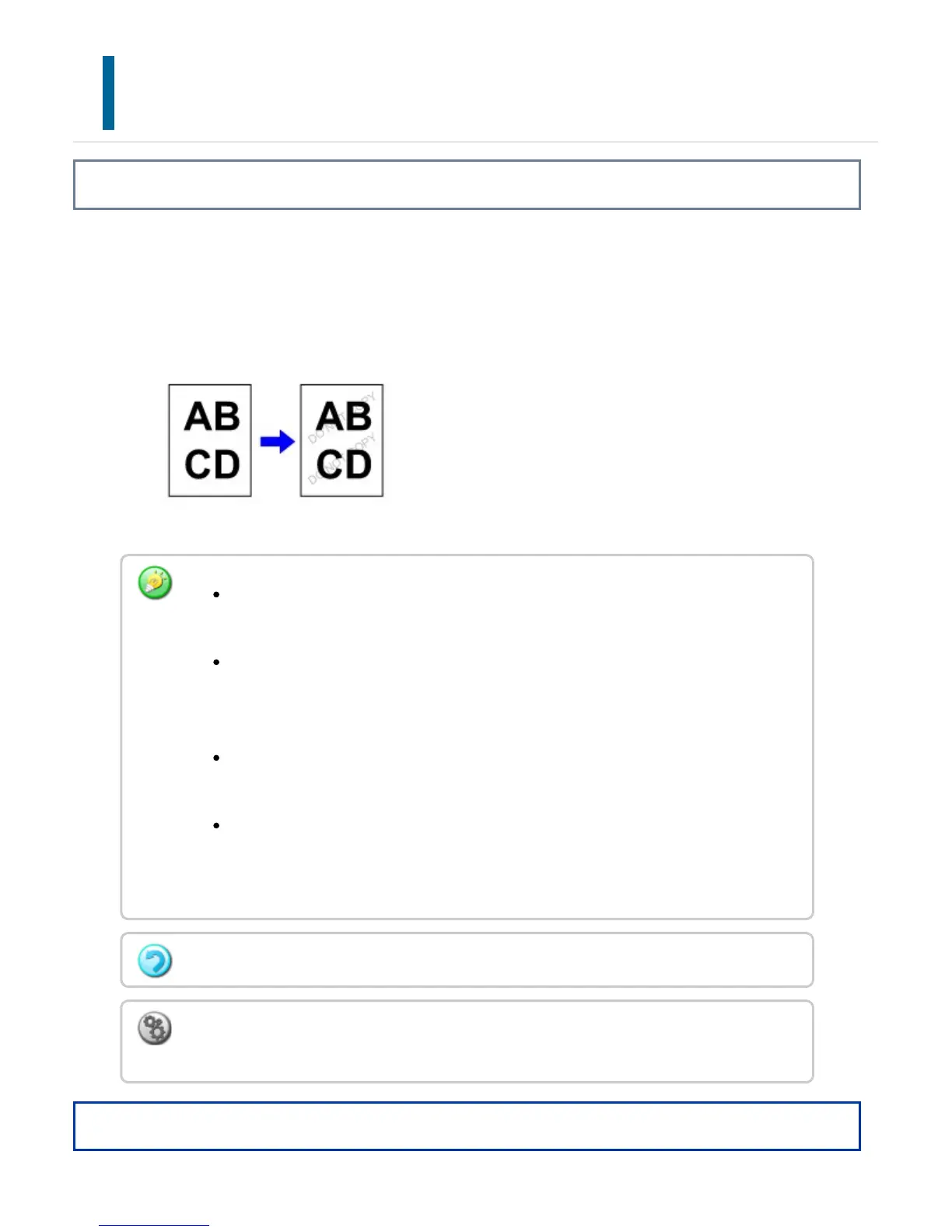
Characters to prevent unauthorized copying such as pre-set or customized text are
placed as invisible characters in a background pattern.
When an output sheet with a pattern print is copied, the hidden characters will appear.
Operation
"Pattern Print" is a function provided for the purpose of deterring unauthorized
copying. It does not guarantee the prevention of information leakage.
Text may not be completely hidden on an output sheet with a pattern print under
certain machine conditions. In such a case, adjust the contrast by selecting the
[Hidden Pattern Print Setting] from the "Setting mode".
When copying an output sheet with a pattern print, the hidden pattern may not
emerge depending on settings other than "Hidden Pattern Print".
The hidden pattern may not emerge on copies in cases where certain types of
devices or certain setting conditions are used to copy an output sheet with a
pattern print.
This function cannot be combined with Repeat Layout or Multi-Page Enlargement.
To set a pattern print:
In "Setting mode", select [Security Settings] → [Hidden Pattern Print Setting].
USER'S MANUAL | MX-M365N/MX-M465N/MX-M565N USER'S ... http://siica.sharpusa.com/portals/0/downloads/Manuals/MX-M365N-M...
310 of 1441 3/17/2016 7:14 AM



 To Next Page