Place the original and tap the [Preview] key.
Place the original in the document feeder tray of the automatic document feeder,
or on the document glass.
AUTOMATIC DOCUMENT FEEDER
DOCUMENT GLASS
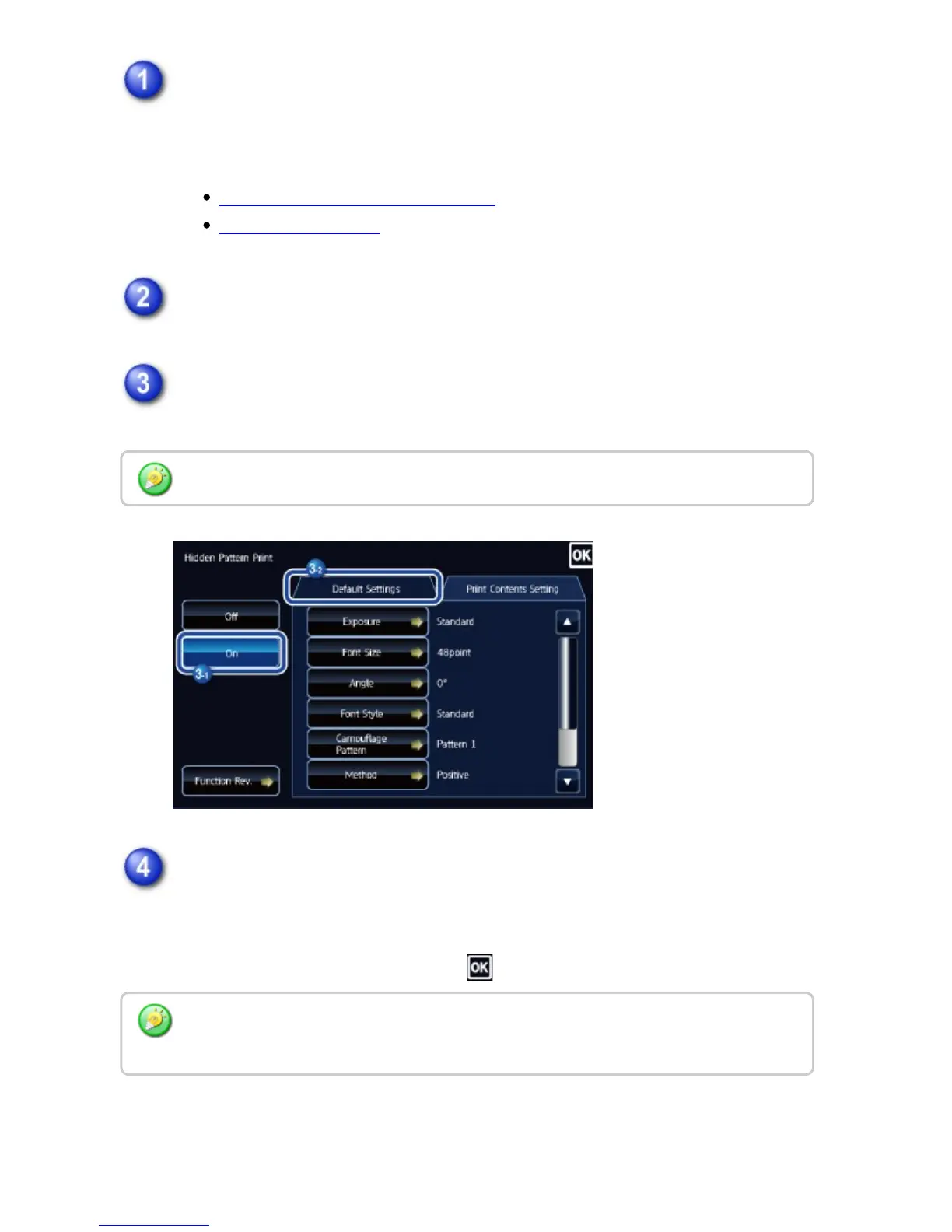
Tap the [Others] key, and tap the [Pattern Print] key.
Tap the [On] key, and specify each item in the [Default Settings] tab as
required.
Specify each item in the [Print Contents Setting] tab as required.
To specify print settings, you can select the required one from pre-set text or
use the soft keyboard. You can also print serial number and account job ID.
After the settings are completed, tap and [Back] keys in sequence.
We recommend you to select the [Character stand out] option for the "Print Method".
To cancel the pattern print setting:
Tap the [Off] key.
USER'S MANUAL | MX-M365N/MX-M465N/MX-M565N USER'S ... http://siica.sharpusa.com/portals/0/downloads/Manuals/MX-M365N-M...
311 of 1441 3/17/2016 7:14 AM



 To Next Page