ERASING PERIPHERAL SHADOWS FOR
COPYING
(ERASE)
Overview
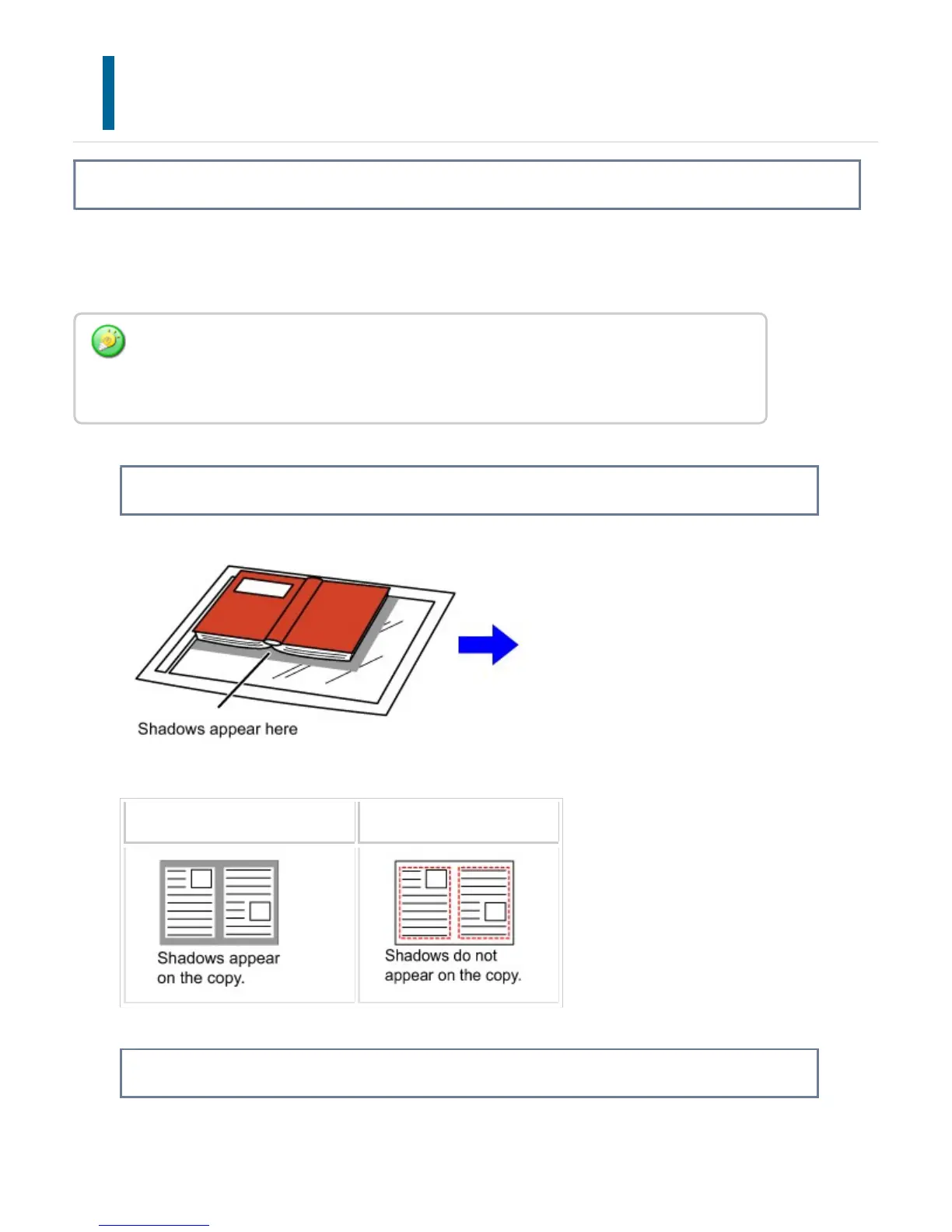
The erase function is used to erase shadows around the edges of copies that occur
when copying thick originals or books.
When a thick book is copied
Not using the erase function Using the erase function
Erase modes
If a ratio setting is used in combination with an erase setting, the erase width will change
according to the selected ratio. This function erases the parts of the image where
shadows tend to form, but does not detect shadows and erase only the shadows.
USER'S MANUAL | MX-M365N/MX-M465N/MX-M565N USER'S ... http://siica.sharpusa.com/portals/0/downloads/Manuals/MX-M365N-M...
317 of 1441 3/17/2016 7:14 AM



 To Next Page