SPECIFYING A PAPER POSITION
(POSITION
IMAGE)
Overview
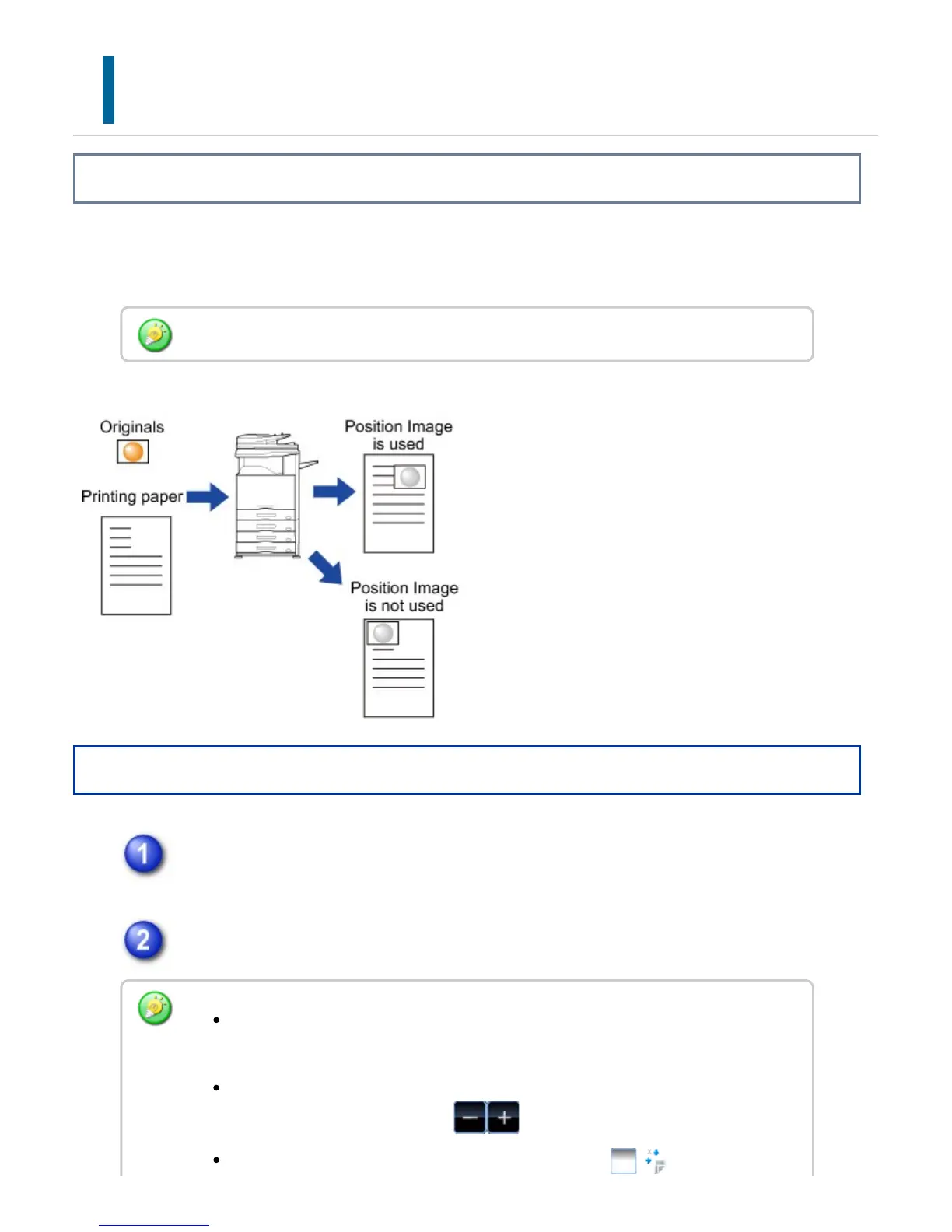
This function moves the scanned original to a specified position to make a copy.
You can make a copy in any desired position as you can fine adjust the position.
Operation
Tap the [Others] key, and tap the [Position Image] key.
Sets a movement distance.
Position Image must be specified before scanning the original.
Tap the area indicating the movement distance on the front or reverse side, and
enter the distance using numeric keys.
To quickly set the area, first specify a value close to the desired value by the
numeric keys, then adjust it with .
If you set the [Adjust 2nd pg value to 1st.] checkbox to , goes out and
USER'S MANUAL | MX-M365N/MX-M465N/MX-M565N USER'S ... http://siica.sharpusa.com/portals/0/downloads/Manuals/MX-M365N-M...
325 of 1441 3/17/2016 7:14 AM


 To Next Page