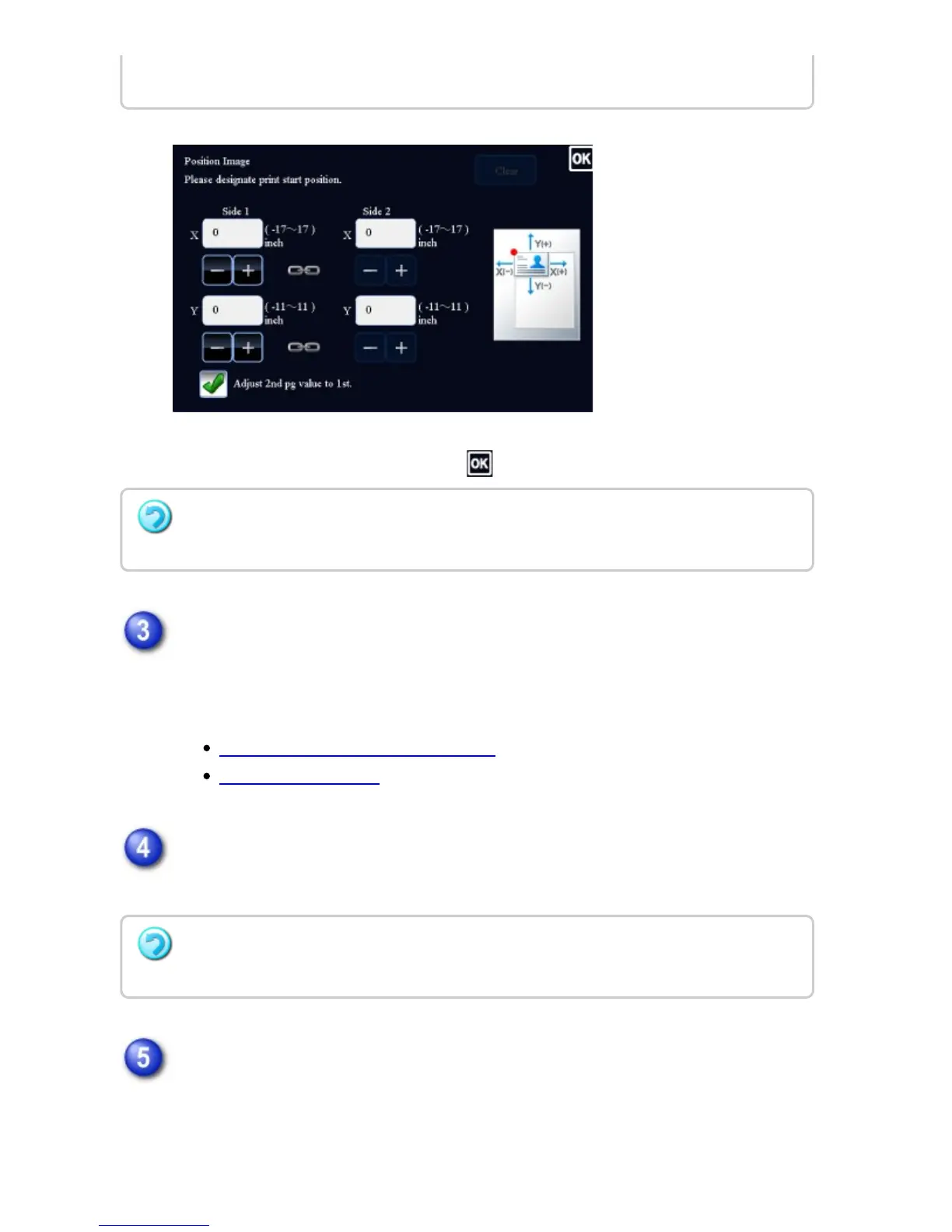
After the settings are completed, tap and [Back] keys in sequence.
Place the original and tap the [Preview] key.
Place the original in the document feeder tray of the automatic document feeder,
or on the document glass.
AUTOMATIC DOCUMENT FEEDER
DOCUMENT GLASS
Check the preview image in the preview screen.
Check whether or not settings produce the required results.
Tap the [Start] key to start copying.
When making only one set of copies, you do not need to specify the number of
copies.
you can set sides 1 and 2 separately.
To cancel the Position Image setting:
Tap the [Clear] key.
To cancel all settings:
Tap the [CA] key.
USER'S MANUAL | MX-M365N/MX-M465N/MX-M565N USER'S ... http://siica.sharpusa.com/portals/0/downloads/Manuals/MX-M365N-M...
326 of 1441 3/17/2016 7:14 AM


 To Next Page