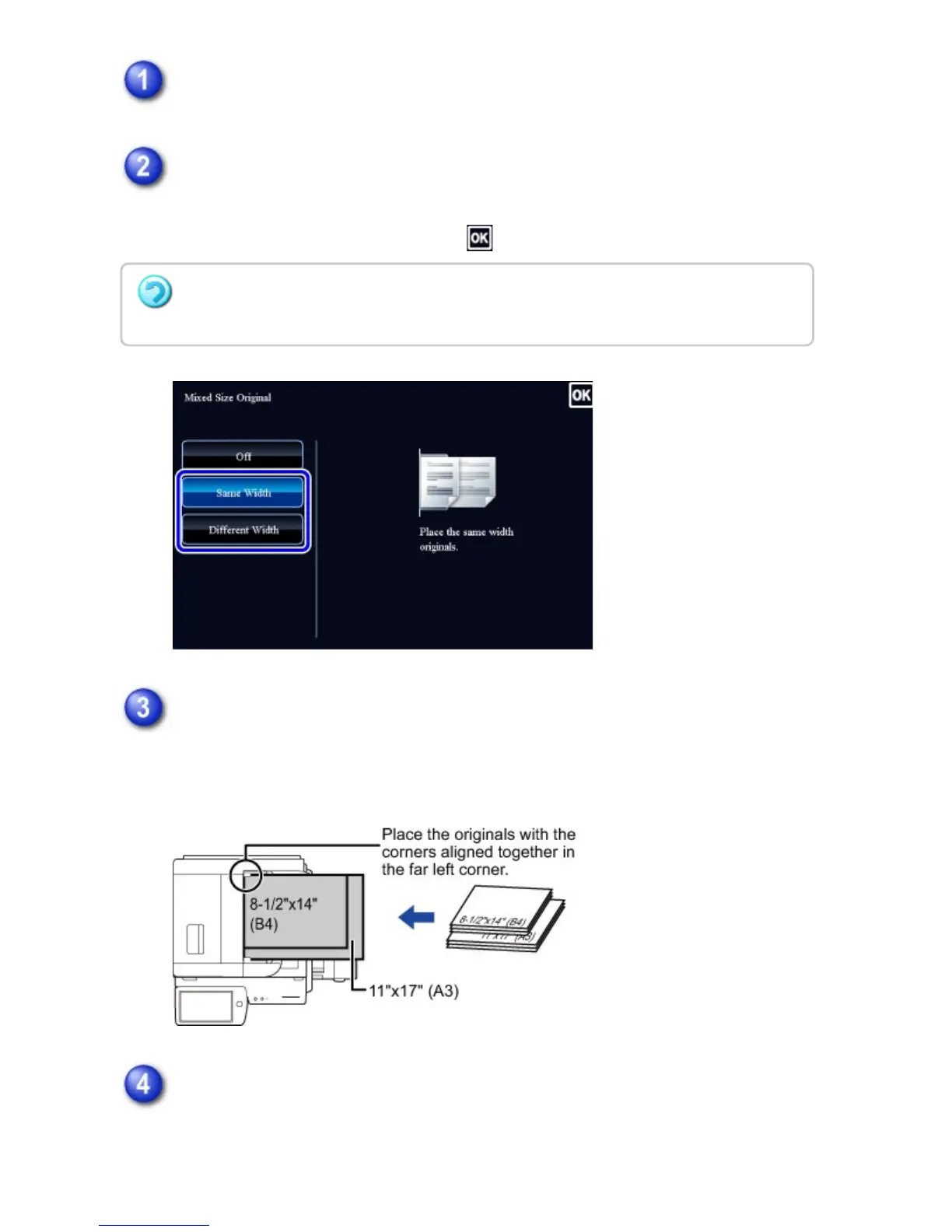
Tap the [Others] key, and tap the [Mixed Size Original] key.
Tap the [Same Width] key or the [Different Width] key as appropriate for the
originals.
After the settings are completed, tap and [Back] keys in sequence.
Place the original face up in the document feeder tray, and tap the [Preview]
key.
Place the original as shown on the Mixed Size Original screen.
Tap the [Start] key to start copying.
When making only one set of copies, you do not need to specify the number of
copies.
To cancel the mixed size original setting:
Tap the [Off] key.
USER'S MANUAL | MX-M365N/MX-M465N/MX-M565N USER'S ... http://siica.sharpusa.com/portals/0/downloads/Manuals/MX-M365N-M...
334 of 1441 3/17/2016 7:14 AM


 To Next Page