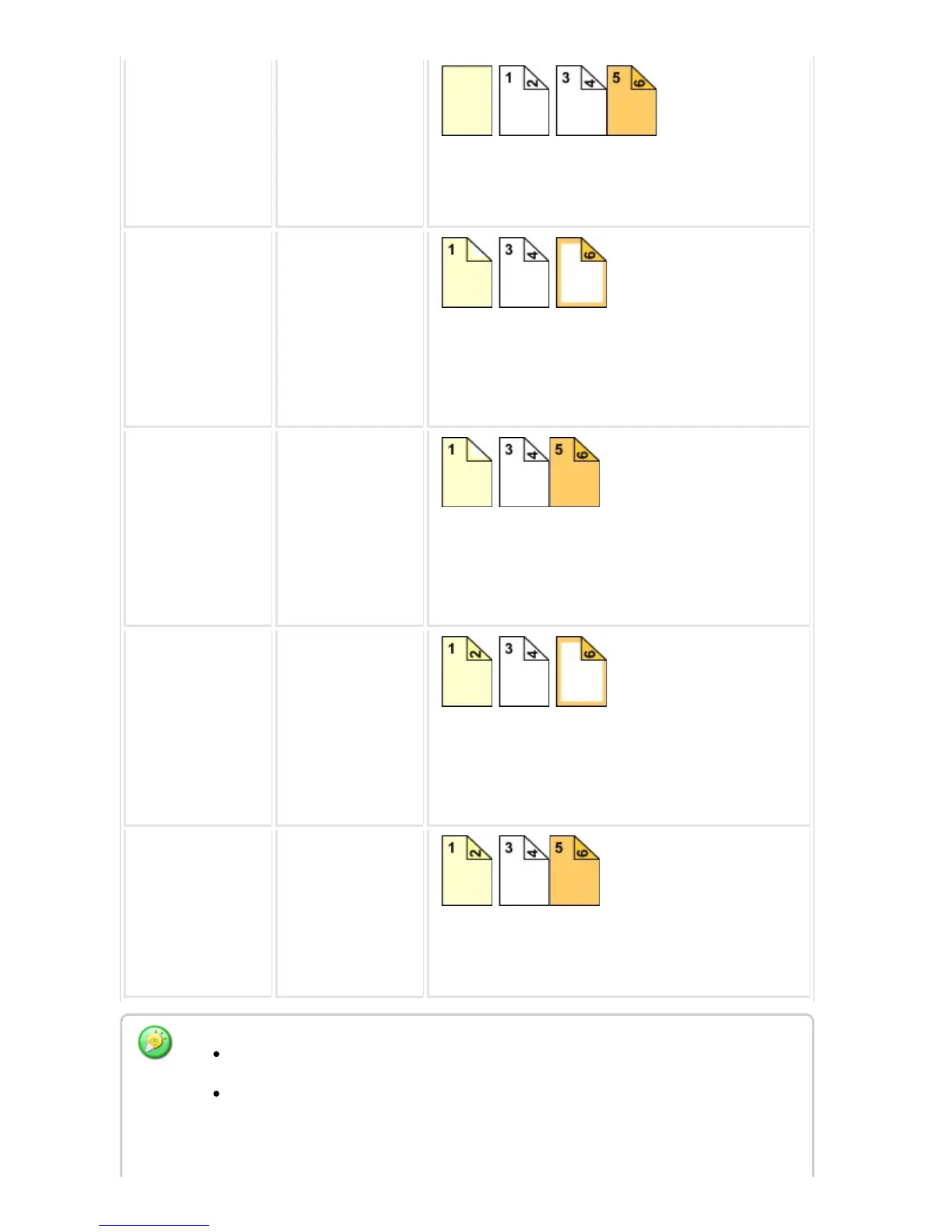
Not copied 2-SIDED COPY
Inserts a front cover at the beginning of copies, and
makes a 2-sided copy on the fifth and sixth original pa
ges for back cover.
1-sided copy 1-sided copy
Makes a 1-sided copy on the first original page for fro
nt cover, and also makes a 1-sided copy on the sixth
original page for back cover. The second and the fifth
original pages are not copied.
1-sided copy 2-SIDED COPY
Makes a 1-sided copy on the first original page for fro
nt cover, and also makes a 2-sided copy on the fifth a
nd sixth original pages for back cover.
* The second original page is not copied.
2-SIDED COPY 1-sided copy
Makes a 2-sided copy on the first and second original
pages for front cover, and also makes a 1-sided copy
on the sixth original page for back cover.
* The fifth original page is not copied.
2-SIDED COPY 2-SIDED COPY
Makes a 2-sided copy on the first and second original
pages for front cover, and also makes a 2-sided copy
on the fifth and sixth original pages for back cover.
Before using the covers/inserts function, load insertion sheets in the tray.
When selecting the covers/inserts function, place the originals in the document
feeder tray, select 1-sided or 2-sided copying, and select the number of copies
and any other desired copy settings. When these settings have been completed,
USER'S MANUAL | MX-M365N/MX-M465N/MX-M565N USER'S ... http://siica.sharpusa.com/portals/0/downloads/Manuals/MX-M365N-M...
358 of 1441 3/17/2016 7:14 AM



 To Next Page