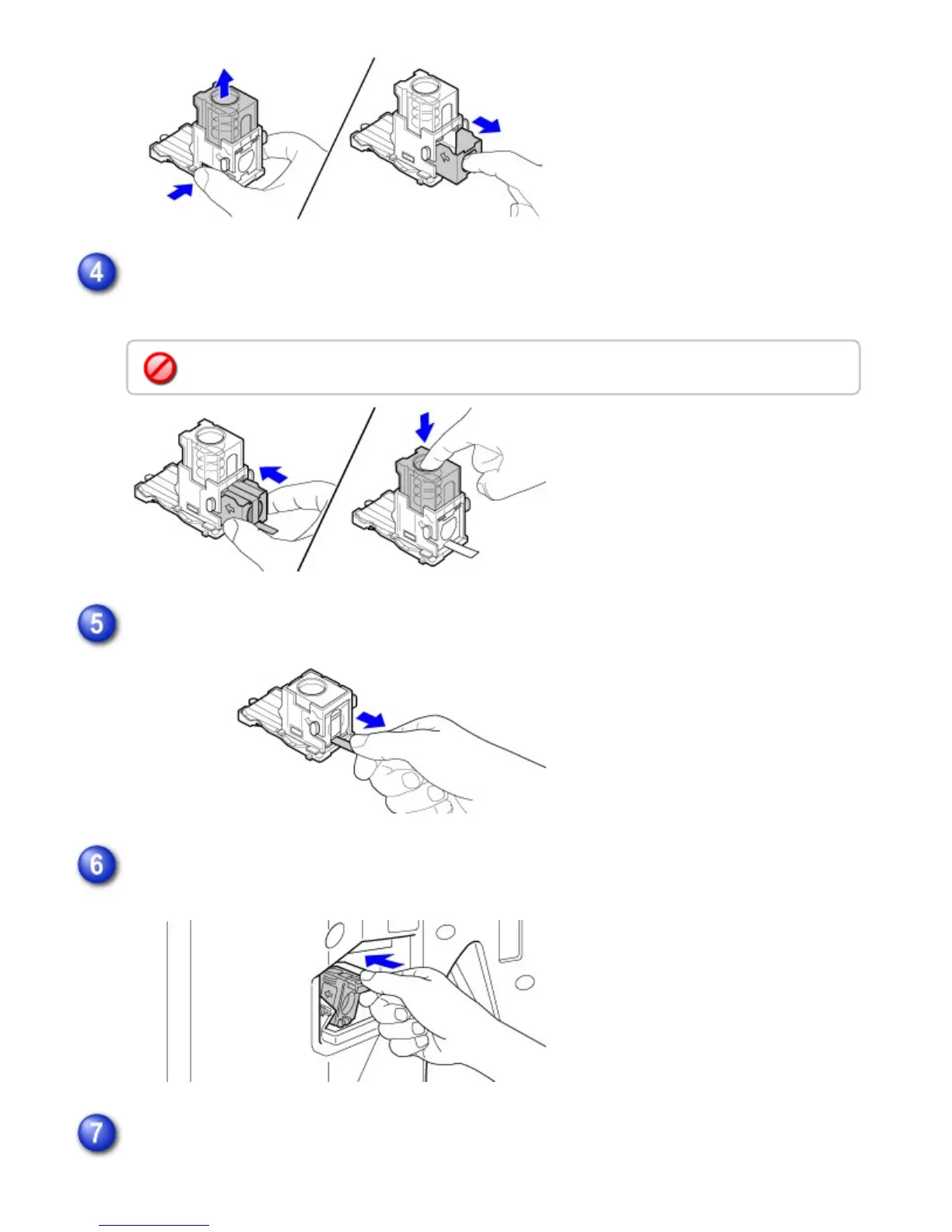
Insert a new staple cartridge into the staple case.
Push the staple cartridge in until it clicks into place.
Pull the seal that holds the staples straight out.
Push the staple case firmly back in.
Push the staple case in until it clicks into place.
Close the front cover.
Do not remove the seal from the cartridge before inserting the cartridge into the case.
USER'S MANUAL | MX-M365N/MX-M465N/MX-M565N USER'S ... http://siica.sharpusa.com/portals/0/downloads/Manuals/MX-M365N-M...
36 of 1441 3/17/2016 7:14 AM



 To Next Page