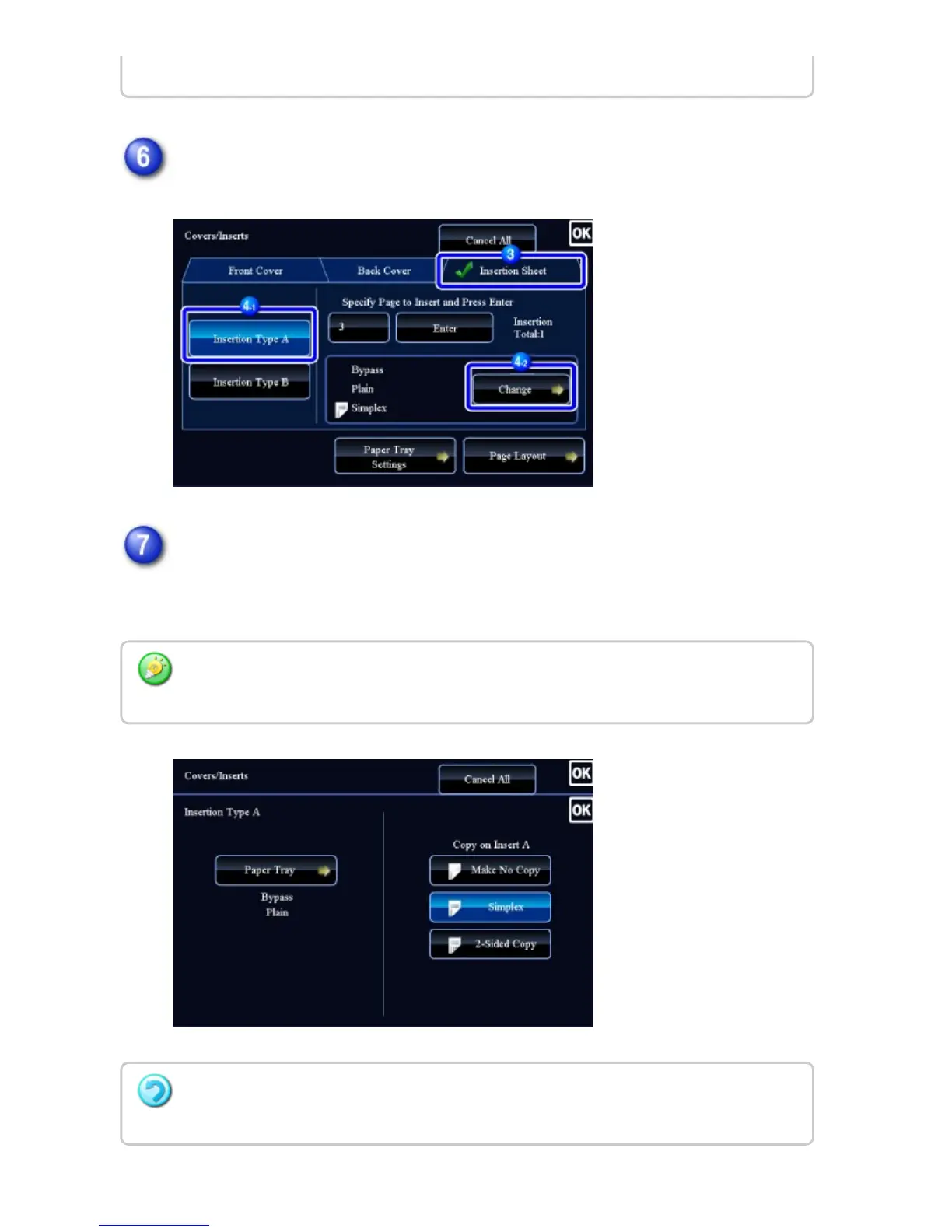
Tap the [Change] key.
When only inserting insertion sheet A, tap the [Make No Copy] key.
When making a copy on insertion sheet A, tap the [Simplex] or [2-Sided Copy]
key.
Tap the [CA] key.
To change an insertion sheet:
Tap the [Paper Tray] key, and select the tray with insertion sheets loaded.
When copying on both sides of an insertion sheet, you cannot use label sheets,
transparency films, or tab paper for insertion. If not copied on, tab paper can be inserted.
USER'S MANUAL | MX-M365N/MX-M465N/MX-M565N USER'S ... http://siica.sharpusa.com/portals/0/downloads/Manuals/MX-M365N-M...
366 of 1441 3/17/2016 7:14 AM



 To Next Page