feeder, and tap the [Preview] key.
AUTOMATIC DOCUMENT FEEDER
Tap the [Others] key, and then tap the [Covers/Inserts] key.
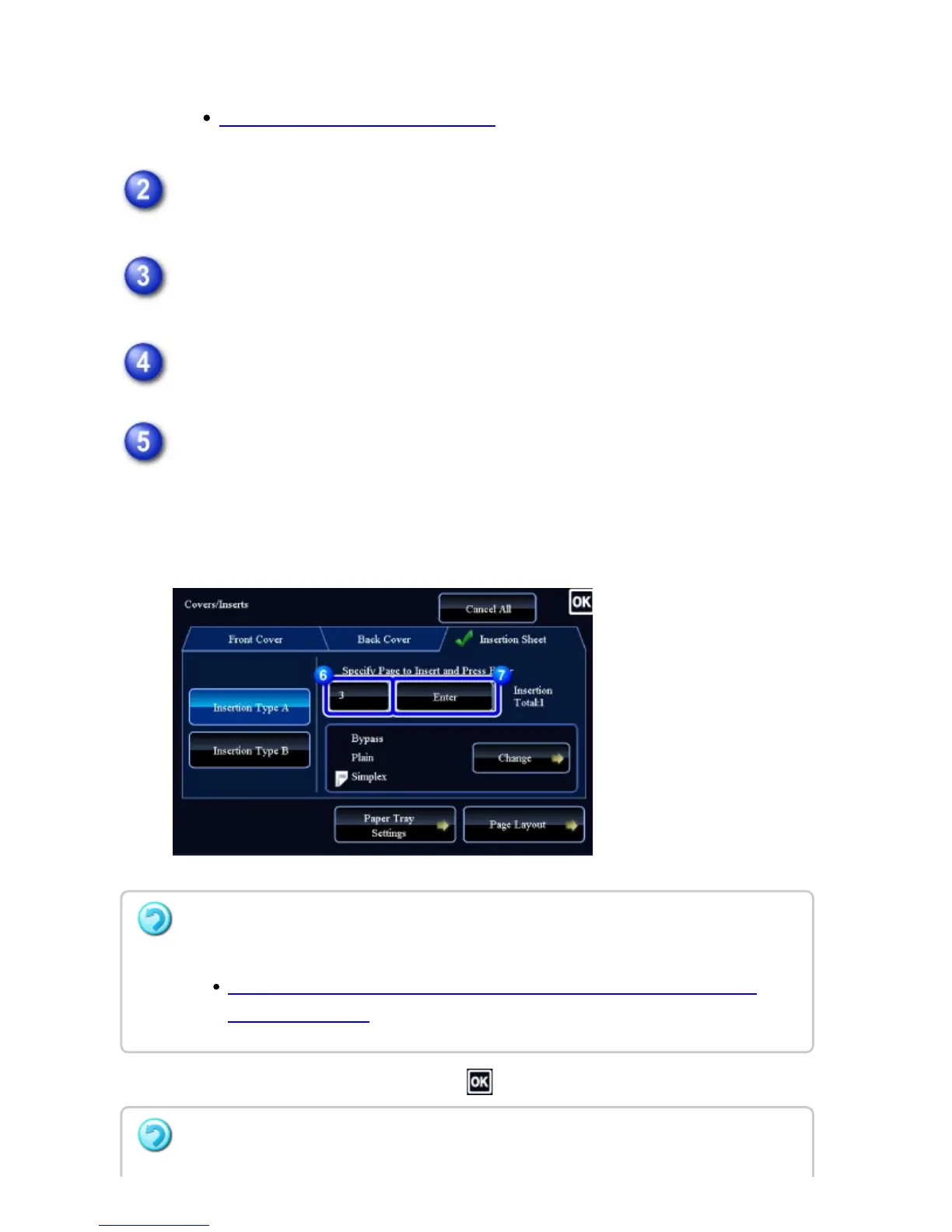
Tap the [Insertion Sheet] tab.
Tap the insert page display key.
The Insertion Type B settings are the same as the Insertion Type A settings.
Enter the number of the page you want to insert a sheet into using numeric
keys, and then tap the [Enter] key.
The total number of insertion sheets is displayed at the side of [Enter] key.
Repeat these steps for the number of insertion sheets.
After the settings are completed, tap and [Back] keys in sequence.
If you have entered an incorrect insert page number:
Tap the [Page Layout] key and change the page.
CHECKING, EDITING, AND DELETING THE PAGE LAYOUT OF COVERS AND
INSERTION SHEETS
To cancel inserting insertion sheets:
USER'S MANUAL | MX-M365N/MX-M465N/MX-M565N USER'S ... http://siica.sharpusa.com/portals/0/downloads/Manuals/MX-M365N-M...
365 of 1441 3/17/2016 7:14 AM



 To Next Page