INSERTING INSERTION SHEETS IN BETWEEN
TRANSPARENCY FILMS
(TRANSPARENCY
INSERTS)
Overview
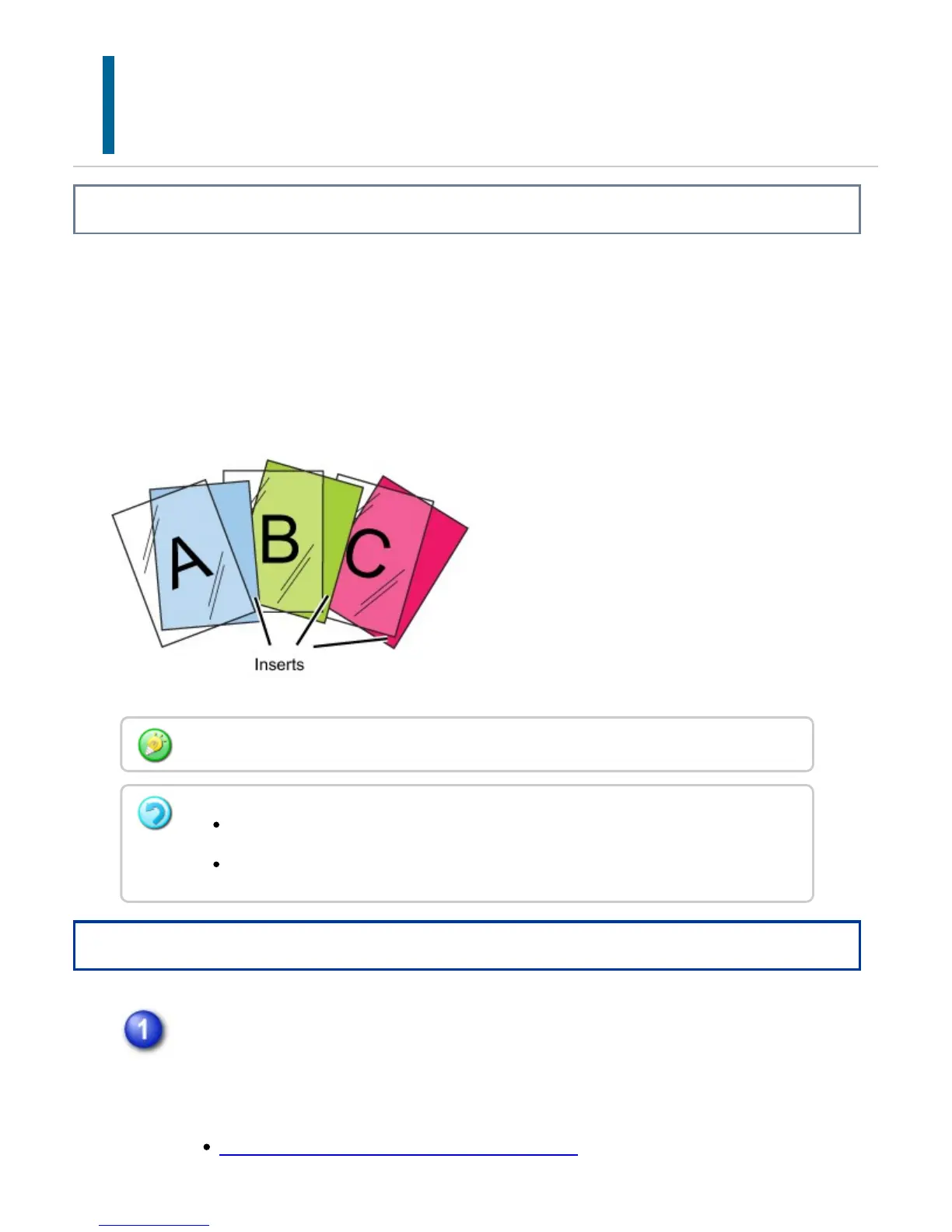
When copying on transparency film, the sheets may stick together due to static
electricity.
The transparency inserts function can be used to automatically insert a sheet of paper
between each sheet of transparency film, making the sheets easy to handle.
It is also possible to copy on insertion sheets.
Operation
Place the transparency film face down in the bypass tray, and load
transparency film sheets.
After loading the transparency film, configure the bypass tray settings.
MAKING COPIES USING THE BYPASS TRAY
When performing 2-sided copying, only "2-side to 1-side" mode can be used.
The number of copies cannot be selected in this mode.
Transparency film can only be placed in the bypass tray.
USER'S MANUAL | MX-M365N/MX-M465N/MX-M565N USER'S ... http://siica.sharpusa.com/portals/0/downloads/Manuals/MX-M365N-M...
370 of 1441 3/17/2016 7:14 AM



 To Next Page