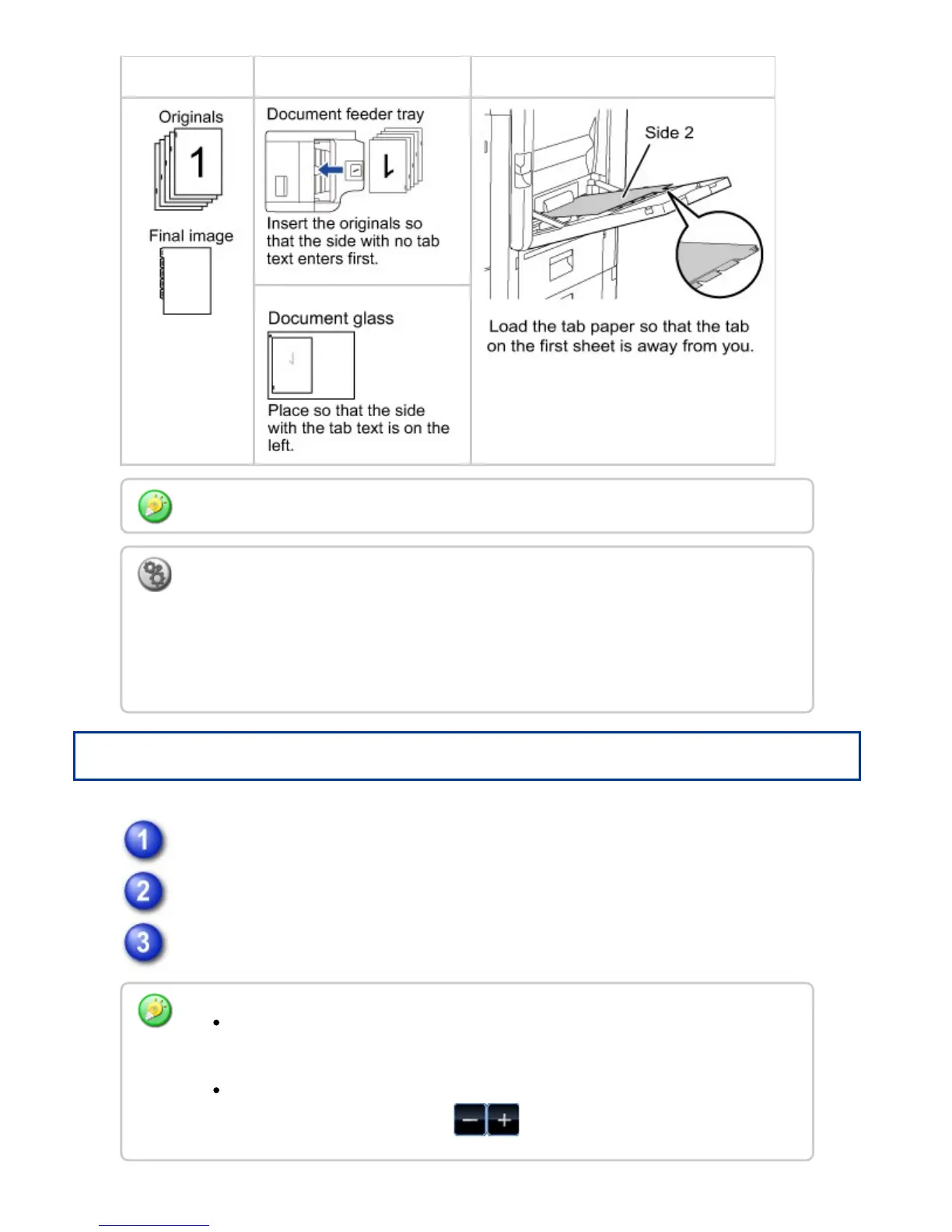
Originals Placing the originals Loading tab paper
Operation
Tap the [Others] key, and tap the [Tab Copy] key.
Tap the [On] key.
Sets an image shift width (tab width).
Tab Copy must be specified before scanning the original.
To change the default image shift width for tab copying:
In "Setting mode", select [System Settings] → [Copy Settings] → [Copy Setting] →
[Initial Tab Copy Setting].
The default image shift width can be set from 0" to 5/8" (0 mm to 20 mm). The factory
default setting is "1/2" (10 mm)".
Tap the numeric value display indicating the image shift width, and enter a shift
width using numeric keys.
To quickly set the area, first specify a value close to the desired value by the
numeric keys, then adjust it with .
USER'S MANUAL | MX-M365N/MX-M465N/MX-M565N USER'S ... http://siica.sharpusa.com/portals/0/downloads/Manuals/MX-M365N-M...
374 of 1441 3/17/2016 7:14 AM



 To Next Page