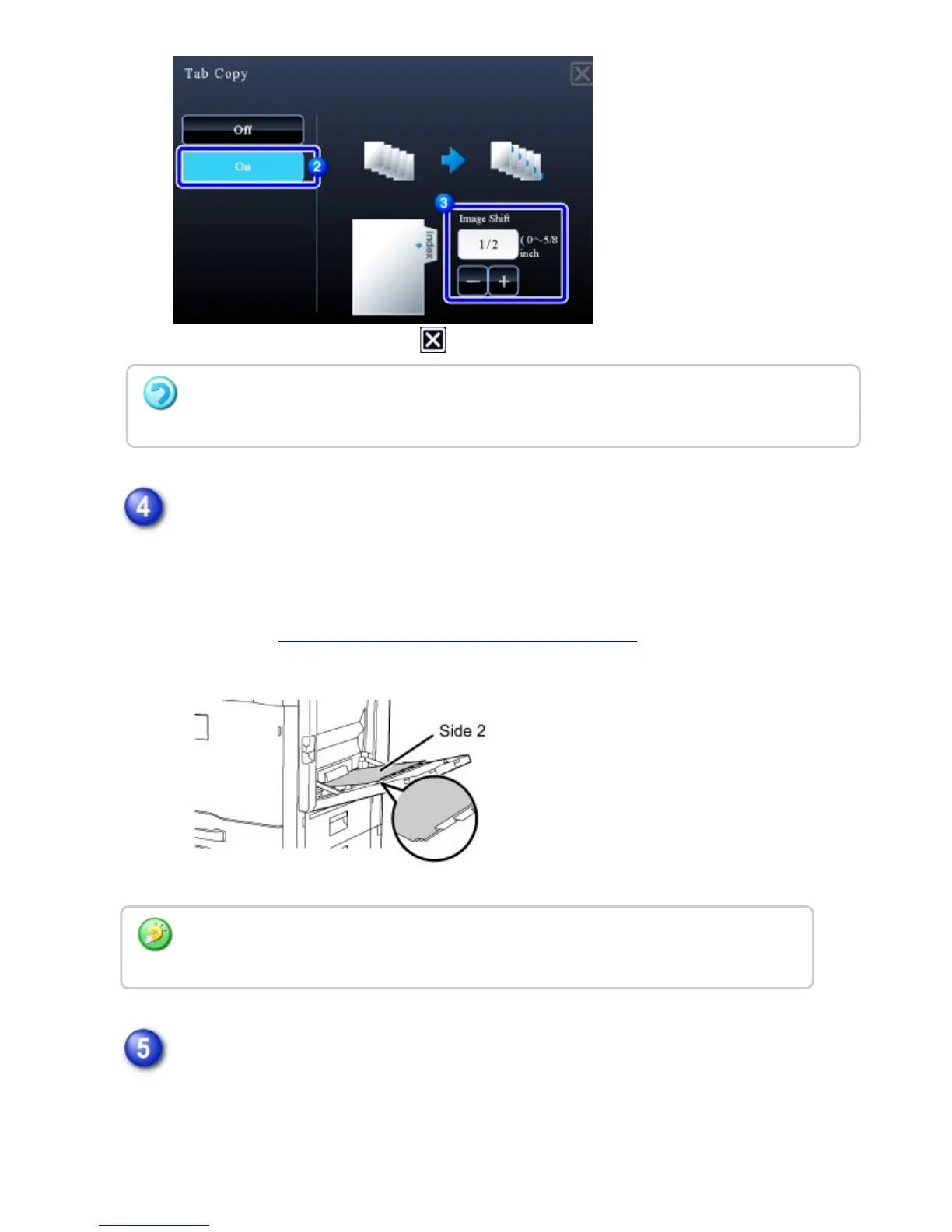
After the settings are completed, tap and [Back] keys in sequence.
Load the tab paper.
When using the bypass tray, place the paper with the print side down.
Place the paper so that the sides with the tabs enter the machine last.
After loading tab paper into the bypass tray, configure the bypass tray settings as
explained in "MAKING COPIES USING THE BYPASS TRAY".
Place the original and tap the [Preview] key.
Place the original in the document feeder tray of the automatic document feeder,
or on the document glass.
To cancel the tag copy setting:
Tap the [Off] key.
The width of the tab paper can be as wide as 8-1/2" x 11" paper (8-1/2") plus 5/8" (or
A4 width (210 mm) plus 20 mm).
USER'S MANUAL | MX-M365N/MX-M465N/MX-M565N USER'S ... http://siica.sharpusa.com/portals/0/downloads/Manuals/MX-M365N-M...
375 of 1441 3/17/2016 7:14 AM



 To Next Page