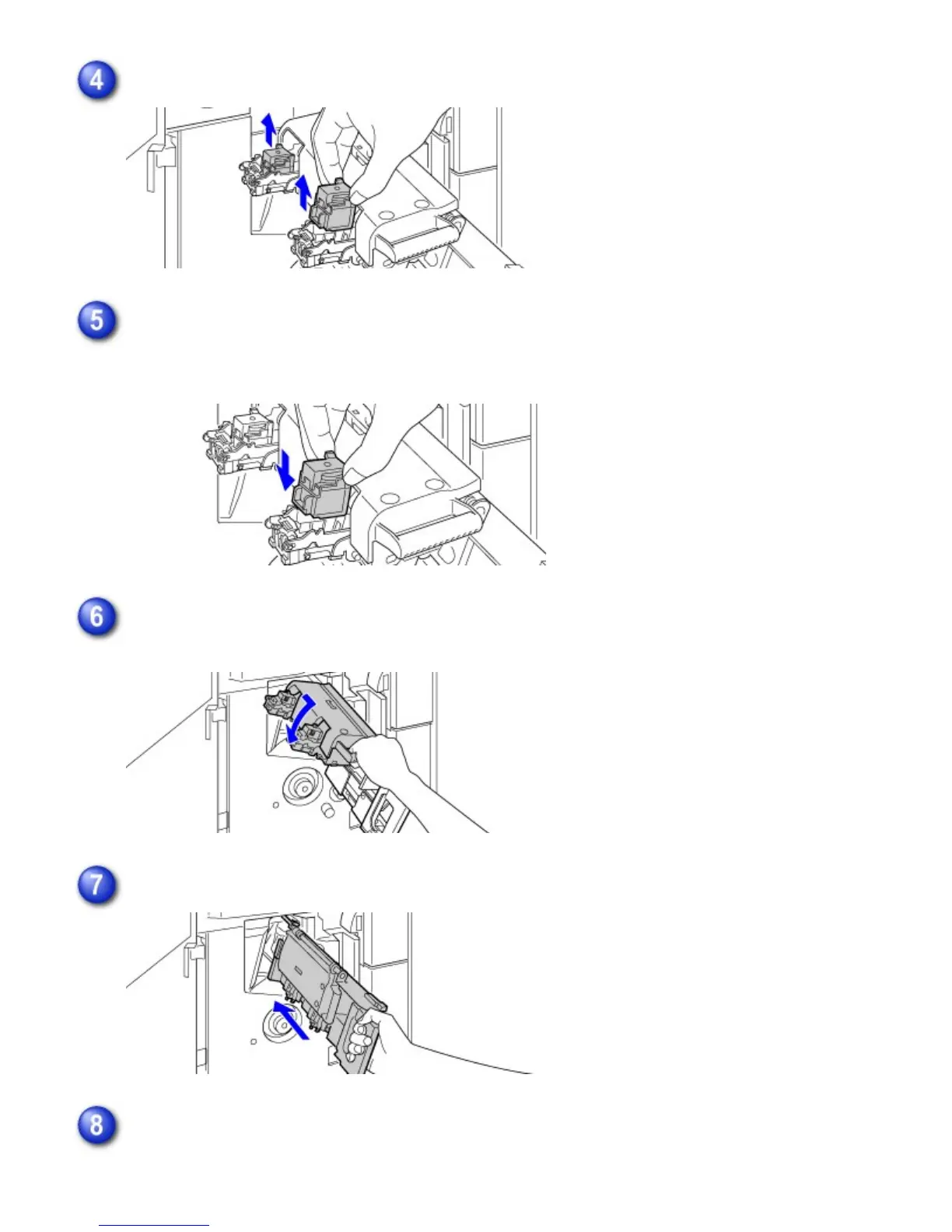
Grasp the left and right side of each empty staple cartridge and remove the cartridges.
Load new staple cartridges.
Replace both staple cartridges. Remove the cover from each staple cartridge and then install
the cartridge.
Pull the staple unit of the saddle finisher forward and then rotate it back to its original
position.
Push the saddle stitch unit in.
Close the front cover of the saddle finisher.
USER'S MANUAL | MX-M365N/MX-M465N/MX-M565N USER'S ... http://siica.sharpusa.com/portals/0/downloads/Manuals/MX-M365N-M...
38 of 1441 3/17/2016 7:14 AM



 To Next Page