PRINTING IN A WINDOWS ENVIRONMENT
Overview
Operation
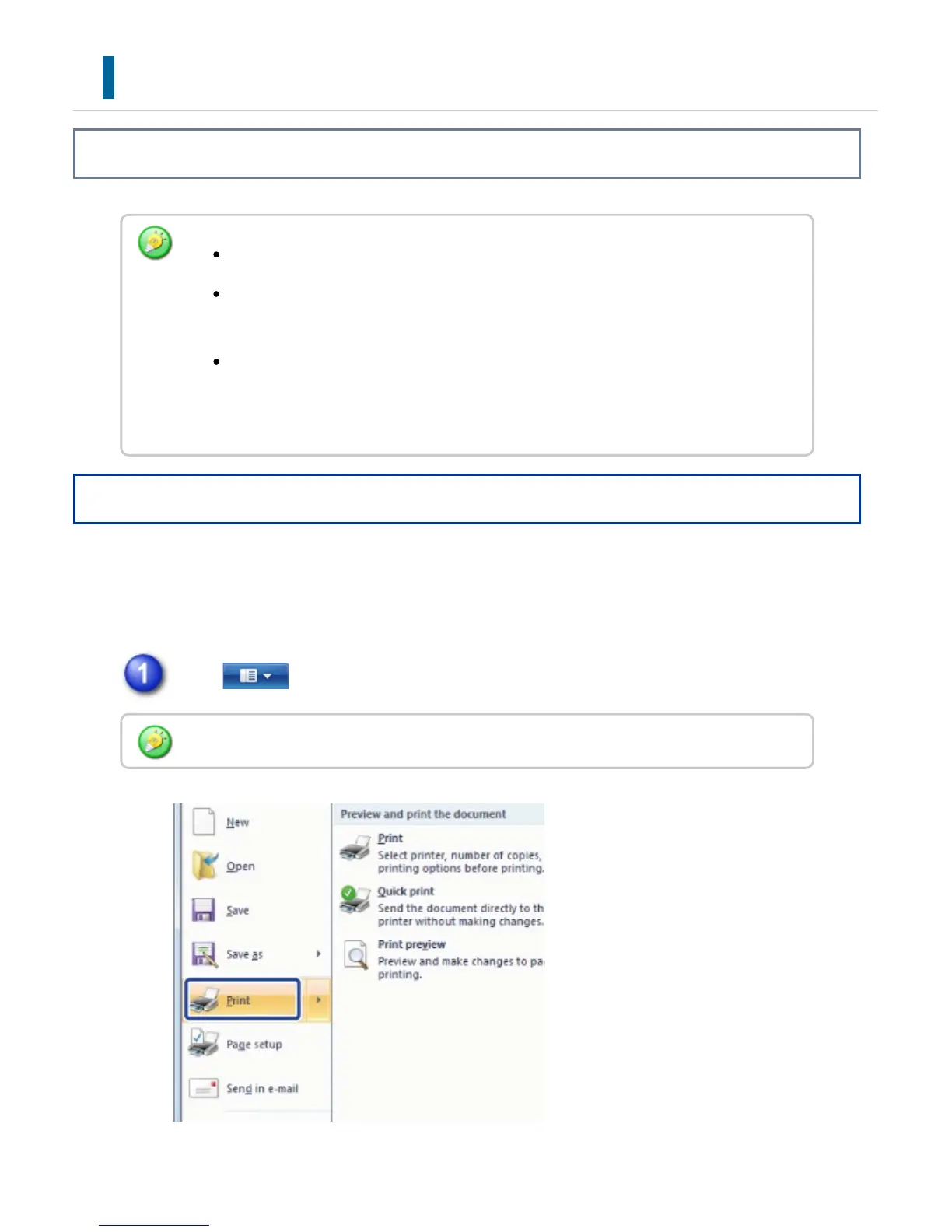
The following example explains how to print a document from "WordPad", which is a
standard accessory application in Windows.
Click of WordPad and select [Print].
The menu used to execute printing may vary depending on the application.
The button that is used to open the printer driver properties window (usually
[Property] or [Print Settings]) may vary depending on the application.
The machine name that normally appears in the [Printer] menu is [MX-xxxx].
("xxxx" is a sequence of characters that varies depending on the machine
model.)
In Windows XP/Server 2003/Vista, select [Print] from the [File] menu.
USER'S MANUAL | MX-M365N/MX-M465N/MX-M565N USER'S ... http://siica.sharpusa.com/portals/0/downloads/Manuals/MX-M365N-M...
396 of 1441 3/17/2016 7:14 AM



 To Next Page