PRINTING MULTIPLE PAGES ON ONE PAGE
Overview
This function reduces the print image and prints multiple pages on a single sheet of
paper. You can print only the first page in the original size and print multiple reduced
pages on the subsequent sheets.
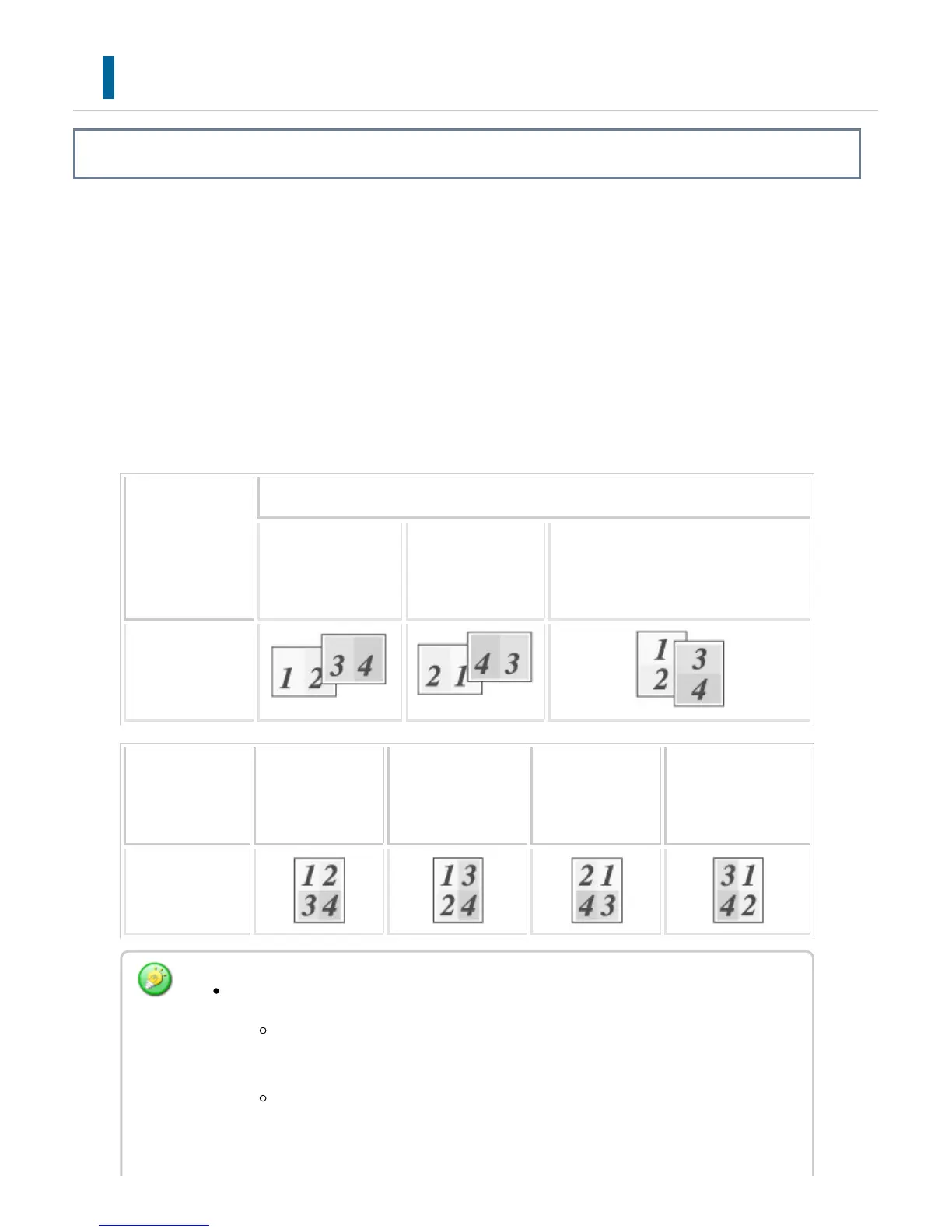
For example, when [2-Up] (2 pages per sheet) or [4-Up] (4 pages per sheet) is selected,
the following print results will be obtained, depending on the selected page order.
This is convenient when you want to print multiple images such as photos on a single
sheet of paper, and when you want to conserve paper. When used in combination with
2-sided printing, this function saves more paper.
N-Up
(Pages per she
et)
Print results
Left To Right Right To Left Top To Bottom
(When the print orientation is landsc
ape)
2-Up
(2 pages per she
et)
N-Up
(Pages per sh
eet)
Upper-Left To
Right
Upper-Left To B
ottom
Upper-Right T
o Left
Upper-Right To
Bottom
4-Up (4 pages p
er sheet)
Note the following when printing multiple pages on one sheet:
The page orders for 6-Up, 8-Up, 9-Up, and 16-Up are the same as for
4-Up.
In a Windows environment, the page order can be viewed in the print
image in the printer driver properties window.
USER'S MANUAL | MX-M365N/MX-M465N/MX-M565N USER'S ... http://siica.sharpusa.com/portals/0/downloads/Manuals/MX-M365N-M...
428 of 1441 3/17/2016 7:14 AM



 To Next Page