Printing only the first page in the original size (for PCL6 only)
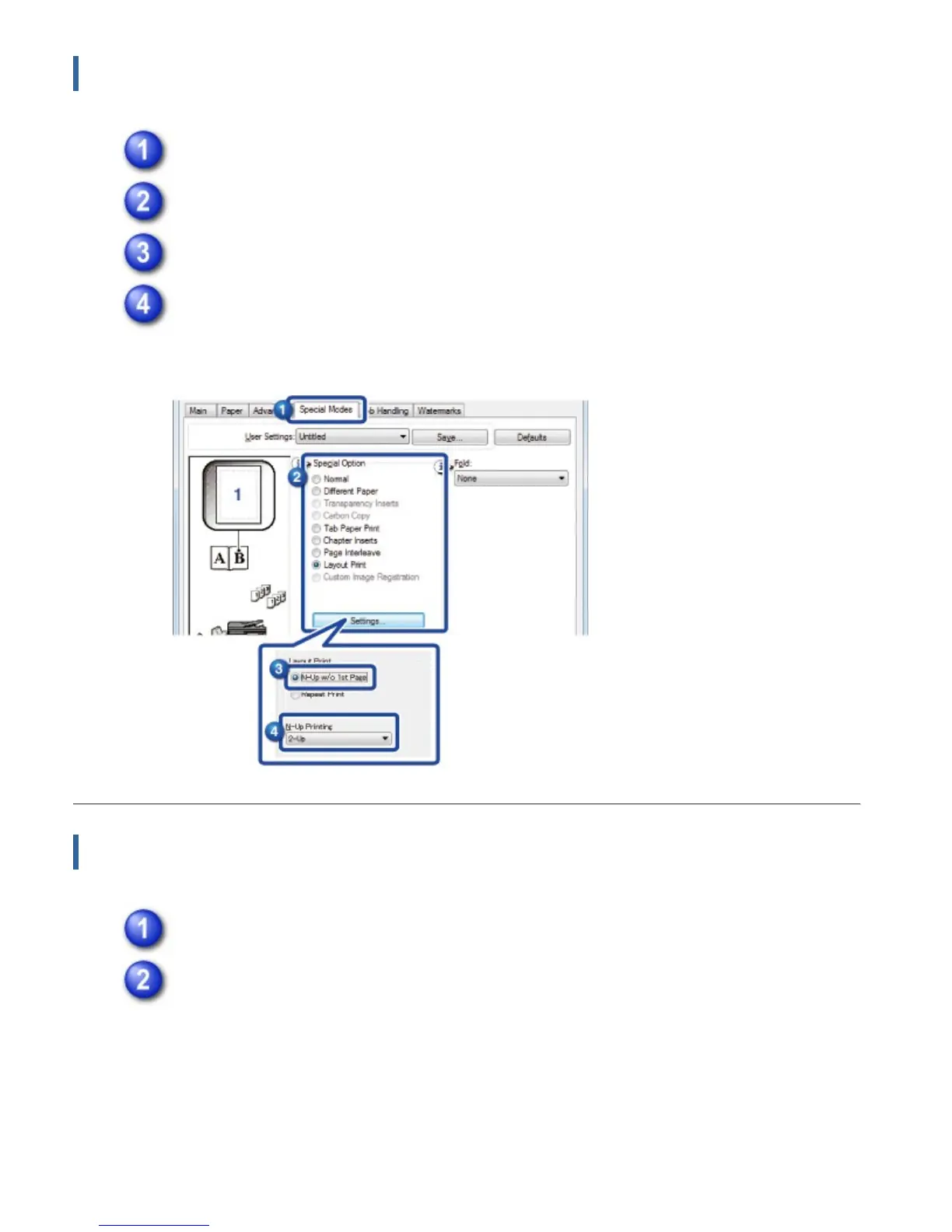
Click the [Special Modes] tab.
Select [Layout Print] and click the [Settings] button.
Select [N-Up w/o 1st Page].
In "N-Up Printing", select the number of images per sheet and click the [OK]
button.
Macintosh
Select [Layout] and select the number of pages per sheet.
Select the order of the pages.
If you wish to print borderlines, select the desired type of borderline.
USER'S MANUAL | MX-M365N/MX-M465N/MX-M565N USER'S ... http://siica.sharpusa.com/portals/0/downloads/Manuals/MX-M365N-M...
430 of 1441 3/17/2016 7:14 AM



 To Next Page