STAPLING OUTPUT/PUNCHING HOLES IN
OUTPUT
Overview
Staple function
The staple function staples the output. To create materials with a more sophisticated
appearance, the staple function can be used in combination with 2-sided printing.
This function saves considerable time when preparing handouts for a meeting or other
stapled materials.
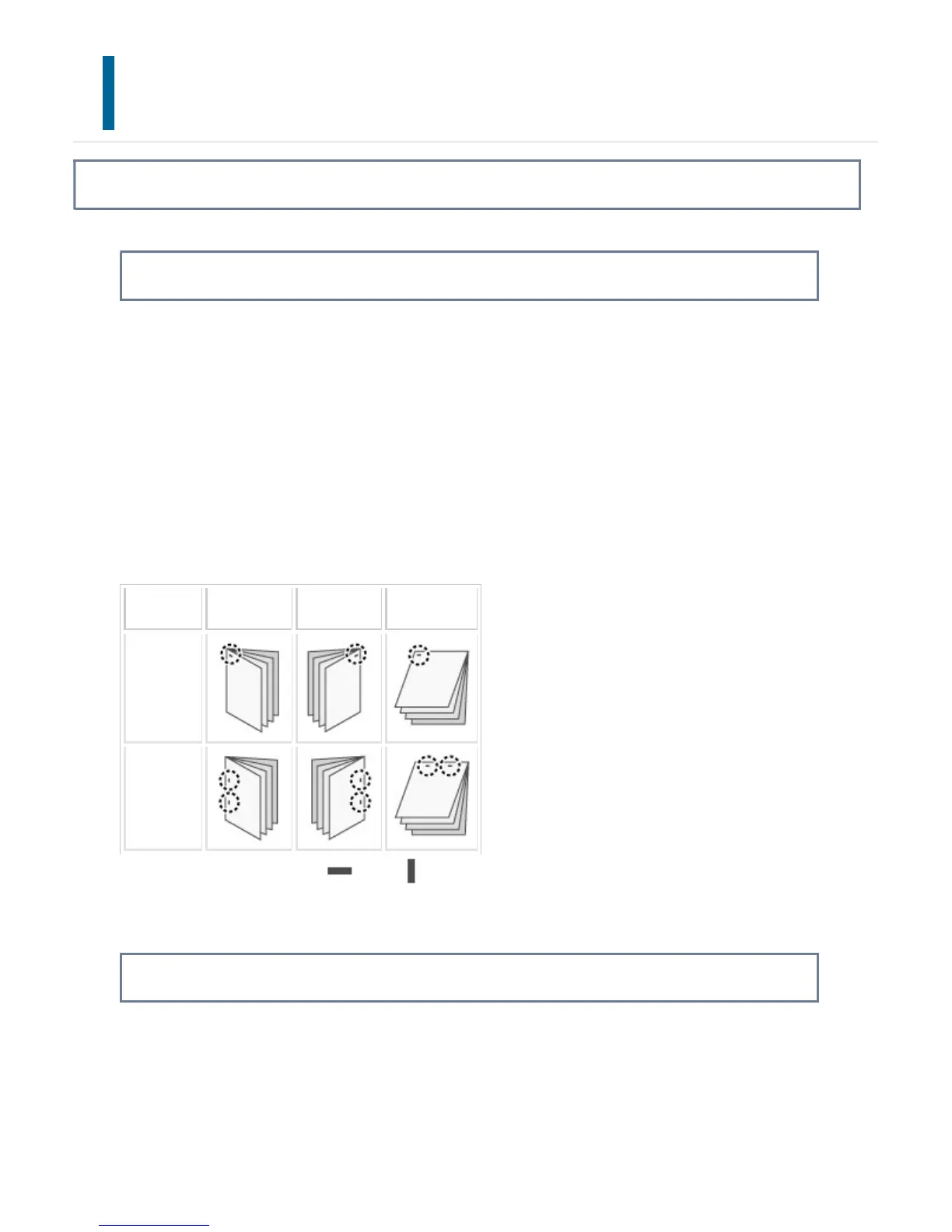
The stapling positions and the number of staples can be selected to obtain the following
stapling results.
Staple Left Right Top
1 Staple*
2 Staples
* The staple orientation (" " or " ") varies depending on the size and orientation of
the paper.
Punch function
The punch function punches holes in the output. The punch hole positions are set by
selecting the binding edge.
USER'S MANUAL | MX-M365N/MX-M465N/MX-M565N USER'S ... http://siica.sharpusa.com/portals/0/downloads/Manuals/MX-M365N-M...
434 of 1441 3/17/2016 7:14 AM



 To Next Page