CREATE A STAPLED PAMPHLET
(PAMPHLET
COPY/SADDLE STITCH)
Overview
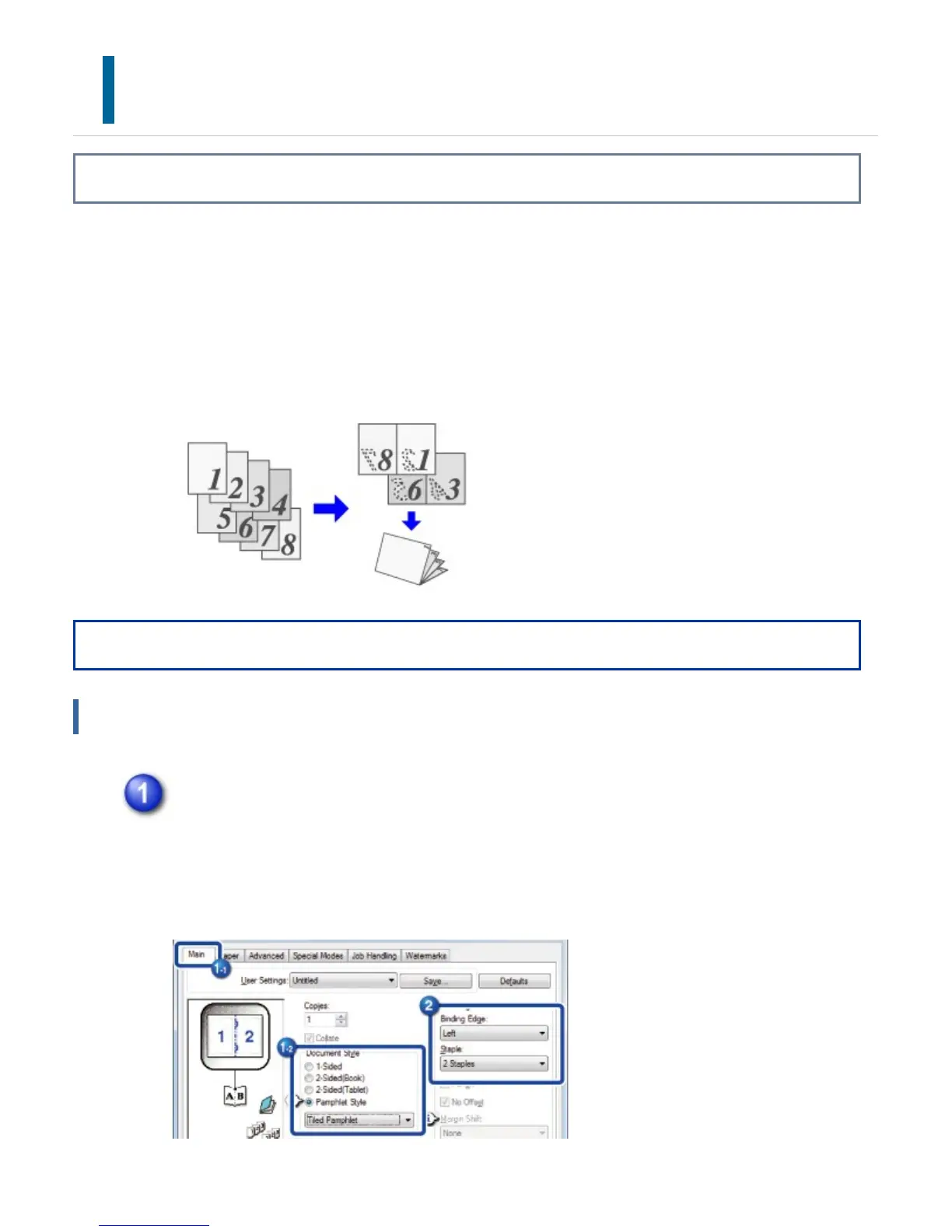
The pamphlet function prints on the front and back of each sheet of paper so that the
sheets can be folded and bound to create a pamphlet.
If a saddle finisher is installed and if "Pamphlet Style" and "Staple" are selected, this
function automatically folds and outputs the copies. This is convenient when you wish to
compile printed output into a pamphlet.
Operation
Windows
Click the [Main] tab and select [Pamphlet Style].
Select the printing method for the pamphlet style from the pull-down menu. The
selections are [Tiled Pamphlet], [Pamphlet Style (2-Up)], [Multiple Pamphlet Style
(Actual Size)], and [Multiple Pamphlet Style (2-Up)].
USER'S MANUAL | MX-M365N/MX-M465N/MX-M565N USER'S ... http://siica.sharpusa.com/portals/0/downloads/Manuals/MX-M365N-M...
437 of 1441 3/17/2016 7:14 AM



 To Next Page