ADJUST THE BRIGHTNESS AND CONTRAST
OF THE IMAGE
(IMAGE ADJUSTMENT SETTINGS)
Overview
This function adjusts the brightness and contrast in the print settings when a photo or
other image is printed.
This function makes simple corrections even if image editing software is not installed on
your computer.
Operation
Windows
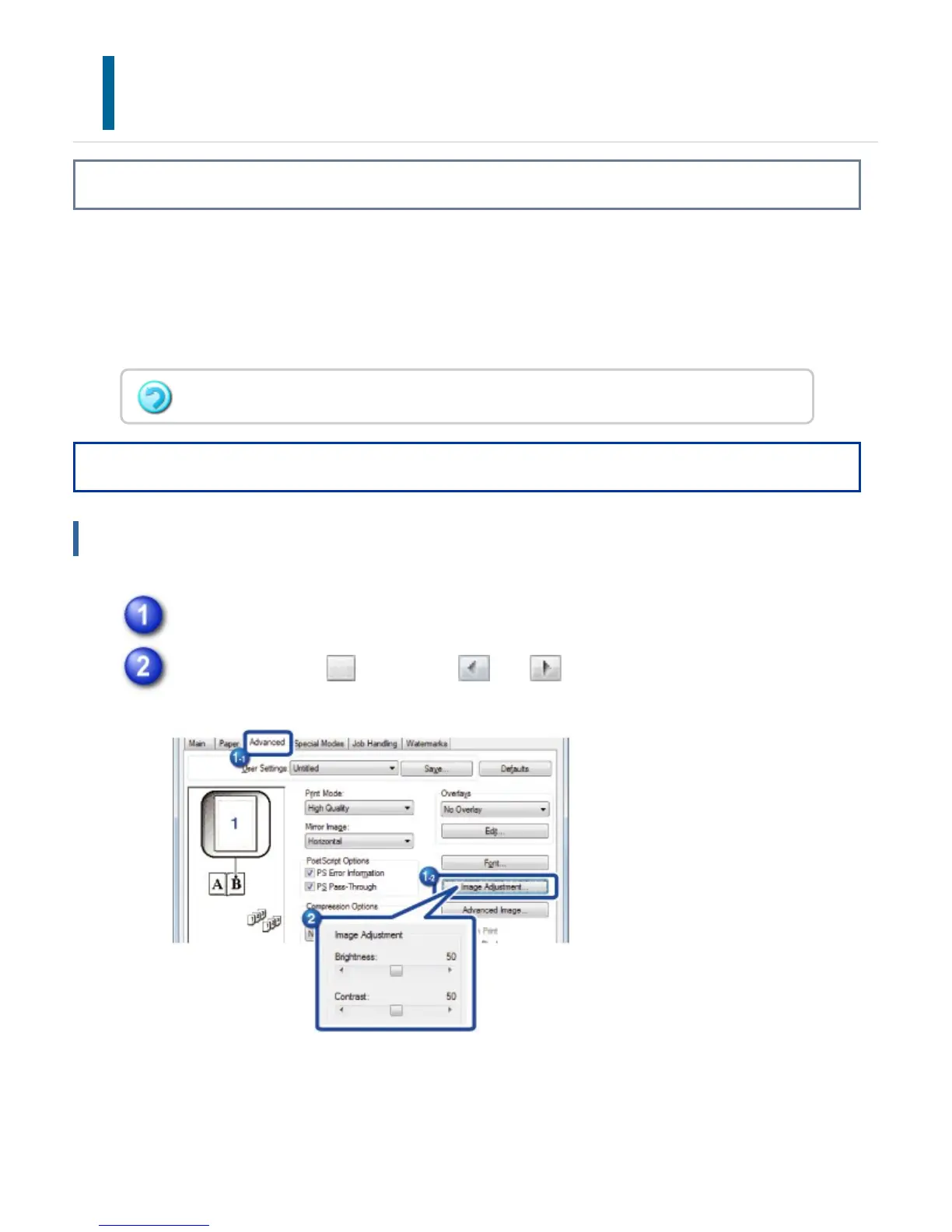
Click the [Advanced] tab and click the [Image Adjustment...] button.
Drag the slide bar or click the and buttons to adjust the image.
In a Macintosh environment, this function is only available when using Mac OS X 10.4.
USER'S MANUAL | MX-M365N/MX-M465N/MX-M565N USER'S ... http://siica.sharpusa.com/portals/0/downloads/Manuals/MX-M365N-M...
453 of 1441 3/17/2016 7:14 AM



 To Next Page