Macintosh
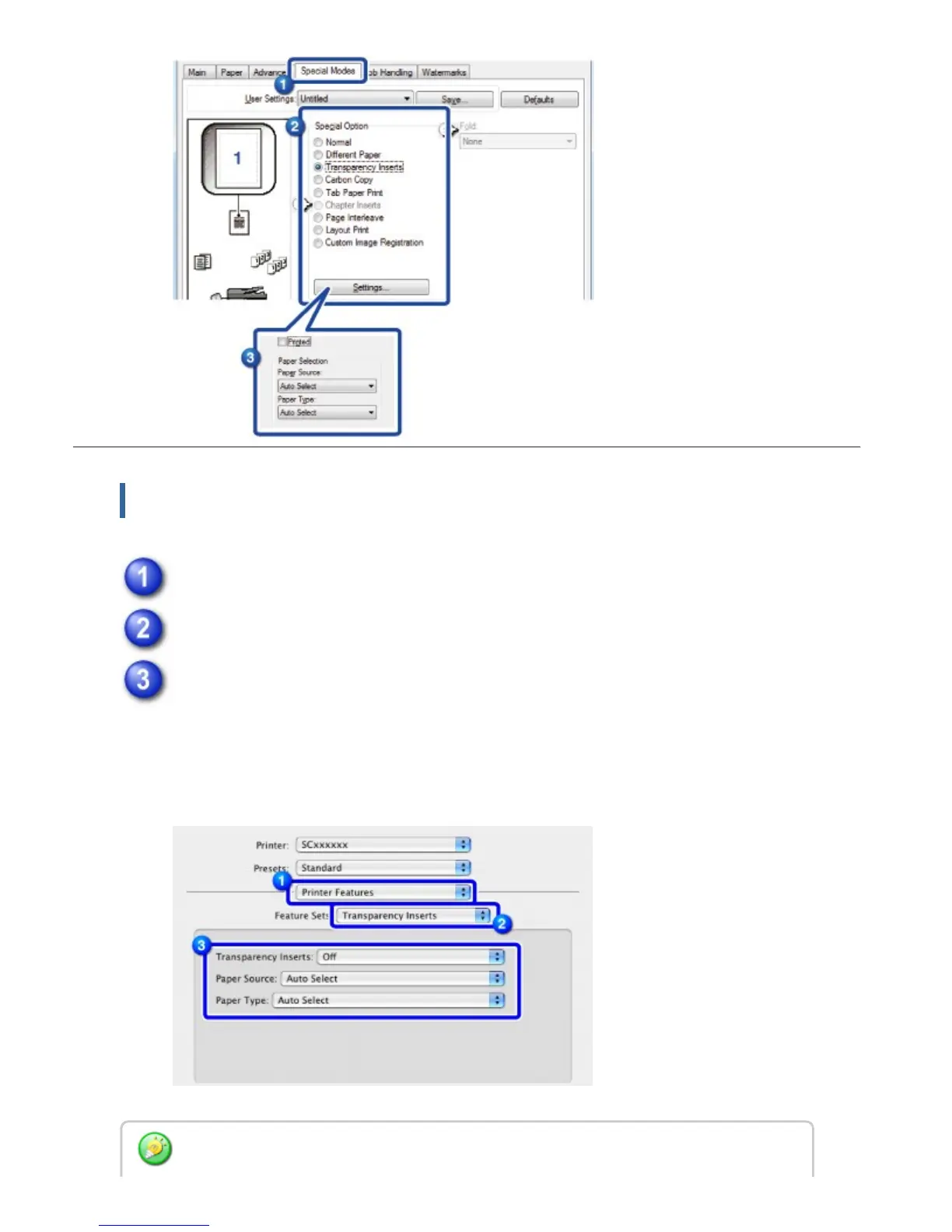
Select [Printer Features].
Select [Transparency Inserts] in [Feature Sets].
Select the transparency insert settings.
When [Print] is selected from "Transparency Inserts", the same content as that
printed on the transparency film is also printed on the insert. Select the paper
source and type if needed.
Set the paper type of the bypass tray to [OHP] and load transparency film into the bypass
USER'S MANUAL | MX-M365N/MX-M465N/MX-M565N USER'S ... http://siica.sharpusa.com/portals/0/downloads/Manuals/MX-M365N-M...
466 of 1441 3/17/2016 7:14 AM



 To Next Page