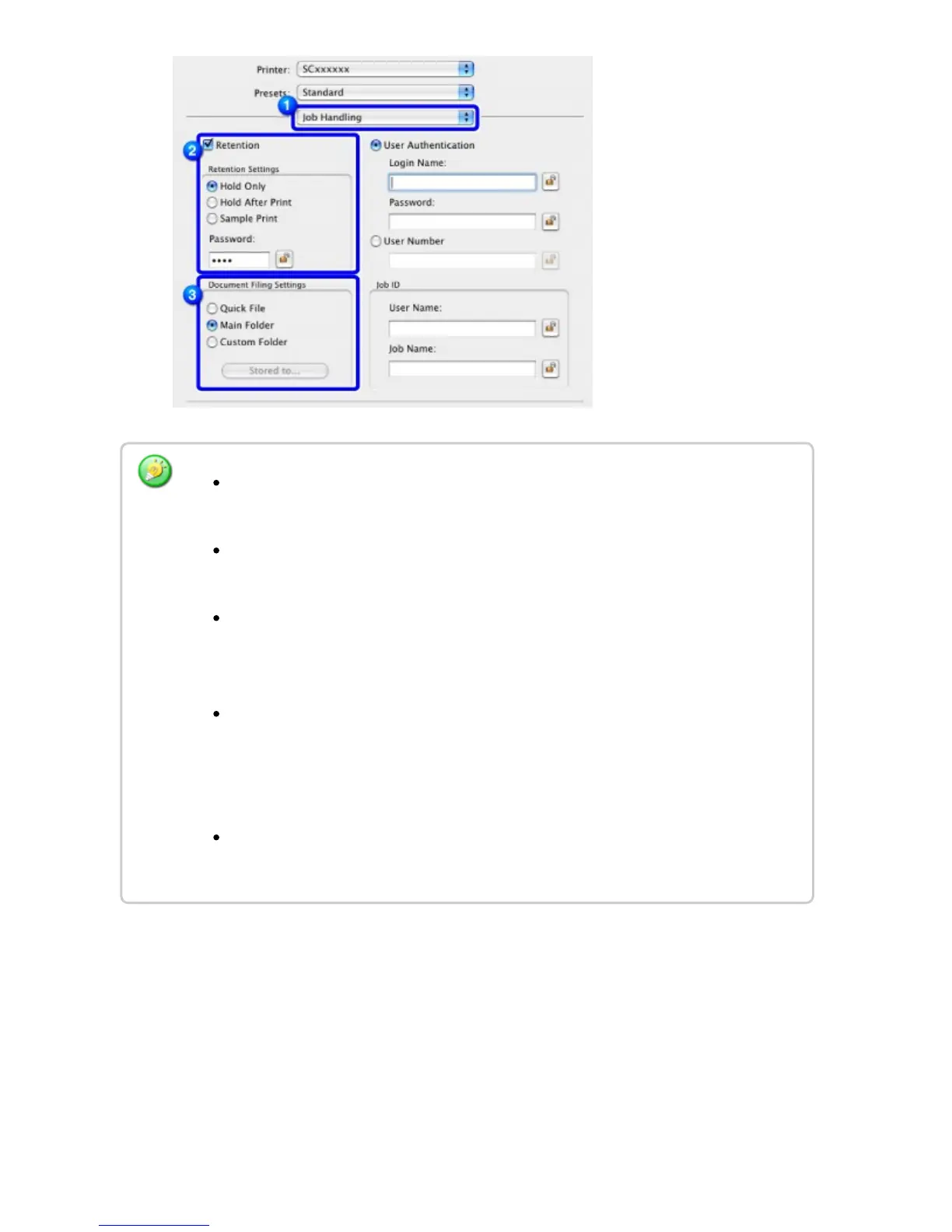
When [Quick File] is selected, "Retention Settings" will be set to [Hold After
Print].
When [Quick File] is selected, the password entered in "Retention Settings" is
cleared.
If necessary, you can select the data format from CMYK and RGB for data to be
stored in the machine. Select [Advanced] in [Printer Features] and select the
format from "Rip Format".
To store a file in a custom folder, you must first create the custom folder using
[System Settings] in "Settings" → [Document Filing Control]. If you have set a
password for the custom folder, enter the password in "Folder Password" on the
folder selection screen.
In Mac OS X 10.5, 10.6, 10.7, and 10.8, if you wish to store the document filing
settings in a custom folder, click the [Custom Folder] tab.
USER'S MANUAL | MX-M365N/MX-M465N/MX-M565N USER'S ... http://siica.sharpusa.com/portals/0/downloads/Manuals/MX-M365N-M...
493 of 1441 3/17/2016 7:14 AM



 To Next Page