E-MAIL PRINT
If you configure your e-mail account in the machine, the machine periodically checks your
mail server and automatically prints received e-mail attachments without using the printer
driver.
Performing e-mail print
Using your PC's e-mail software, specify the e-mail address of the machine in "Address"
and send e-mail attached with a file to be printed.
Control commands can be entered in the message of the e-mail to specify the number of
copies and print format.
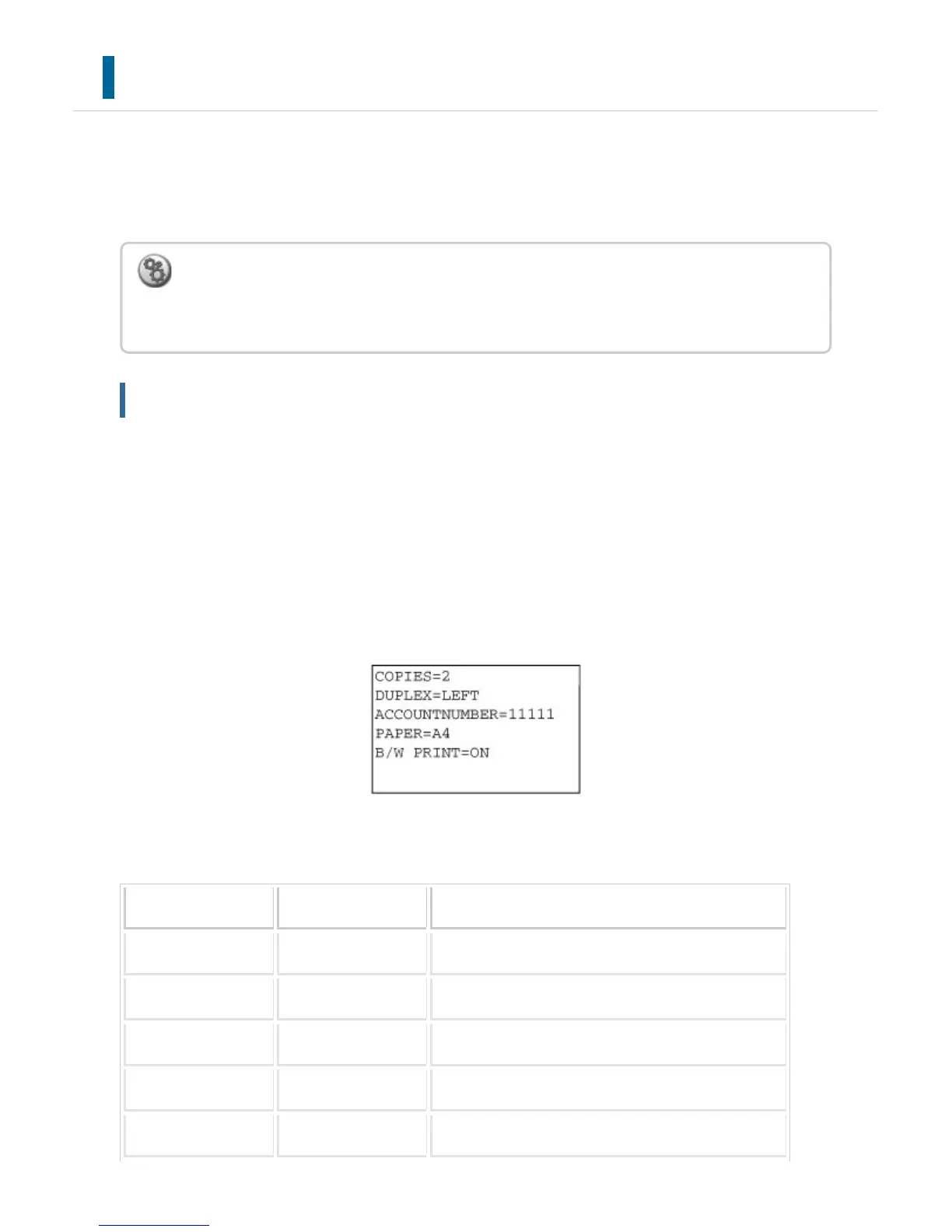
Commands are entered in the format "command name = value" as shown in the example
to the right.
As an example, the control commands include the following:
Function Command name Values
Copies COPIES 1-999
Staple
*1
STAPLEOPTION NONE, ONE, TWO, SADDLE
Punch
*2
PUNCH OFF, ON
OUTPUT COLLATE OFF, ON
2-sided Print DUPLEX OFF, TOP, LEFT, RIGHT
To perform e-mail print:
In "Setting mode", select [Application Settings] → [E-mail Print Settings], and register your
e-mail account. (Administrator rights are required.)
USER'S MANUAL | MX-M365N/MX-M465N/MX-M565N USER'S ... http://siica.sharpusa.com/portals/0/downloads/Manuals/MX-M365N-M...
511 of 1441 3/17/2016 7:14 AM



 To Next Page