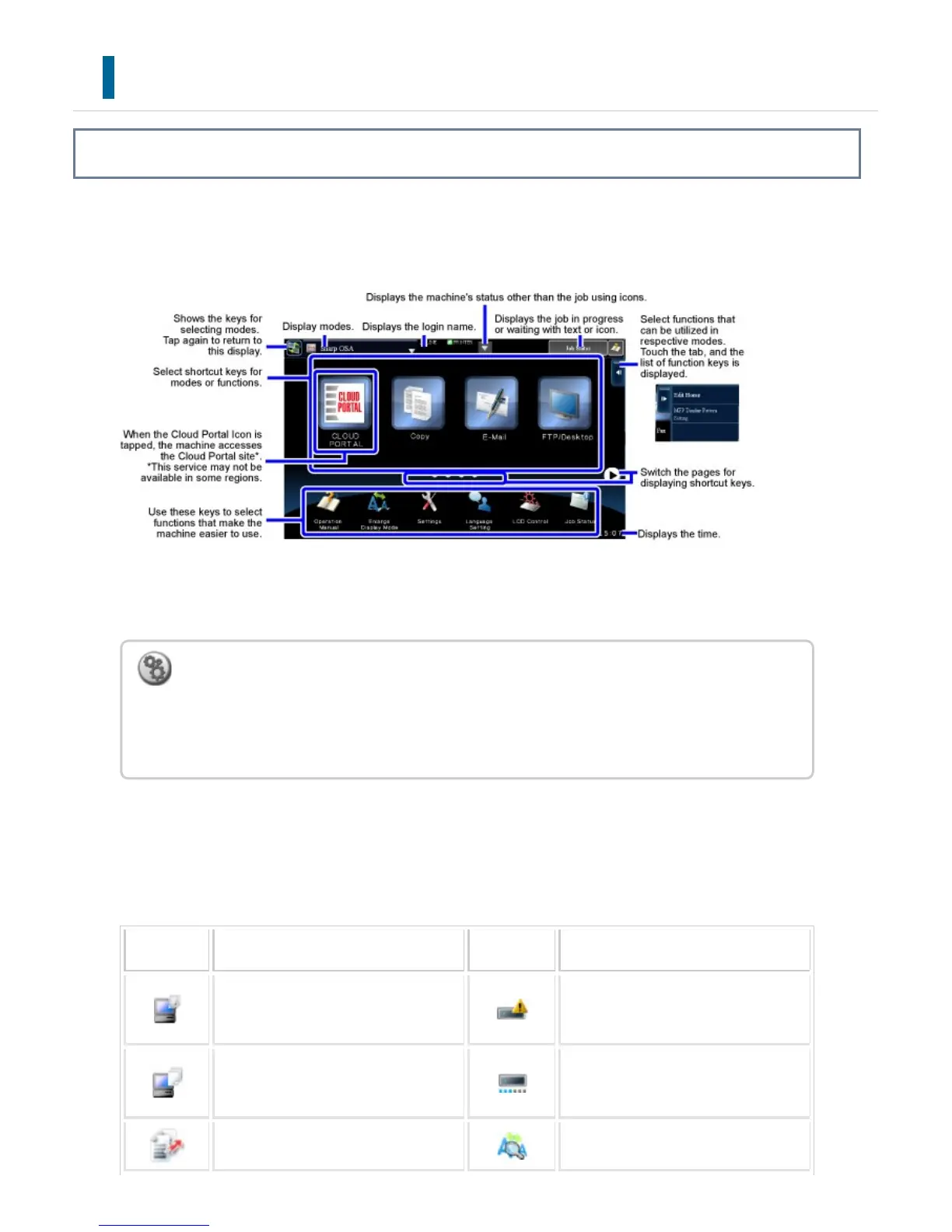
HOME SCREEN
Overview
Pressing the [Home Screen] button on the operation panel displays the home screen on the touch
panel. The home screen displays the keys for selecting modes or functions.
For procedures for adding and deleting shortcut keys, see the operational steps.
Icon indicating the status of the machine
The icon shows the status of the machine such as connecting to a USB device.
Icon Machine status Icon Machine status
Printer data is being processed. A mirroring kit is installed.
Out of order
*
Printer data is being printed. A mirroring kit is installed.
Under configuration
Send data exists. Enlarge display mode is enabled.
To set the home screen for each "favorite operation group list":
In "Setting mode (Web version)", select [User Control] → [Favorite Operation Group List]
→ [Home Screen List].
Perform this setting when user authentication is used.
USER'S MANUAL | MX-M365N/MX-M465N/MX-M565N USER'S ... http://siica.sharpusa.com/portals/0/downloads/Manuals/MX-M365N-M...
53 of 1441 3/17/2016 7:14 AM



 To Next Page