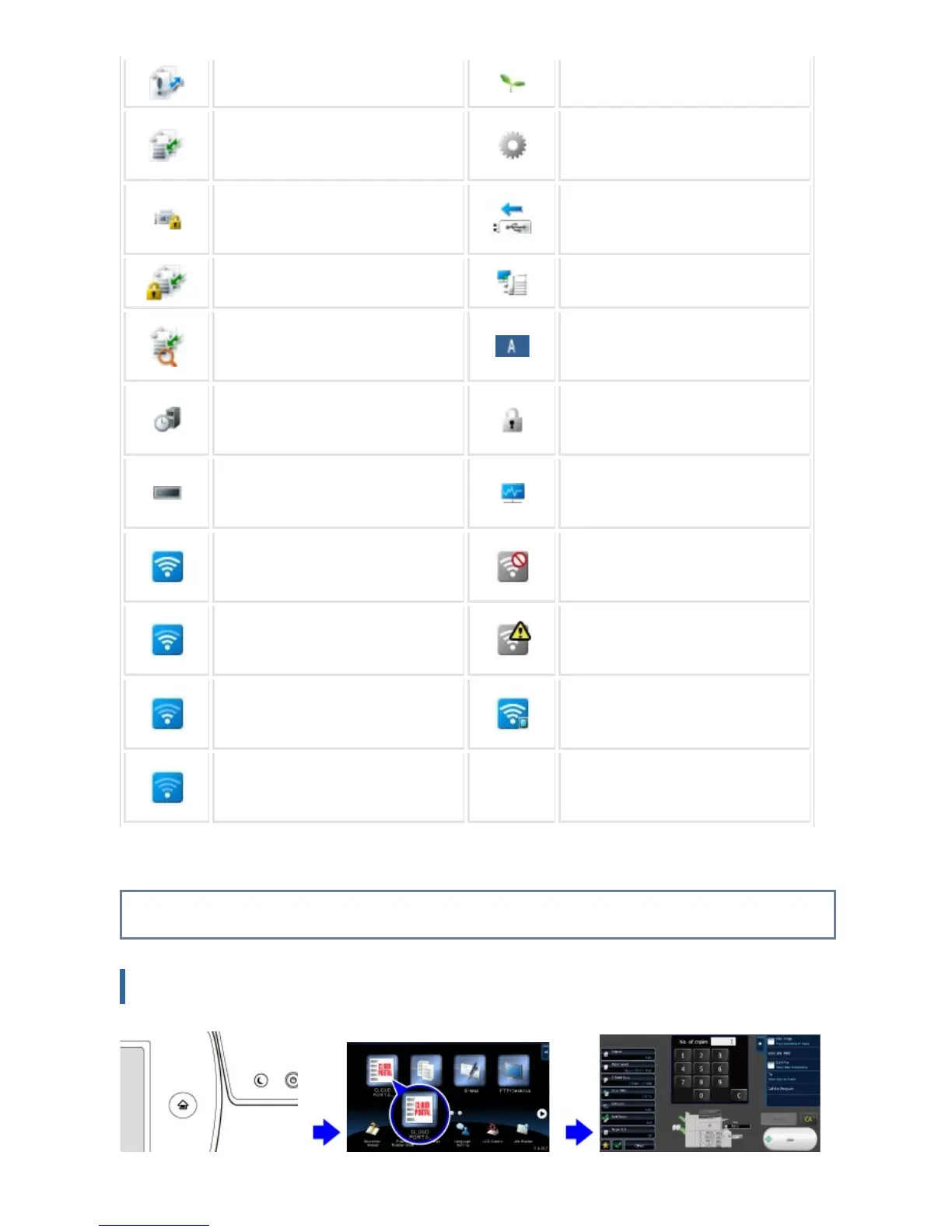
Forward error data exists. Eco mode is enabled.
Received data exists. A maintenance notification is issu
ed.
Received confidential fax data exis
ts.
A USB device is installed.
Received data is held. Remote operation is in progress.
Received preview data exists. Single-byte alphanumeric charact
er entry
OSA communication is in progress
.
A data security kit is installed.
A mirroring kit is installed. The field support system is enable
d.
Connecting to the access point (L
evel 4)
Not connected to the access poin
t
Connecting to the access point (L
evel 3)
Bad connection of the wireless LA
N device in the machine
*
Connecting to the access point (L
evel 2)
Waiting for the access point
Connecting to the access point (L
evel 1)
*
Contact your dealer or SHARP Service Department.
CHANGING MODES
Changing mode from the Home screen
[Home Screen] button Tap the mode icon. Operate for each mode.
USER'S MANUAL | MX-M365N/MX-M465N/MX-M565N USER'S ... http://siica.sharpusa.com/portals/0/downloads/Manuals/MX-M365N-M...
54 of 1441 3/17/2016 7:14 AM



 To Next Page