ENTERING A DESTINATION NUMBER USING
THE NUMERIC KEYS
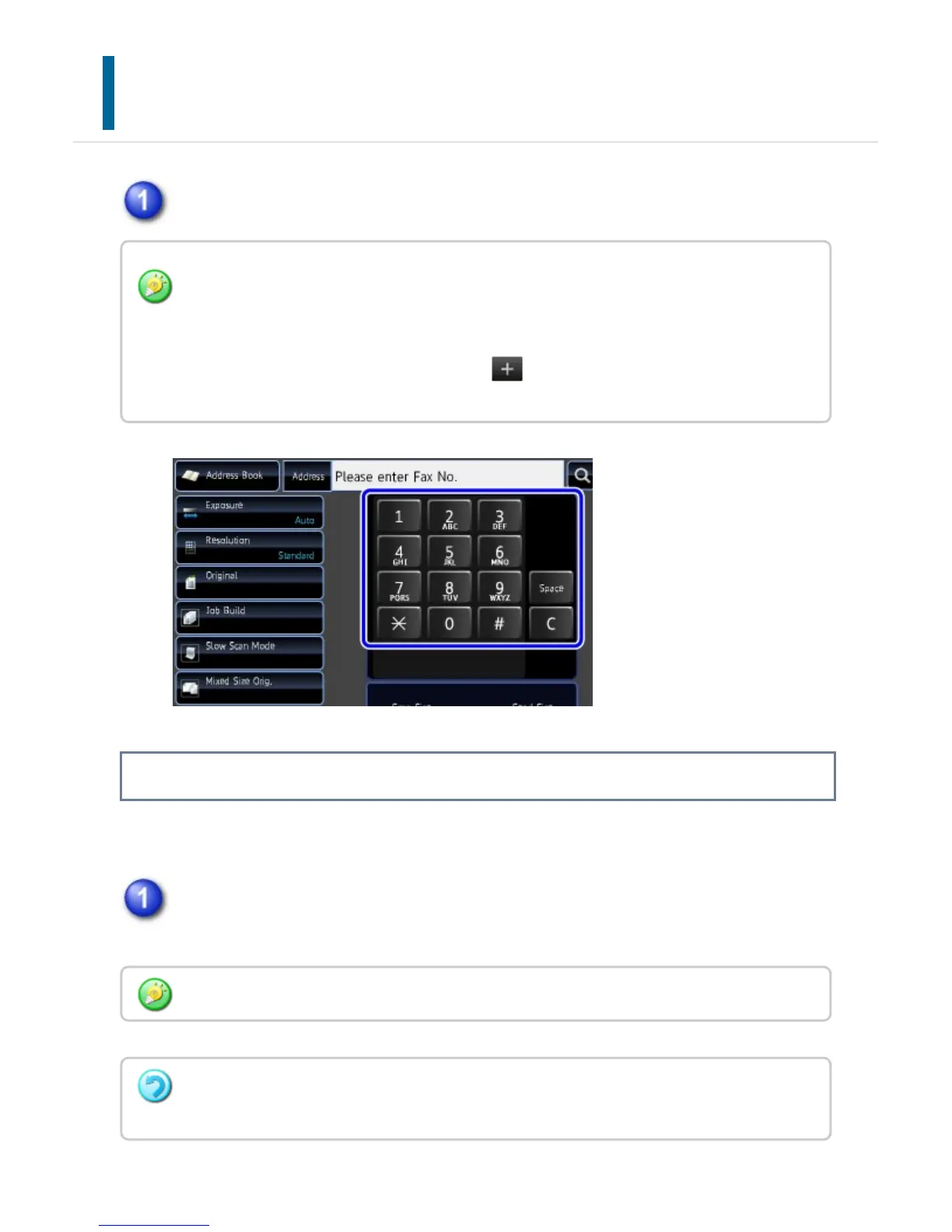
Tap numeric keys to enter the destination fax number.
ENTERING A PAUSE BETWEEN DIGITS OF THE NUMBER
Enter a pause after the number used to dial out from a PBX (for example, after "0"), or
after the country code when dialing an international number.
Tap the [Pause] key.
A hyphen "-" is entered when the [Pause] key is tapped once.
If you want to enter a pause between digits of the number:
The [Pause] key appears on the numeric keys when the destination fax number is entered.
Tap the [Pause] key to enter a hyphen (-).
If you want to specify multiple addresses, tap and enter the number of the next address.
You can also tap [Pause] key to specify multiple destinations.
The [Pause] key appears on the numeric keys when the destination fax number is entered.
If an incorrect number is entered:
Tap the [C] key to clear the number and enter the correct number.
USER'S MANUAL | MX-M365N/MX-M465N/MX-M565N USER'S ... http://siica.sharpusa.com/portals/0/downloads/Manuals/MX-M365N-M...
536 of 1441 3/17/2016 7:14 AM



 To Next Page