RETRIEVING A DESTINATION NUMBER FROM
AN ADDRESS BOOK
Overview
A destination fax number is retrieved by simply tapping the one-touch key of that
destination on the address book screen. (One-touch dialing)
It is also possible to store multiple fax numbers in a one-touch key, allowing you to
retrieve all the numbers by simply tapping the key. This dialing method is convenient
when you wish to send a fax to (or poll) multiple fax destinations.
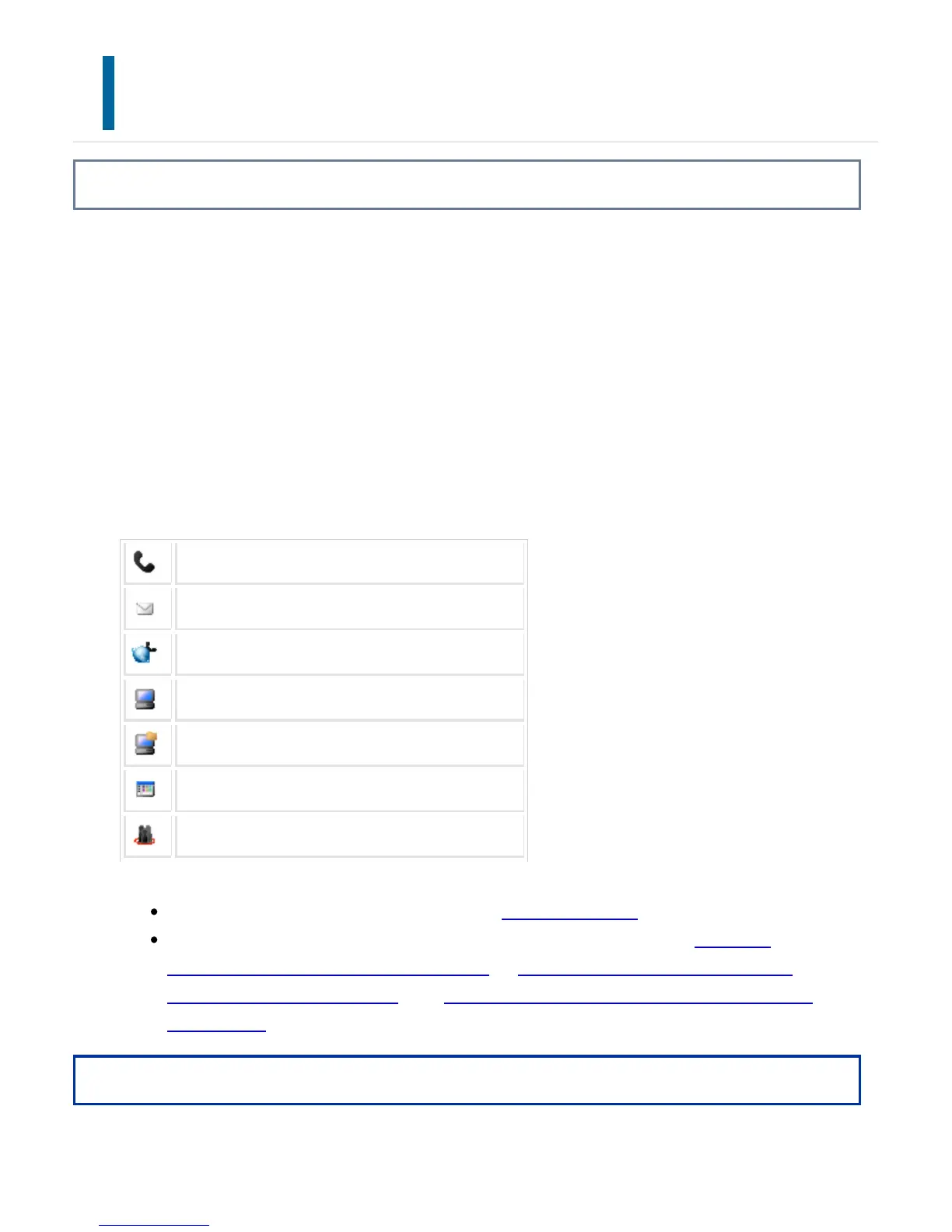
When destinations of other scan modes are stored in addition to fax destinations, an
icon indicating the mode appears together with the name of the destination in each
one-touch key.
Fax
Scan to E-mail
Internet Fax (Direct SMTP)
Scan to FTP
Scan to Network Folder
Scan to Desktop
Group key in which multiple addresses are stored
For information on the address book, see "ADDRESS BOOK".
For the procedure for storing an address in the address book, see "STORING
ADDRESSES THROUGH DIRECT ENTRY", "STORING ADDRESSES THROUGH
GLOBAL ADDRESS SEARCH" or "STORING ADDRESSES FROM FAX OR IMAGE
SEND LOGS".
Operation
USER'S MANUAL | MX-M365N/MX-M465N/MX-M565N USER'S ... http://siica.sharpusa.com/portals/0/downloads/Manuals/MX-M365N-M...
537 of 1441 3/17/2016 7:14 AM



 To Next Page