ORIGINAL PLACEMENT ORIENTATION
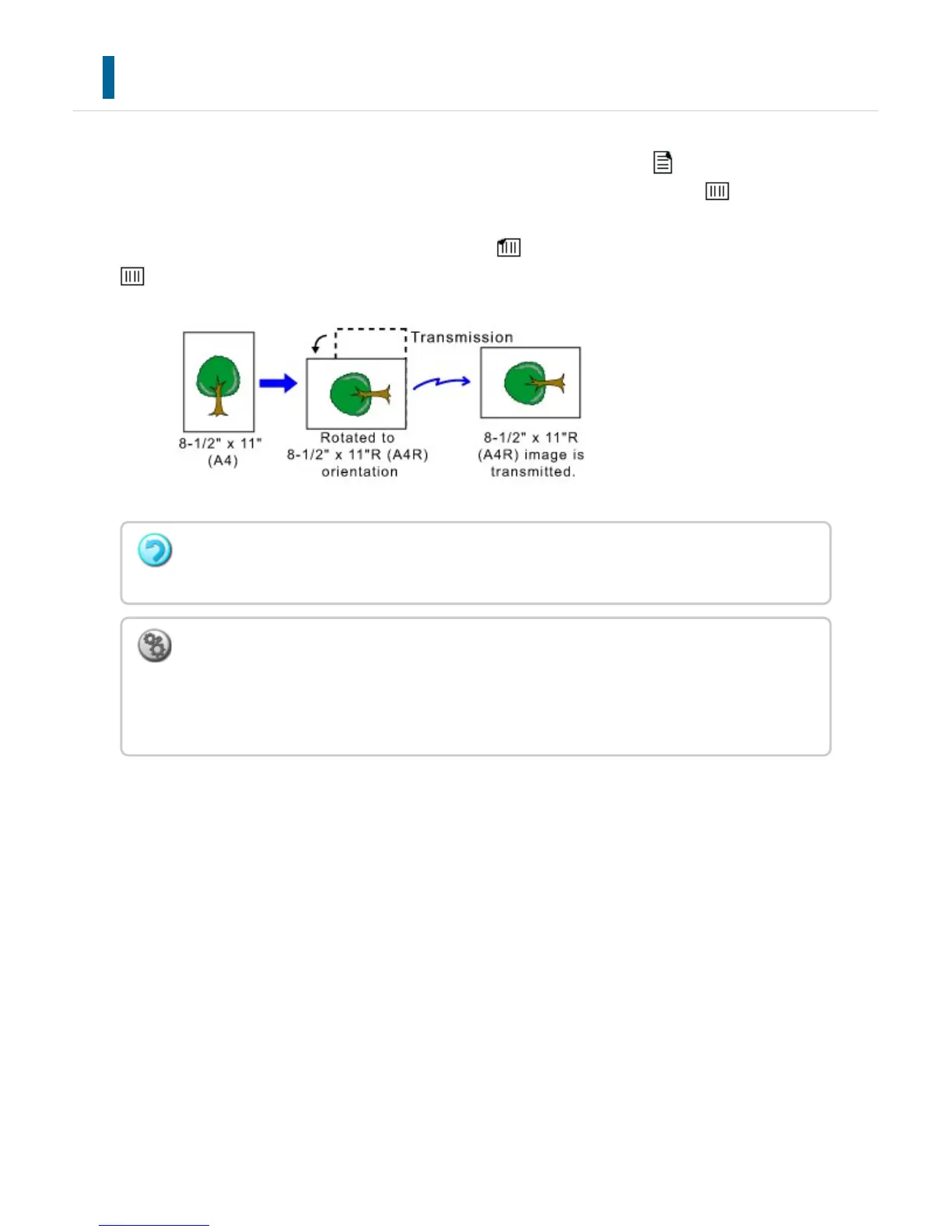
When an 8-1/2" x 11" (A4) original is placed in vertical orientation ( ), the image is
automatically rotated 90 degrees and transmitted in horizontal orientation ( ) (Rotation
Sending).
If the original is placed in horizontal orientation ( ), it is transmitted in that orientation (
) without being rotated.
Rotation sending is not available for originals with 8-1/2" x 11"R or 5-1/2" x 8-1/2" (A4R,
B5, or A5) size.
To cancel the rotation sending setting:
In "Setting mode", select [System Settings] → [Image Send Settings] → [Fax Settings] →
[Send Settings] → [Rotation Sending Setting].
If this setting is disabled, the original will be transmitted in the orientation in which it is placed.
USER'S MANUAL | MX-M365N/MX-M465N/MX-M565N USER'S ... http://siica.sharpusa.com/portals/0/downloads/Manuals/MX-M365N-M...
551 of 1441 3/17/2016 7:14 AM



 To Next Page