USING A SEARCH NUMBER TO RETRIEVE A DESTINATION
RETRIEVING A DESTINATION NUMBER FROM A GLOBAL ADDRESS
BOOK
USING A TRANSMISSION LOG TO RESEND
SENDING BY CHAIN DIALING
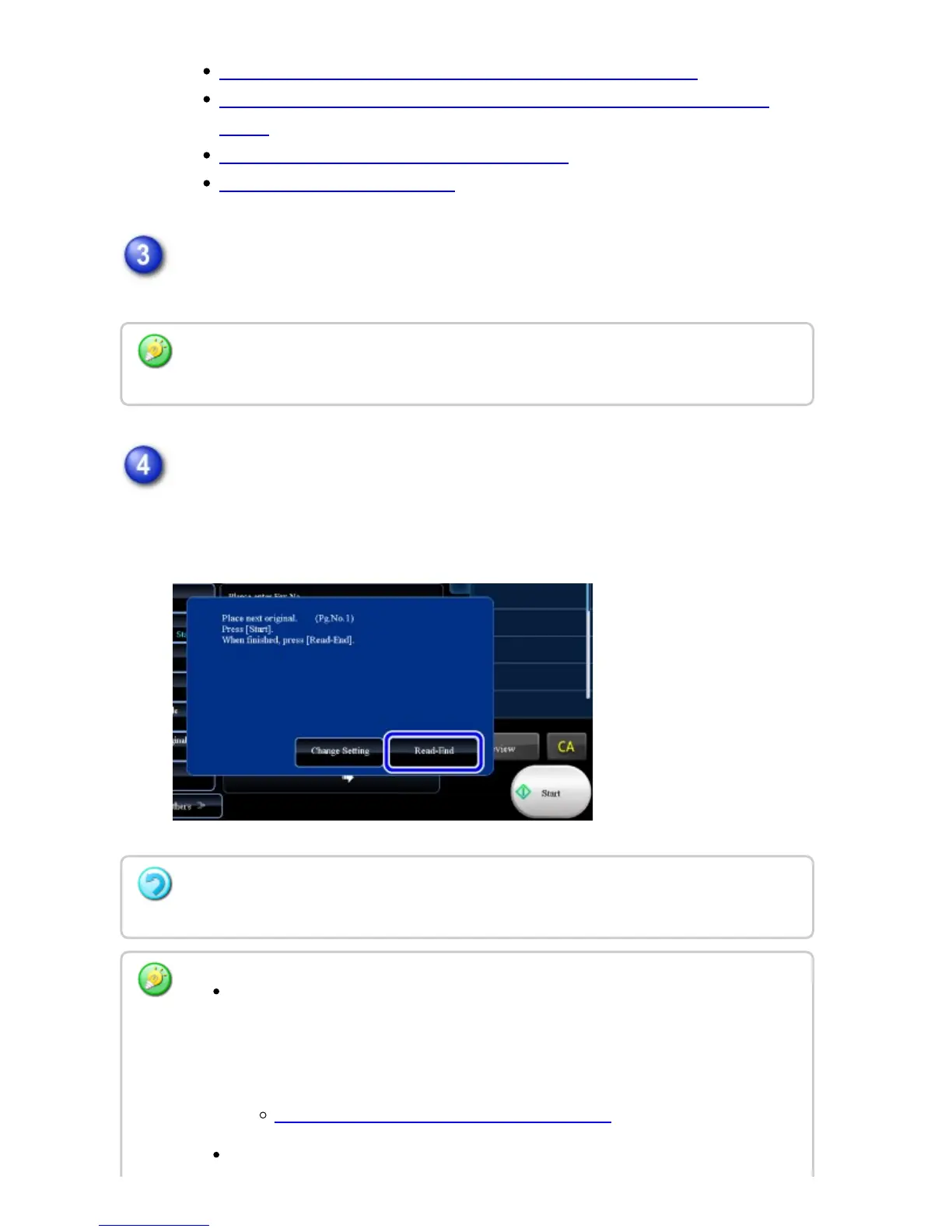
If you have another page to scan, change pages and then tap the [Start] key.
Repeat until all originals have been scanned.
Tap the [Read-End] key.
A beep sounds.
Open the automatic document feeder and remove the original.
If no action is taken for one minute, scanning automatically ends and the transmission is
reserved.
To cancel scanning:
Tap the [STOP] key before the [Read-End] key is tapped.
When scanning is completed, "Job stored." will be displayed together with a job
control number.
This number can be used to locate the job in the Transaction Report or in the
Image Sending Activity Report.
PRINTING IMAGE SENDING ACTIVITY REPORTS
If no action is taken for one minute after the confirmation screen is displayed,
USER'S MANUAL | MX-M365N/MX-M465N/MX-M565N USER'S ... http://siica.sharpusa.com/portals/0/downloads/Manuals/MX-M365N-M...
566 of 1441 3/17/2016 7:14 AM



 To Next Page