PRINTING A PASSWORD-PROTECTED
FAX
(HOLD SETTING FOR RECEIVED DATA PRINT)
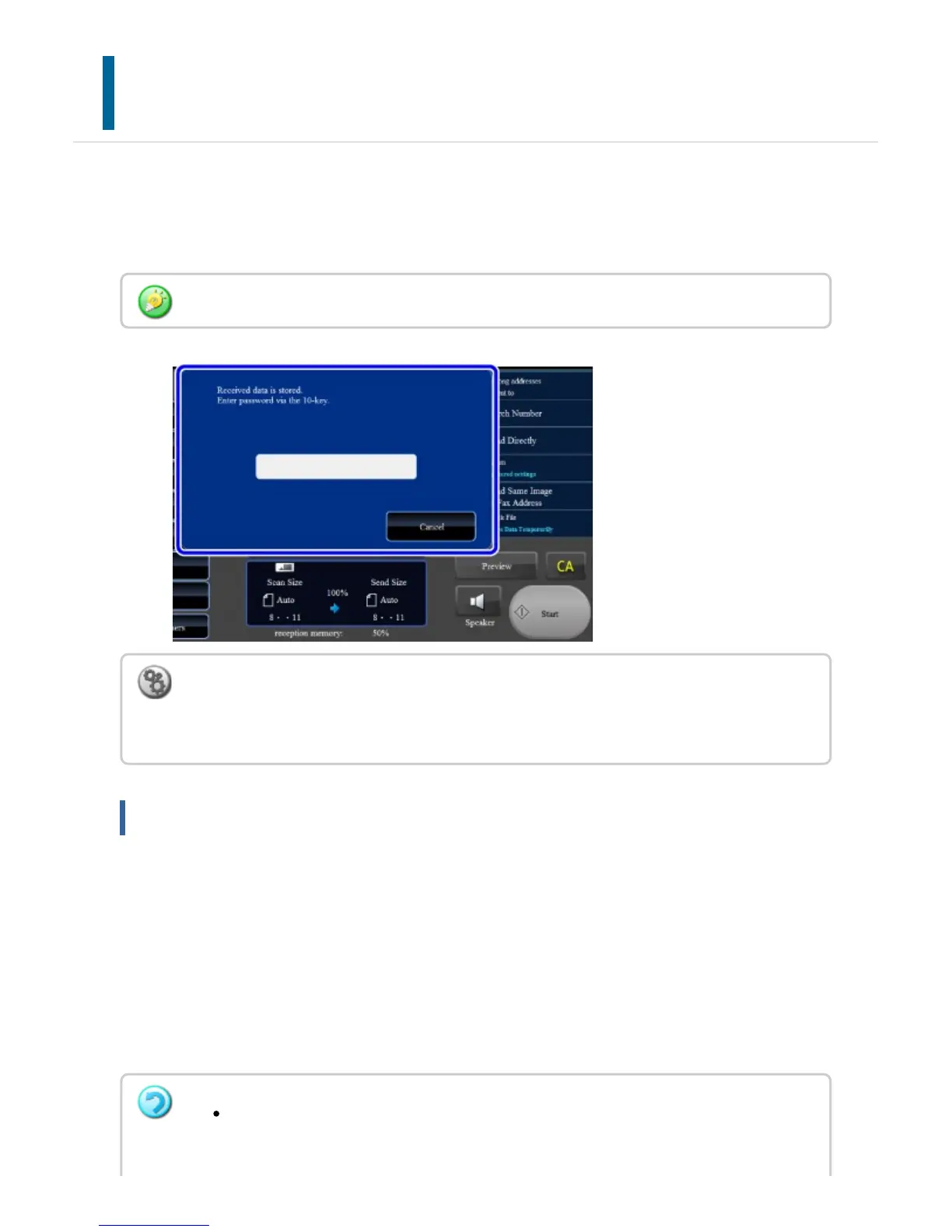
Enable this setting to have faxes received and stored in memory without being printed. To
print the faxes, a password must be entered. When this function is used, a password entry
screen appears in the touch panel when a fax is received.
Important points when using this function
If the received fax data is not printed or deleted, the fax memory will run low, and the
machine will not be able to receive any faxes. When using this function, you should print
the received data as soon as possible without leaving it in the fax memory.
You can view the remaining fax memory capacity on the fax mode base screen.
A warning message appears when free fax memory is low.
To perform this operation, the user must have [Access to Fax Data] permission.
To enable the hold setting for received data print:
In "Setting mode", select [System Settings] →[Image Send Settings] →[Operation Settings]
→[Default Settings] →[Hold Setting for Received Data Print].
The received faxes will be stored in memory regardless of whether they are received
automatically or manually.
USER'S MANUAL | MX-M365N/MX-M465N/MX-M565N USER'S ... http://siica.sharpusa.com/portals/0/downloads/Manuals/MX-M365N-M...
597 of 1441 3/17/2016 7:14 AM



 To Next Page