Operation
Place the original.
Place the original in the document feeder tray of the automatic document feeder,
or on the document glass.
AUTOMATIC DOCUMENT FEEDER
DOCUMENT GLASS
Enter the destination fax number.
ENTERING A DESTINATION NUMBER USING THE NUMERIC KEYS
RETRIEVING A DESTINATION NUMBER FROM AN ADDRESS BOOK
THE SELECTED DESTINATIONS
USING A SEARCH NUMBER TO RETRIEVE A DESTINATION
RETRIEVING A DESTINATION NUMBER FROM A GLOBAL ADDRESS
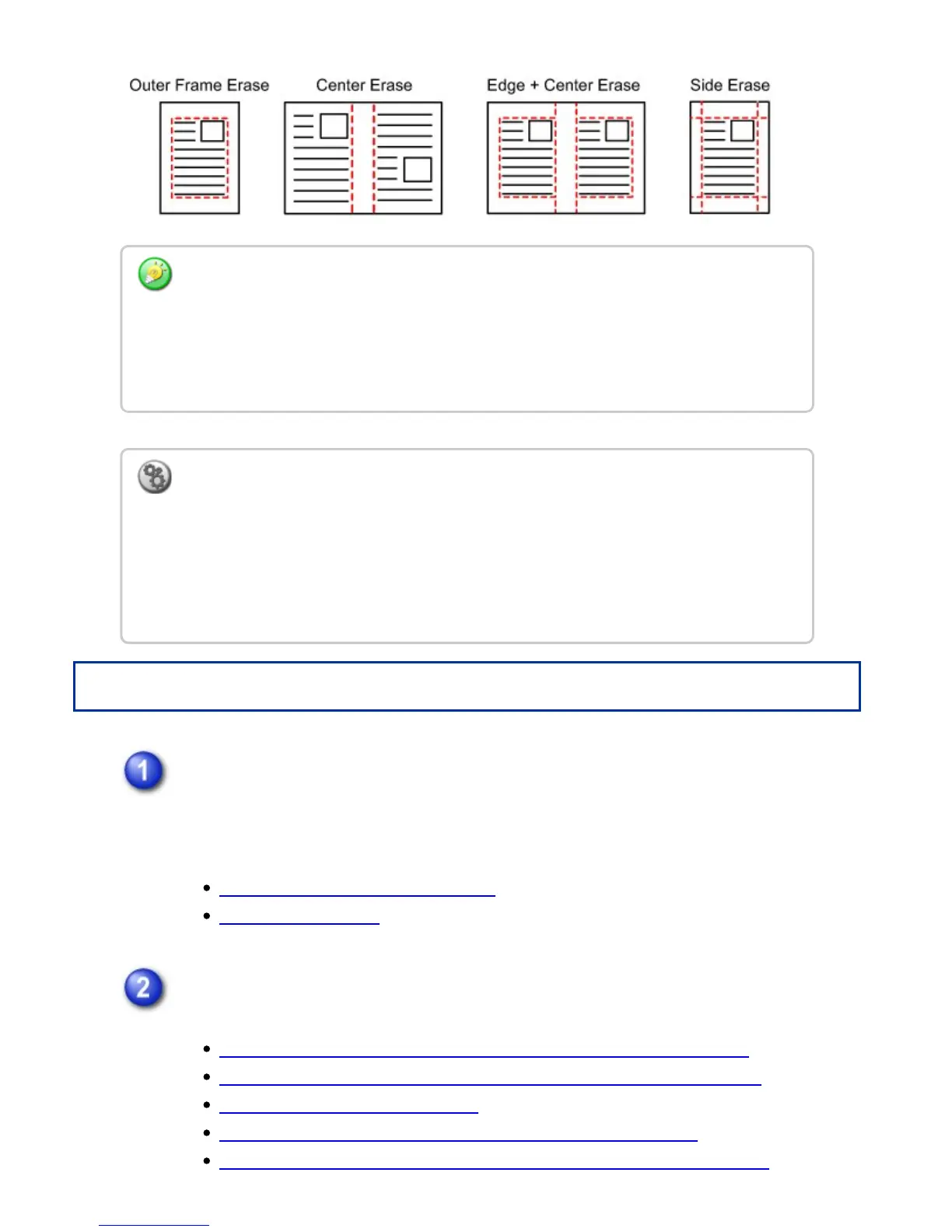
If a ratio setting is used in combination with an erase setting, the erase width will change
according to the selected ratio. This function erases the parts of the image where
shadows tend to form, but does not detect shadows and erase only the shadows.
For example, if you set an erase width of 1/2" (10 mm) and reduce the image to 70%
before transmission, the erase width will be reduced to 7 mm.
To change the default erase width setting:
Select [System Settings] → [Image Send Settings] → [Operation Settings] → [Default
Settings] → [Erase Width Adjustment].
The width can be set from 0" to 1" (0 mm to 20 mm). The factory default setting is 1/2"
(10 mm). The setting changed here will apply to [System Settings] → [Copy Settings] →
[Copy Setting] → [Erase Width Adjustment] in "Setting mode".
USER'S MANUAL | MX-M365N/MX-M465N/MX-M565N USER'S ... http://siica.sharpusa.com/portals/0/downloads/Manuals/MX-M365N-M...
641 of 1441 3/17/2016 7:14 AM



 To Next Page