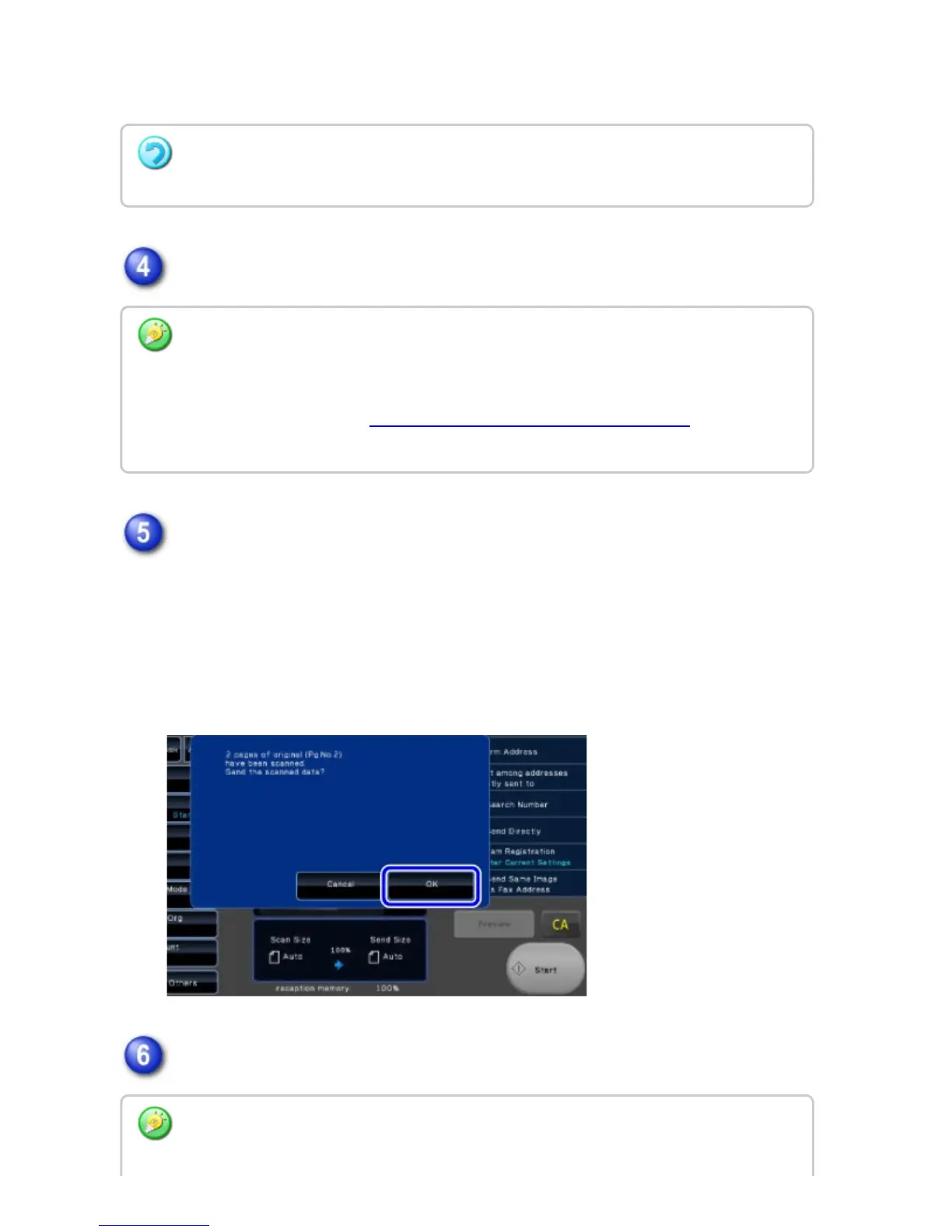
Tap the [Start] key to start scanning of the original.
When scanning is completed, check the number of original sheets.
The number that is displayed is the number of scanned original sheets, not the
number of scanned original pages. For example, when 2-sided copying is
performed using one original, the number "1" will appear to indicate that one
original sheet was scanned, not "2" to indicate the front-side page and the
reverse side page.
Tap the [OK] key to start transmission.
To cancel the Original Count setting:
Tap the [Original Count] key to clear the checkmark.
Tap the [Preview] key to preview the output image before sending a fax. After you have
scanned an original by tapping the [Preview] key, tap the [Additional Scan] key to scan the
next original. After checking the preview image, tap the [Start] key.
For more information, see "CHECKING THE IMAGE TO BE TRANSMITTED". However,
settings for this function cannot be changed in the preview screen.
If this function is combined with [Job Build], the count result is displayed after the
USER'S MANUAL | MX-M365N/MX-M465N/MX-M565N USER'S ... http://siica.sharpusa.com/portals/0/downloads/Manuals/MX-M365N-M...
647 of 1441 3/17/2016 7:14 AM



 To Next Page