ADDING YOUR SENDER INFORMATION TO
FAXES
(FAX OWN NUMBER SENDING)
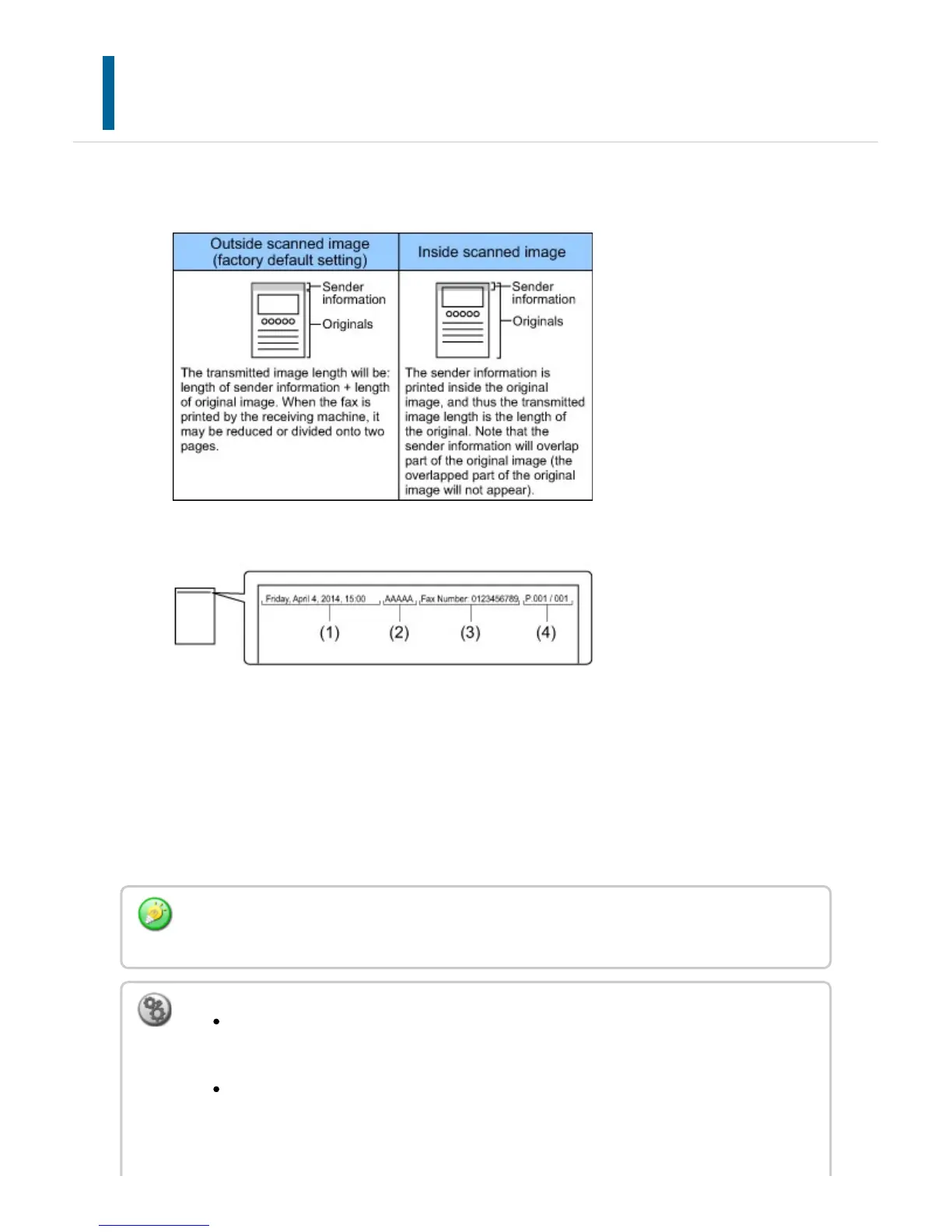
Your sender information (date, time, sender name, sender fax number or destination name,
number of pages) is automatically added to the top of each fax page you transmit.
Example of the sender information printed
(1) Date, time: The date and time of transmission.
(2) Sender name: The sender name programmed in the machine.
(3)Sender fax number or destination name (one-touch key name)
(4) Page numbers: Page number/total pages
If destination name is set to be attached and the destination is not specified using a
one-touch key, this information is not added to the fax and not printed.
To set the date and time:
In "Setting mode", select [System Settings] → [Default Settings] → [Clock Adjust].
To store a sender name and sender fax number:
In "Setting mode", select [System Settings] → [Image Send Settings] → [Operation
Settings] → [Own Number and Name Set] → [Sender Data Registration].
USER'S MANUAL | MX-M365N/MX-M465N/MX-M565N USER'S ... http://siica.sharpusa.com/portals/0/downloads/Manuals/MX-M365N-M...
656 of 1441 3/17/2016 7:14 AM



 To Next Page