Setting chapter inserts
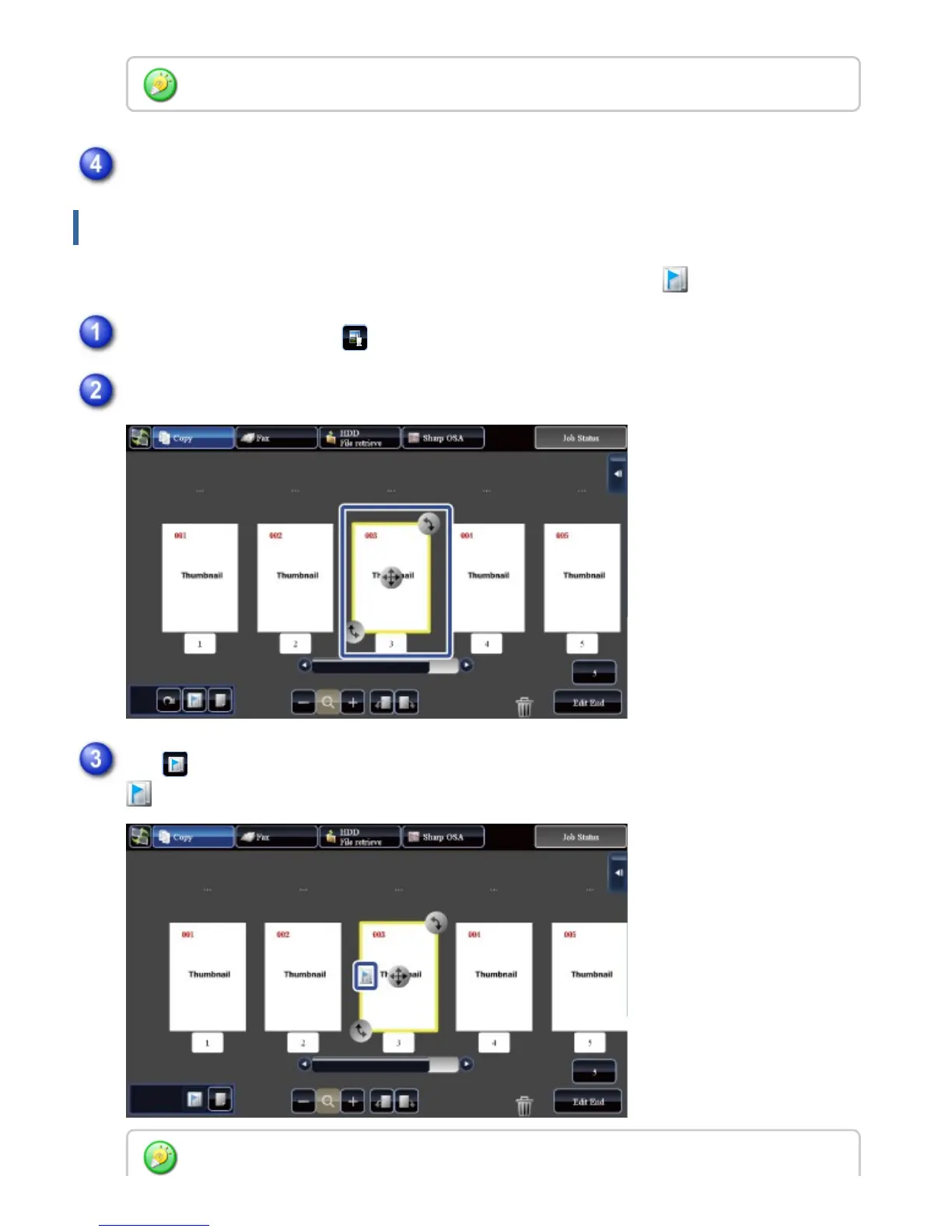
When Multi Shot or 2-Sided is specified, you can move a page marked with to the first page.
is displayed on the page.
You can also rotate the page by tapping the [Rotate 180 Degrees] key on the action panel.
Tap the [Edit End] key
In the preview screen, tap to switch to edit mode
Tap the page you want to move
Tap
You can also set chapter inserts by tapping the [Specify Chapter Inserts] key on the action
USER'S MANUAL | MX-M365N/MX-M465N/MX-M565N USER'S ... http://siica.sharpusa.com/portals/0/downloads/Manuals/MX-M365N-M...
66 of 1441 3/17/2016 7:14 AM



 To Next Page