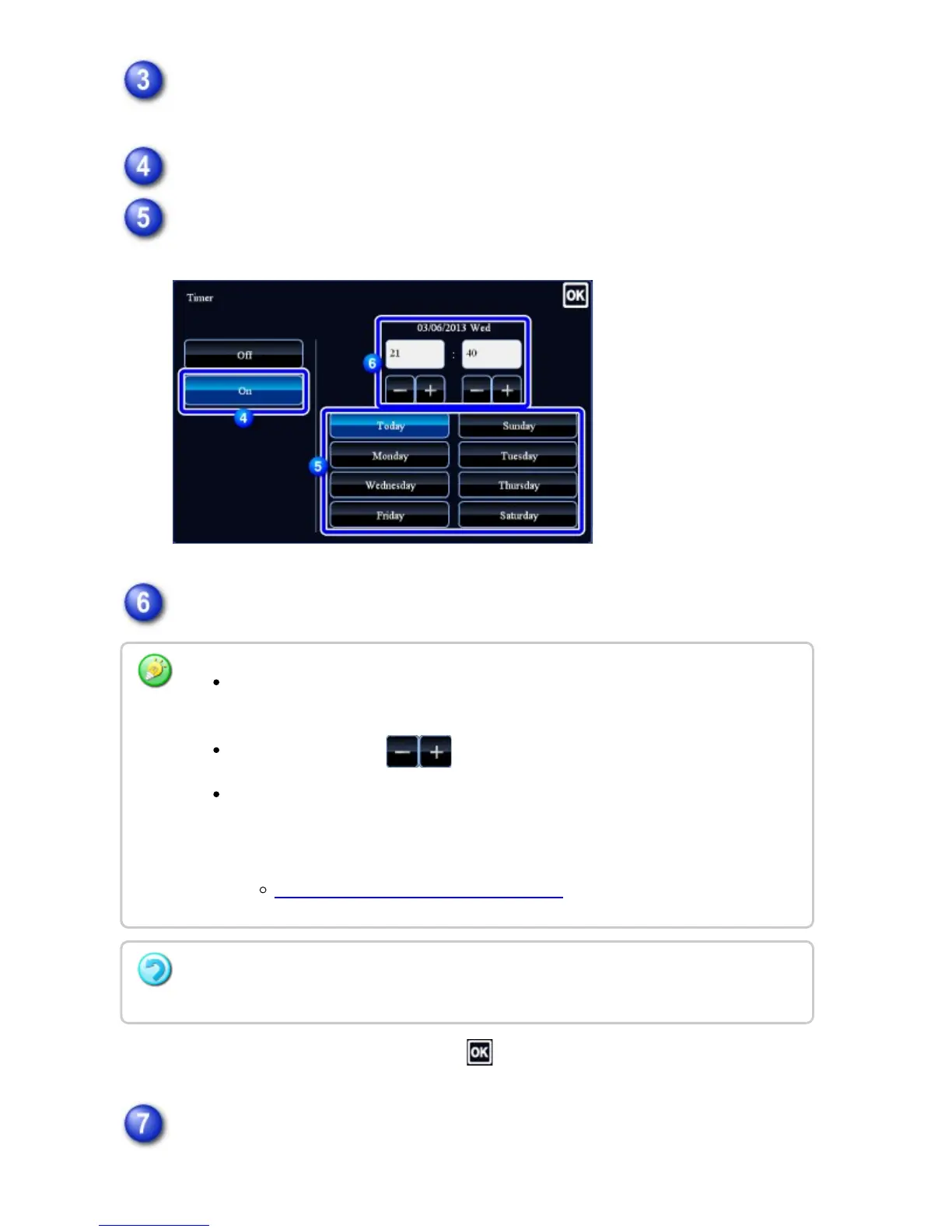
Tap the [Others] key, and tap the [Timer] key.
Tap the [On] key.
Specify the date.
Specify the time (hour and minute) in 24-hour format.
After the settings are completed, tap .
Tap the [Start] key to start scanning of the original.
Tap the areas displaying the hour and minute respectively, and enter the values
using the numeric keys.
It is convenient to use to finely adjust the time.
The setting will show the current time. If the time is not correct, press the [CA]
key to cancel the operation. Correct the time in setting mode and then perform
the timer transmission procedure.
BEFORE USING THE MACHINE AS A FAX
To cancel the Timer Transmission settings:
Tap the [Off] key.
USER'S MANUAL | MX-M365N/MX-M465N/MX-M565N USER'S ... http://siica.sharpusa.com/portals/0/downloads/Manuals/MX-M365N-M...
663 of 1441 3/17/2016 7:14 AM



 To Next Page