Enter the destination fax number.
ENTERING A DESTINATION NUMBER USING THE NUMERIC KEYS
RETRIEVING A DESTINATION NUMBER FROM AN ADDRESS BOOK
THE SELECTED DESTINATIONS
USING A SEARCH NUMBER TO RETRIEVE A DESTINATION
RETRIEVING A DESTINATION NUMBER FROM A GLOBAL ADDRESS
BOOK
USING A TRANSMISSION LOG TO RESEND
SENDING BY CHAIN DIALING
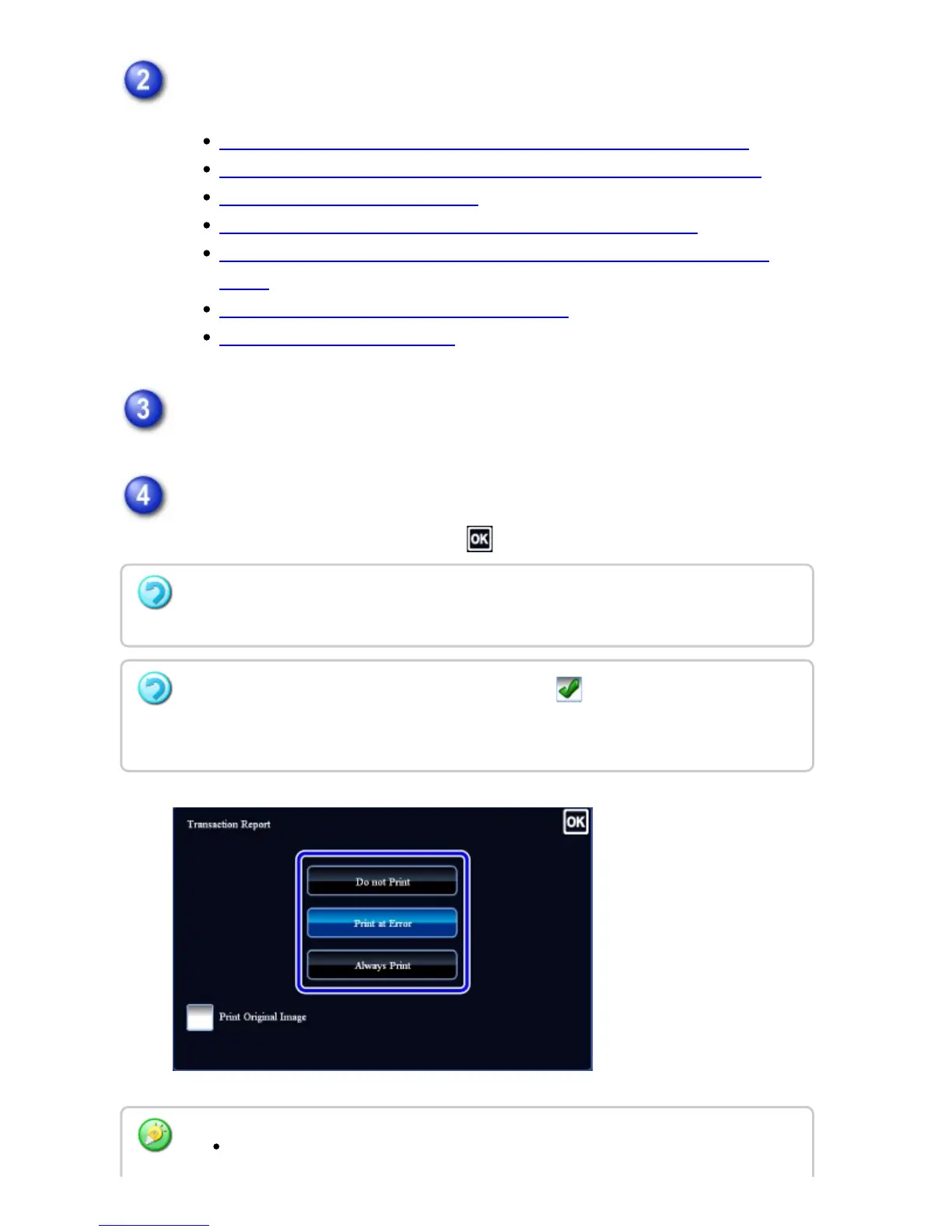
Tap the [Others] key, and tap the [Transaction Report] key.
Tap the key of the print settings.
After the settings are completed, tap .
To cancel the transaction report settings:
Tap the [Do not Print] key.
Even if the [Print Original Image] checkbox is selected , the original cannot be printed
when speaker dialing, manual transmission, direct transmission, polling reception, or
F-code transmission is used.
The print conditions for a transaction report are as follows:
USER'S MANUAL | MX-M365N/MX-M465N/MX-M565N USER'S ... http://siica.sharpusa.com/portals/0/downloads/Manuals/MX-M365N-M...
666 of 1441 3/17/2016 7:14 AM



 To Next Page