BEFORE USING THE NETWORK SCANNER
*
To use the machine as a network scanner, you must store sender information, configure
server settings, store destinations in the address book, and perform other required
operations.
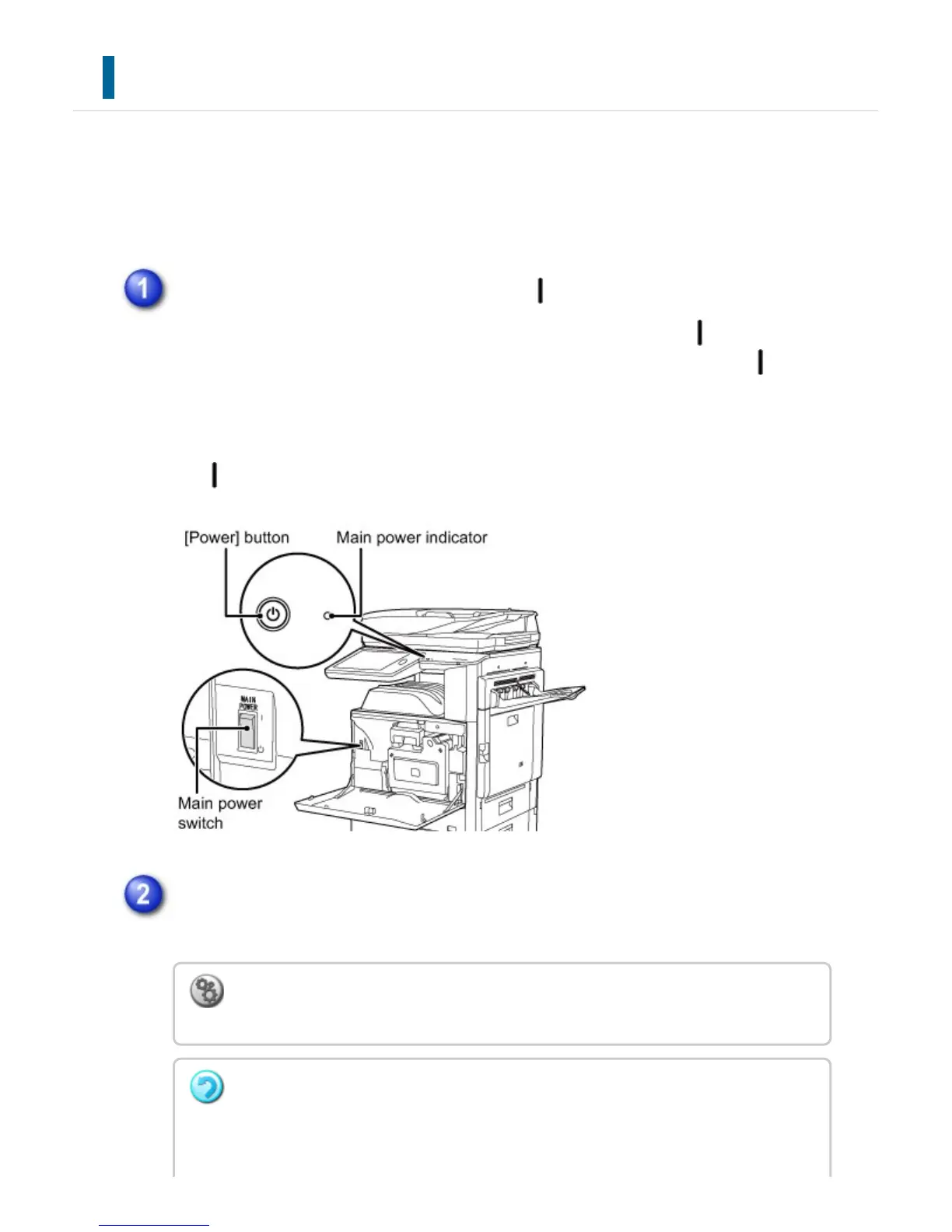
Make sure the main power switch is in the " " position
When the main power indicator is lit up, the main power is in the " " position. If
the main power indicator is not lit up, turn the main power switch to the " "
position and press the [POWER] button on the operation panel.
If the fax function will be used, and in particular if reception or timer
transmission will take place at night, always keep the main power switch in the "
" position.
Checking the date and time
Verify that the correct date and time are set in the machine.
To set the date and time of the machine:
In "Setting mode", select [System Settings] → [Default Settings] → [Clock Adjust].
If [Disabling of Clock Adjustment] has been enabled, the date and time cannot be
modified.
In this case, select [System Settings] in "Setting mode" and select [Operation
USER'S MANUAL | MX-M365N/MX-M465N/MX-M565N USER'S ... http://siica.sharpusa.com/portals/0/downloads/Manuals/MX-M365N-M...
710 of 1441 3/17/2016 7:14 AM



 To Next Page