BASE SCREEN OF EACH MODE
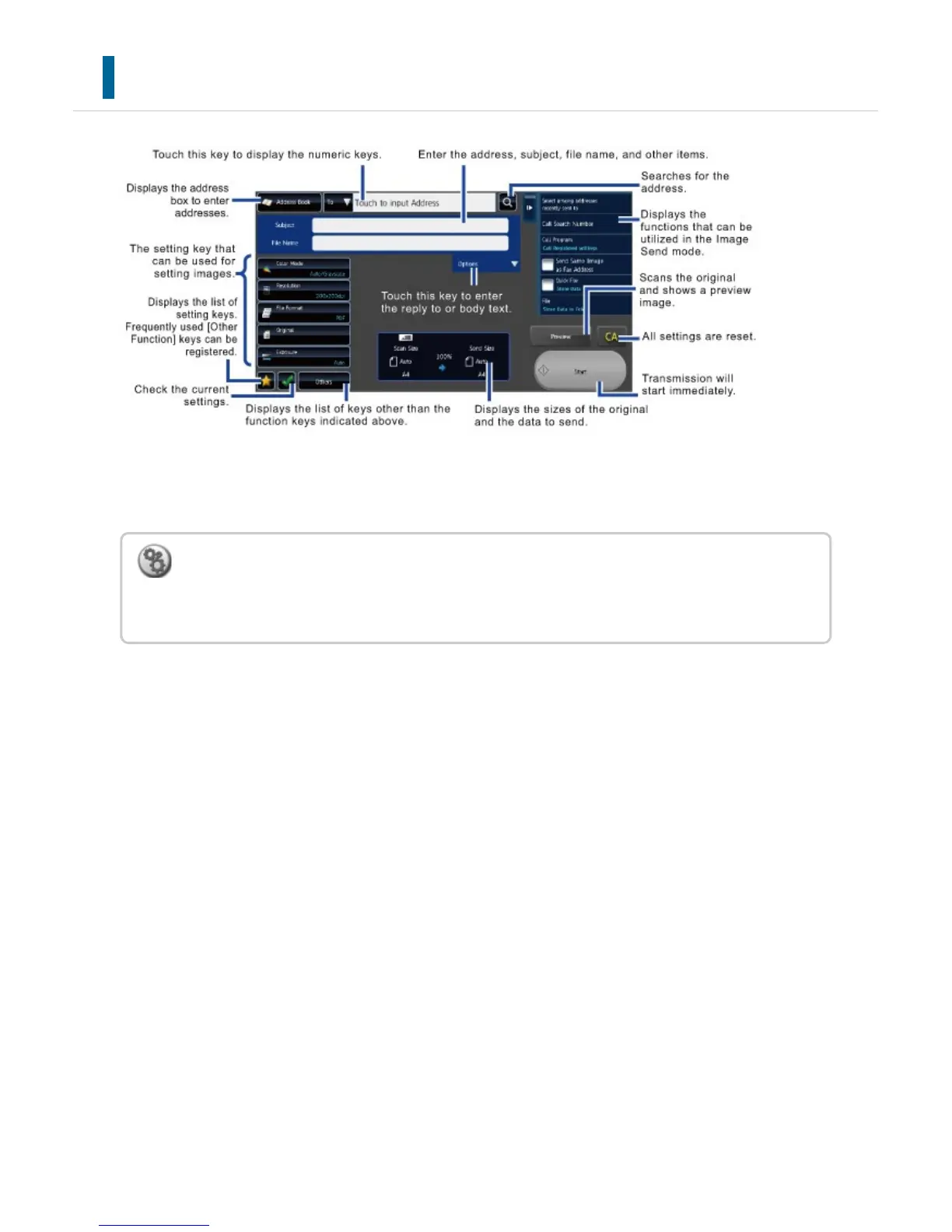
This section explains the keys on a base screen, taking as an example the E-mail base
screen. Several methods are available in the Image Send mode, including Scan to E-mail
and Scan to FTP. The base screen layout slightly differs depending on how image is sent.
To set the screen that is initially displayed when the [Image Send] key is tapped:
In "Setting mode", select [System Settings] → [Image Send Settings] → [Operation
Settings] → [Default Settings] → [Default Display Setting].
USER'S MANUAL | MX-M365N/MX-M465N/MX-M565N USER'S ... http://siica.sharpusa.com/portals/0/downloads/Manuals/MX-M365N-M...
717 of 1441 3/17/2016 7:14 AM



 To Next Page