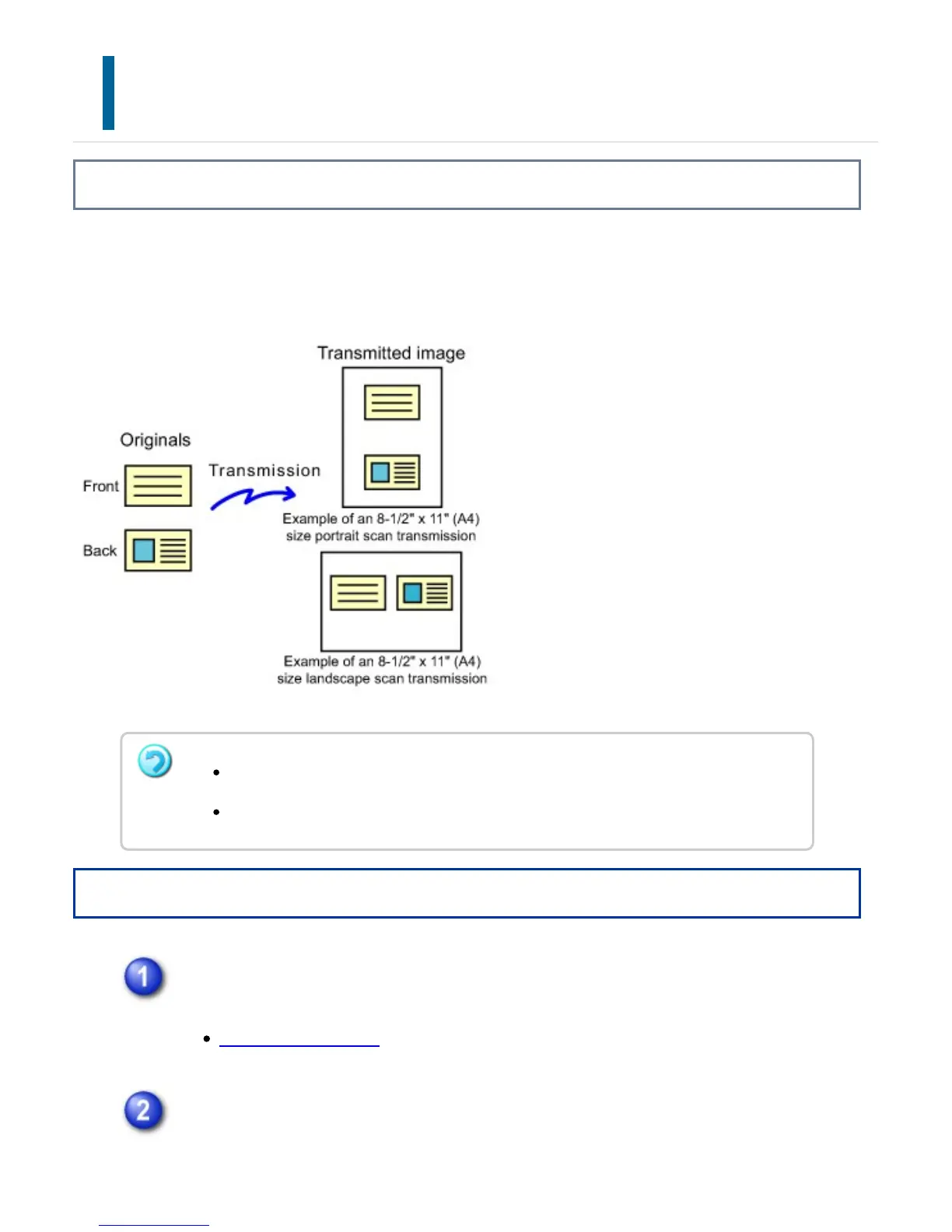
SCANNING BOTH SIDES OF A CARD ONTO A
SINGLE PAGE
(CARD SHOT)
Overview
Send the front and reverse sides of a card as a single page, without the need to send
each side separately.
Operation
Place a card face down on the document glass.
DOCUMENT GLASS
Specify the destination.
If the scan size is larger than the send size, it will result in a sending failure.
The ratio cannot be specified and "Rotation Sending Setting" cannot be selected.
USER'S MANUAL | MX-M365N/MX-M465N/MX-M565N USER'S ... http://siica.sharpusa.com/portals/0/downloads/Manuals/MX-M365N-M...
797 of 1441 3/17/2016 7:14 AM



 To Next Page