TOP
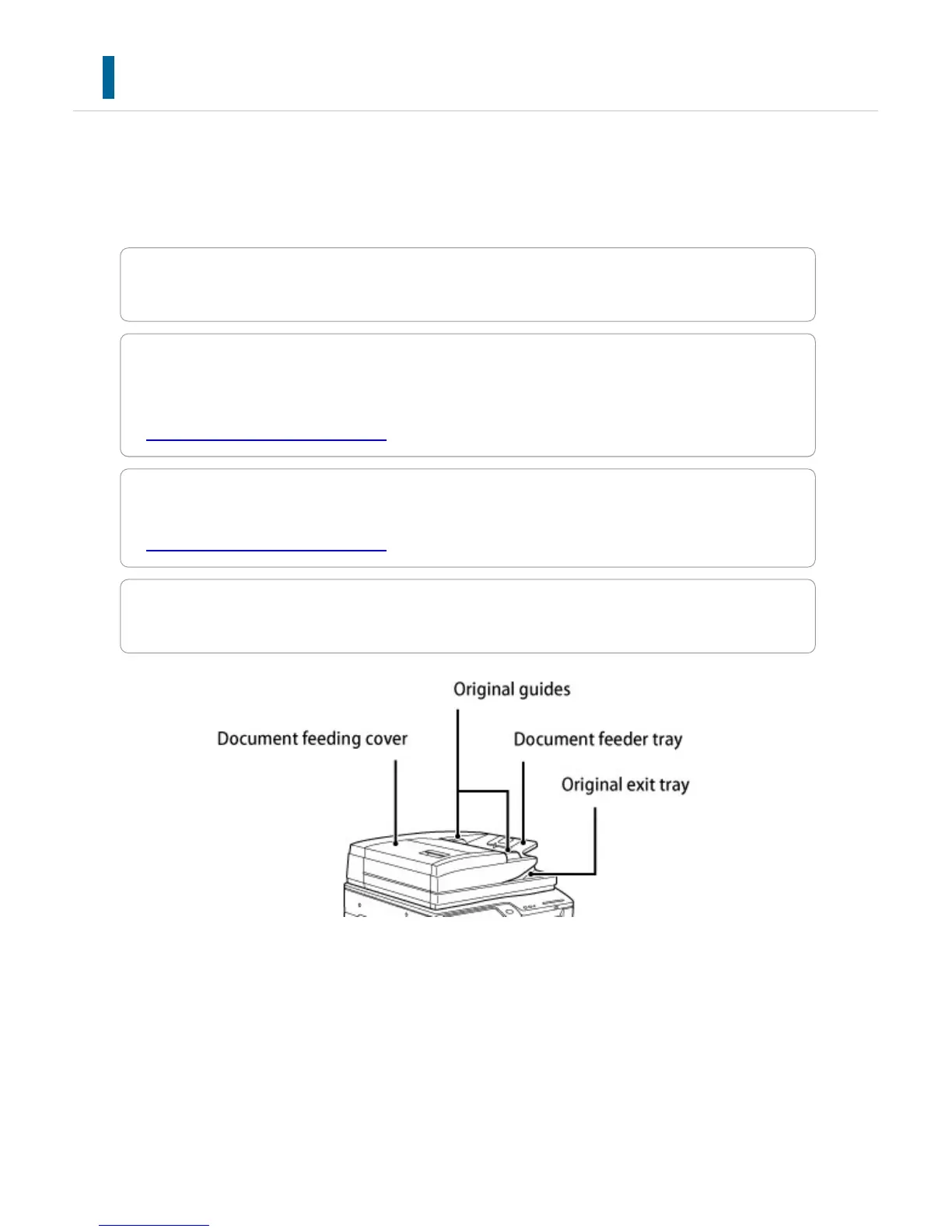
This section describes the names and functions of the respective parts on the upper side
of the machine.
Tap the name to make its details pop up.
Document feeding cover
Open this cover to remove an original misfeed or clean the paper feed roller.
Original guides
These guides help ensure that the original is scanned correctly.
Adjust the guides to the width of the original.
- AUTOMATIC DOCUMENT FEEDER
Document feeder tray
Set the original in this tray. 1-sided originals must be placed face up.
- AUTOMATIC DOCUMENT FEEDER
Original exit tray
The original is discharged to this tray after scanning.
USER'S MANUAL | MX-M365N/MX-M465N/MX-M565N USER'S ... http://siica.sharpusa.com/portals/0/downloads/Manuals/MX-M365N-M...
9 of 1441 3/17/2016 7:14 AM



 To Next Page