DELETE FILE
Overview
Stored files that are no longer required can be deleted.
Operation
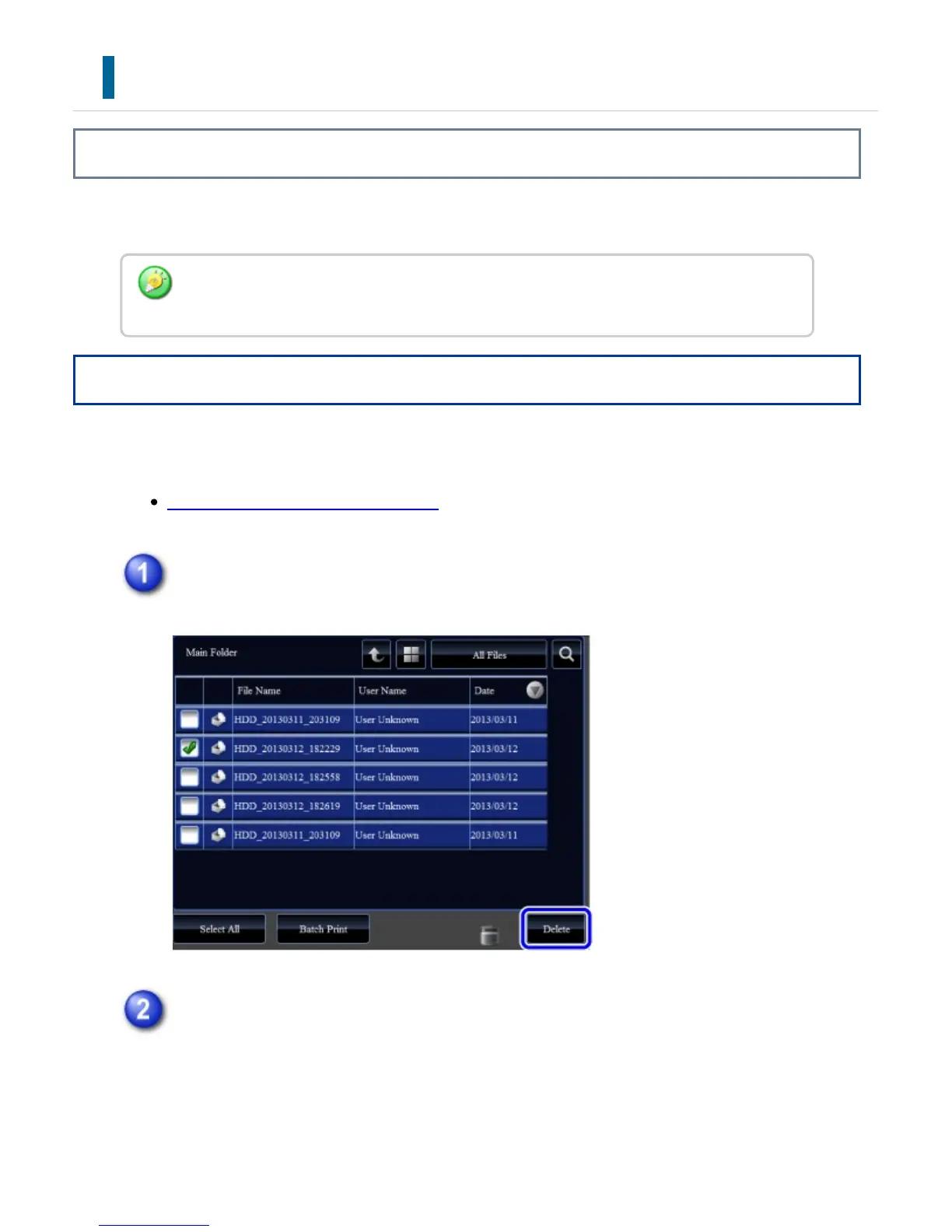
After selecting the desired file, follow the steps below.
SELECTING A FILE TO RETRIEVE
Tap the [Delete] key.
Check the file and then tap the [Yes] key.
A file whose property is "Protect" cannot be deleted. To delete a protected file, change
its property to "Sharing" or "Confidential".
USER'S MANUAL | MX-M365N/MX-M465N/MX-M565N USER'S ... http://siica.sharpusa.com/portals/0/downloads/Manuals/MX-M365N-M...
910 of 1441 3/17/2016 7:14 AM



 To Next Page