EasyManua.ls Logo

Sharp PC-1403 - Page 137

Sharp PC-1403
252 pages
Print Icon
To Next Page IconTo Next Page
To Previous Page IconTo Previous Page
Loading...
1
3
1
Enteri
n
g
"
7
~
X
"
w
ill
p
r
od
u
c
e a
dis
p
l
a
y
o
f
"
49
"
.
Notes
:
1
.
Whe
n the
d
i
spl
ay
i
nd
i
c
at
e
s
PR
OMP
T
(
"
>"
]
a
t
t
he
s
t
art
o
f
p
rogram
e
x
ec
ut
io
n
,
t
he
de
s
ign
a
ted
v
ar
i
a
b
l
e is
clea
r
ed
.
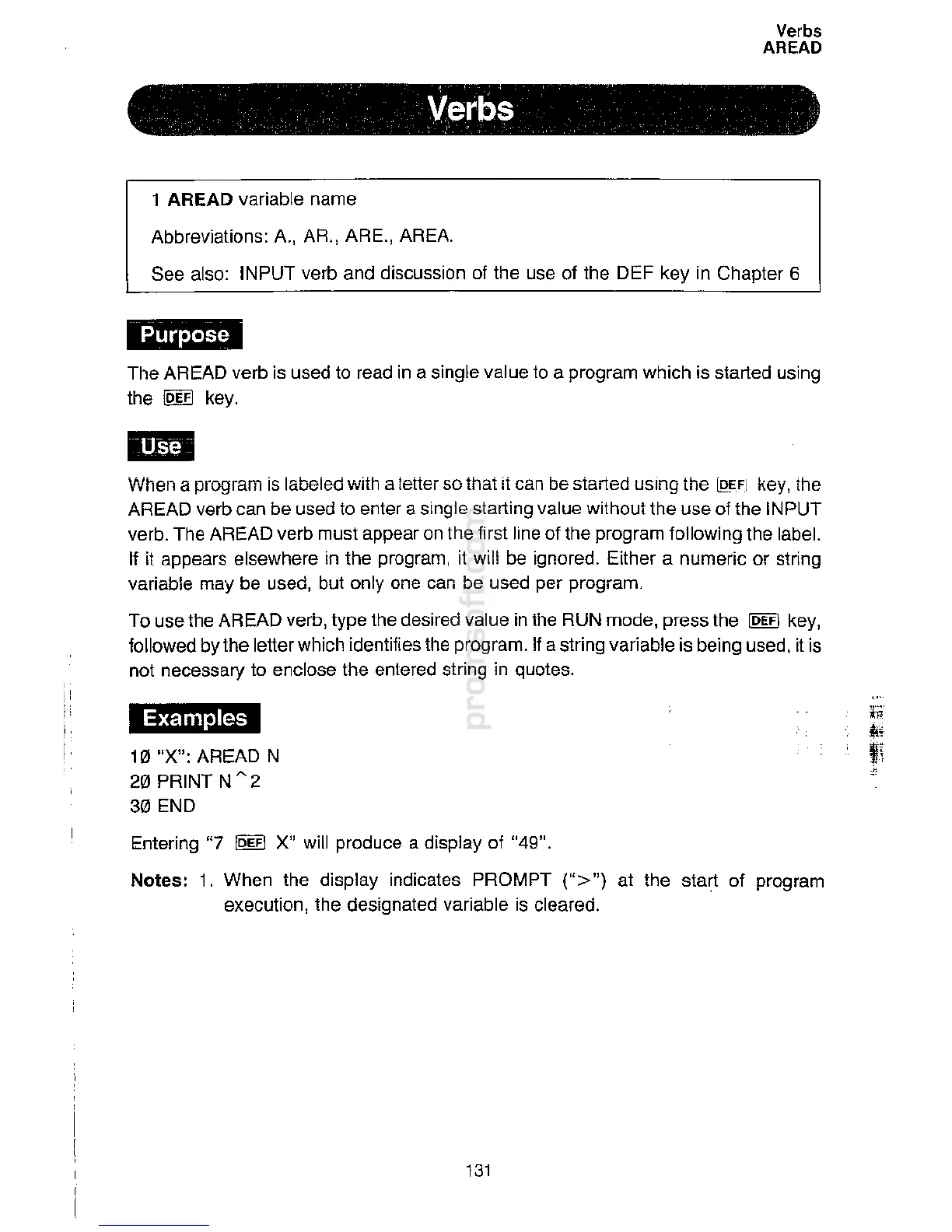
10
"X"
:
AREAD
N
20
PRINT N
"
2
30 END
Examples
1411
When a program is
la
bel
ed
w
i
th a
l
e
tte
r
so that
i
i
c
an
b
e
start
e
d
us
i
n
g
t
he
[Q
EF
J
k
e
y
,
t
h
e
AREAD verb can
b
e used
t
o
en
t
e
r
a
s
ing
l
e
s
t
art
i
ng
v
a
l
u
e
w
it
hou
t
th
e use
o
f
t
he INPUT
verb. The
AREA
D
ve
r
b
mu
st
app
ear
o
n
t
h
e
f
i
rs
t
li
ne
o
f
th
e
p
rogram
f
ollowing the label.
If
it appears
e
l
se
w
he
r
e
i
n
th
e
program
,
i
t
w
ill be
i
gn
o
r
e
d
.
E
i
t
her a numeric or string
variable may be
used
,
b
u
t
on
l
y one
c
a
n be
u
s
e
d per
program
.
To use the AREAD
verb
,
t
y
pe
th
e
d
es
i
r
e
d
v
a
l
u
e in the RUN
mo
d
e, press the
!Q]fl
key,
followed by the
l
ette
r
w
h
i
c
h
i
de
nt
ifi
es
t
h
e
p
rog
r
am
.
I
f a
st
r
ing
v
a
ri
able is
b
e
i
ng used, it is
not necessary to
encl
ose
th
e
ent
e
r
e
d
s
tri
n
g
i
n
q
uo
t
e
s
.
The AREAD verb is
u
s
e
d
t
o
re
ad
i
n a
s
i
n
g
l
e
v
a
l
u
e to a
pr
ogra
m
whi
c
h
i
s
s
t
a
rt
e
d
u
s
ing
the
!Q]fl
k
ey.
Abbr
eviat
i
ons:
A
.,
A
R
.
,
ARE
.
,
AR
EA
.
S
ee
a
l
so: INPUT
ver
b and
d
i
s
cu
s
si
o
n of
t
h
e
u
se
o
f
t
he
DE
F
k
ey in
C
h
a
pt
er 6
1
AREAD
var
iabl
e name
'
'
Verbs
..
'
'
Verbs
AREAD

Related product manuals