A
ll
and more about Sharp PC-1500
at
http://www.PC-1500.info
SHARP
PROGRAM
T I
TLE
POC
K
ET
CO
MP
U
TER
SCHEDULE
PLANNER
PROGRAM
NO
.
P5-
D
-
2~
1
[ Outline I
CE
-
150,CE-~
Sl
and
CTR required
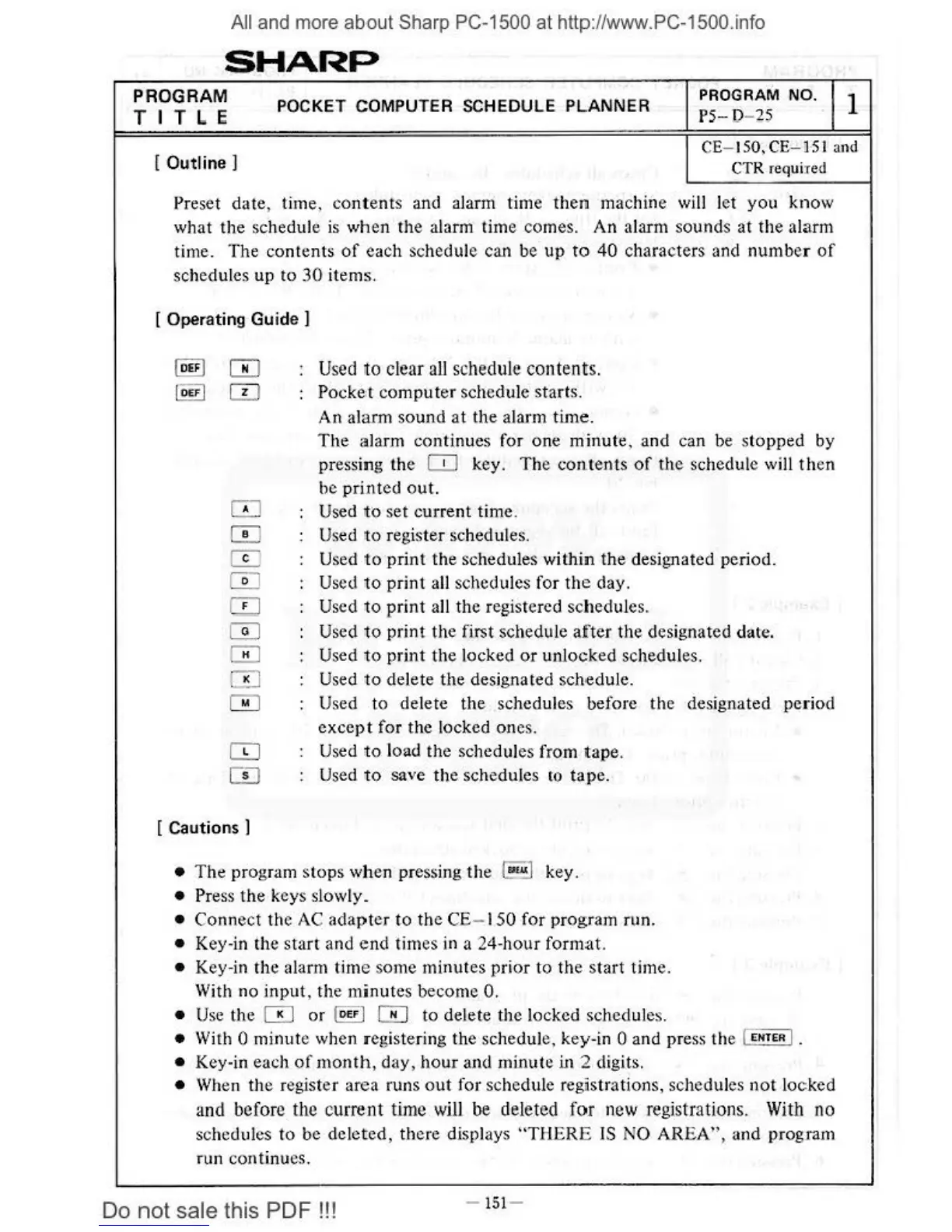
Preset date, lime,
contents
and alarm time then machine
will
let you know
what the
schedule
is
when the alarm time comes. An alarm sounds
at
the alarm
time. The contents
of
each schedule can be
up
to
40
characters and number
of
schedules up
to
30
items.
[ Operati
ng
Guide I
·
Used
to
clear
all
schedule
contents.
PockM computer schedule starts.
An
alarm sound
at
the alarm time.
The
alarm continues for one minute. and can be stopped by
pressing the
CO
key.
The
contents
of
the schedule will
th
en
be printed
out.
OJ
Used
to
set current time.
W
Us
ed
to
register schedules.
W Used
to
print the schedules within
the
designated period.
W Used
to
print
all schedules for
the
day.
[]]
Used to print all the registered schedules.
0 Used to print the first schedule
after
the designated date.
0 Used
to
print the Jocked
or
unlocked schedules.
GJ
Used
to
delete the designated schedule.
0 Used to delete
the
schedules before
the
designated period
except
for the locked ones.
Q]
Used
to
loud the schedules from tape.
CD
Used
to
save the schedules
to
tape
.
[ Cautions
I
•
The
program stops
wh
en pressing
the
l
au.<
] key.
• Press the keys slowly_
• Connect the
AC
adapter
to
the
CE
- I
SO
for program run.
• Key-
in
the
start
and e
nd
times
in
a 24-hour format.
• Key-in the alarm time some minutes prior to the
star
t time.
With no input, the minutes become 0 .
•
Use
the 0
or
l
oEF
I m to delete the locked schedules.
• With 0 minute when registering the schedule, key
-i
n 0 and press the I
••rE•
I.
• Key-in each
of
month,
day, hour and minute
ui
2 digits.
•
Wh
en the register area runs
out
for schedule registrations, schedules
not
Jo
cked
and
before
the
current time
will
be
deleted
for
new
registrations.
With
no
schedules to be deleted, there displays
"T
HERE
IS
NO AREA", and progr.im
run continu
es
.
Do
not
sale this PDF
!!!
-
151
-



 To Next Page