EasyManua.ls Logo

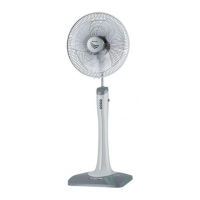
Sharp PJ-SL181 - User Manual

Sharp PJ-SL181
11 pages
Print Icon
To Next Page IconTo Next Page
Loading...
SHARP SERVICE MANUAL
ELECTRIC FAN
MODEL PJ-TA181
In the interests of user-safety (Required by safety
regulations in some countries) the set should be restore
to its original condition and only parts identical to those
specied should be used.
SHARP CORPORATION
TABLE OF CONTENTS
PARTS IDENTIFICATIONS AND SPECIFIC INFORMATION ...................................................
CAUTIONS FOR USE ....................................................................................................................
CLEANING AND MAINTENANCE ................................................................................................
WIRING DIAGRAM AND CIRCUIT DIAGRAM ...........................................................................
COMPONENT REPLACEMENT PROCEDURE .........................................................................
TROUBLESHOOTING ....................................................................................................................
SERVICE PARTS LIST ...................................................................................................................
Page
2 - 3
4
4
5
6-10
11
PJ-SL181

Questions and Answers

  • T
    Tracy MillerAug 4, 2025
    Why is my Sharp PJ-SL181 not operating?
    • J
      John ScottAug 5, 2025
      Your Sharp Fan might not be operating due to several reasons. The motor could be faulty, requiring repair or replacement. A fuse might be deficient and needs replacement. There could be a faulty connection in the power connector or switch, which would need to be repaired. The coil stator could have a shock or be lacking, which means you should replace the motor or stator parts. Bush friction could also be the problem; in this case, repair or replace the parts, tapping the axis. Finally, a temperature fuse deficiency may exist, requiring replacement of the temperature fuse.
  • M
    Megan BurgessAug 9, 2025
    What to do if my Sharp Fan motor is making noise?
    • J
      Joseph CochranAug 9, 2025
      If your Sharp Fan motor is making noise, check the screws holding the motor cover. Ensure they are firmly tightened. The motor may be jammed with the stator, which requires you to repair or replace the motor. Another cause may be loose or friction in the bush; in this case, repair or replace the parts, tapping the axis.
  • D
    dawnwaltersAug 13, 2025
    Why Sharp PJ-SL181 does not oscillate?
    • J
      Jennifer DavisAug 13, 2025
      If your Sharp Fan does not oscillate, it could be due to a faulty gear box, which may require repair or replacement of the motor. Alternatively, the link rod retaining screws might be too tight; ensure they are correctly set.
  • J
    James ReevesAug 17, 2025
    What to do if some switch button on Sharp PJ-SL181 Fan do not switch off?
    • M
      Mark BrownAug 17, 2025
      If some switch buttons on your Sharp Fan do not switch off, the contact switch may not be touching each other; in this case, clean the contact surfaces. Also, there could be a faulty connector lead, which requires repairing the connector.
  • S
    Sharon BergerAug 22, 2025
    How to fix Sharp PJ-SL181 Fan when blade rotation has friction?
    • P
      Pamela JohnsonAug 22, 2025
      If your Sharp Fan's blade rotation has friction, it might be due to bush wear. Replace the bush and motor or motor bush. Another possible cause is rust on the bush axis.
  • M
    mgrantAug 26, 2025
    Why tilt the Sharp PJ-SL181 Fan does not adjust?
    • R
      Ryan BallardAug 26, 2025
      If the tilt on your Sharp Fan does not adjust, the hinge spring might be out of the hinge. Set it correctly. Another cause may be a faulty hinge spring, which requires replacing the hinge spring. Also, the hinge assembly screw might be too tight; ensure it is correctly set.
  • T
    Teresa OlsonAug 30, 2025
    What to do if slide shaft of Sharp PJ-SL181 Fan does not work?
    • J
      James MartinAug 30, 2025
      If the slide shaft on your Sharp Fan does not work, the reel spring might have failed. Replace or repair the reel spring. Another cause may be the spring lock slide shaft fall, which requires replacing the spring lock slide shaft.

Summary

Parts Identification and Specifications

Fan Parts Identification Diagram

Visual breakdown of electric fan components for identification.

Electric Fan Specifications

Technical data for models PJ-TA181 and PJ-SL181, including voltage, power, and dimensions.

User Safety Precautions

Cleaning and Maintenance Guide

Electrical Schematics

Fan Wiring Diagram

Illustrates the electrical connections and wiring layout of the fan.

Fan Circuit Diagram

Details the functional electrical schematic and component relationships.

Component Replacement Procedures

Grille Assembly Removal

Step-by-step guide to disassembling and removing the fan's grille.

Hard Board Removal

Instructions for detaching the internal control unit or hard board.

Power Cord Replacement

Procedure for safely disconnecting and replacing the electric fan's power cord.

Piano Switch Assembly Replacement

Steps for removing and installing the fan's piano switch unit.

Motor Assembly Replacement

Guide to detaching and replacing the main motor unit of the electric fan.

Reel Spring Replacement (PJ-SL181)

Instructions for replacing the reel spring mechanism specific to the PJ-SL181 model.

Hinge Assembly Replacement

Procedure for disassembling and replacing the fan's hinge mechanism.

Troubleshooting Guide

Electric Fan Problem Diagnosis

Identifies common fan malfunctions and provides corresponding corrective actions.

Sharp PJ-SL181 Specifications

General IconGeneral
ModelPJ-SL181
CategoryFan
OscillationYes
Number of Blades3
Number of Speed Settings3
Voltage220-240V
Tilt AdjustmentYes
ColorWhite
TypeStand Fan
Power SourceElectric
Blade Size18 inches
Frequency50Hz

Related product manuals