PN-L803C_80TC3 FIRMWARE UPDATE PROCEDURES 5 - 14
5-4. PEN ADAPTOR FIRMWARE UPDATE
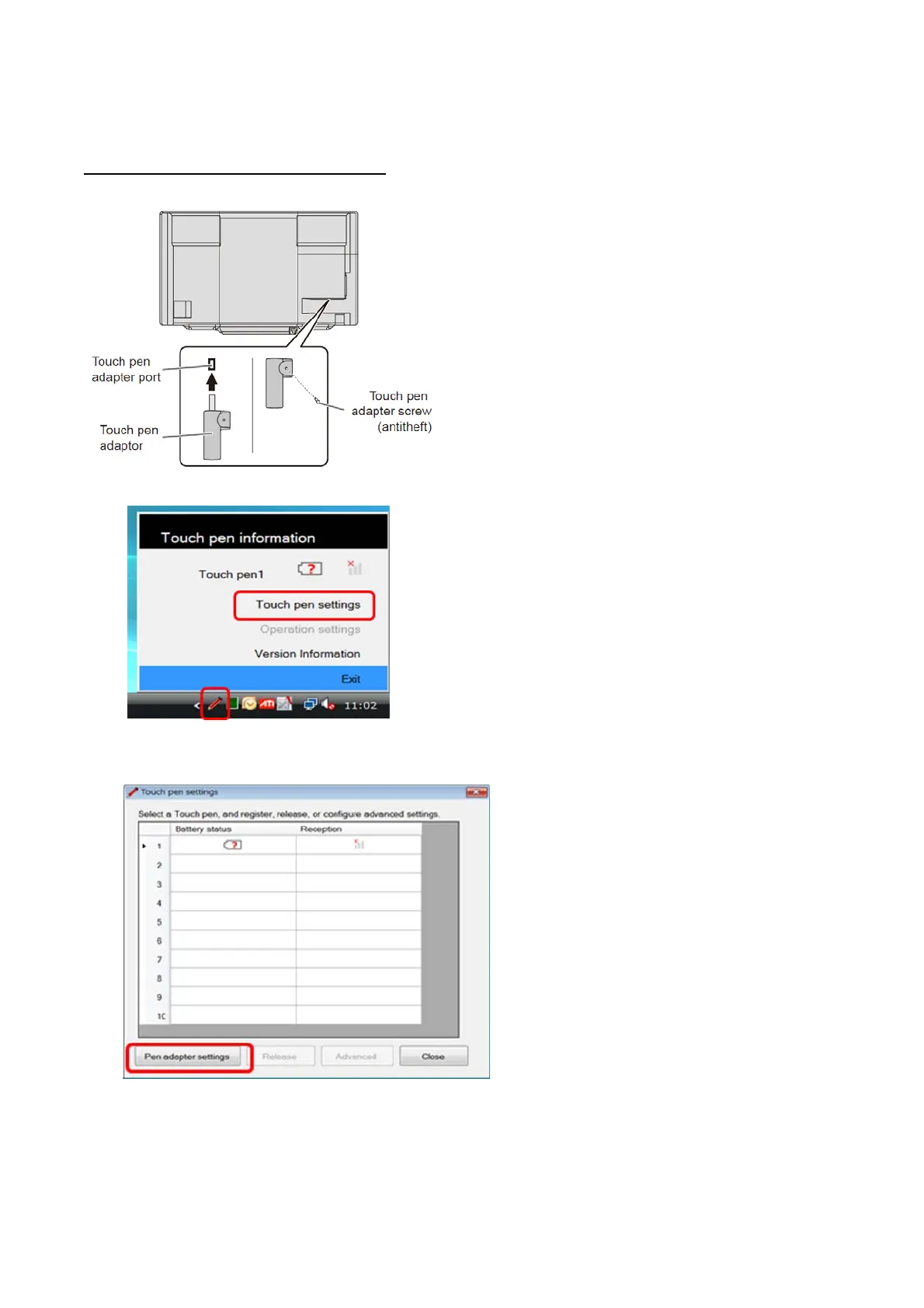
1) Extract the touch pen adapter from the monitor, and insert it into USB port of PC.
2) Left-click Touch pen utility icon in task tray, and select [Touch pen settings].
3) Click [Pen adapter settings].


 To Next Page