PN-L803C_80TC3 FIRMWARE UPDATE PROCEDURES 5 - 21
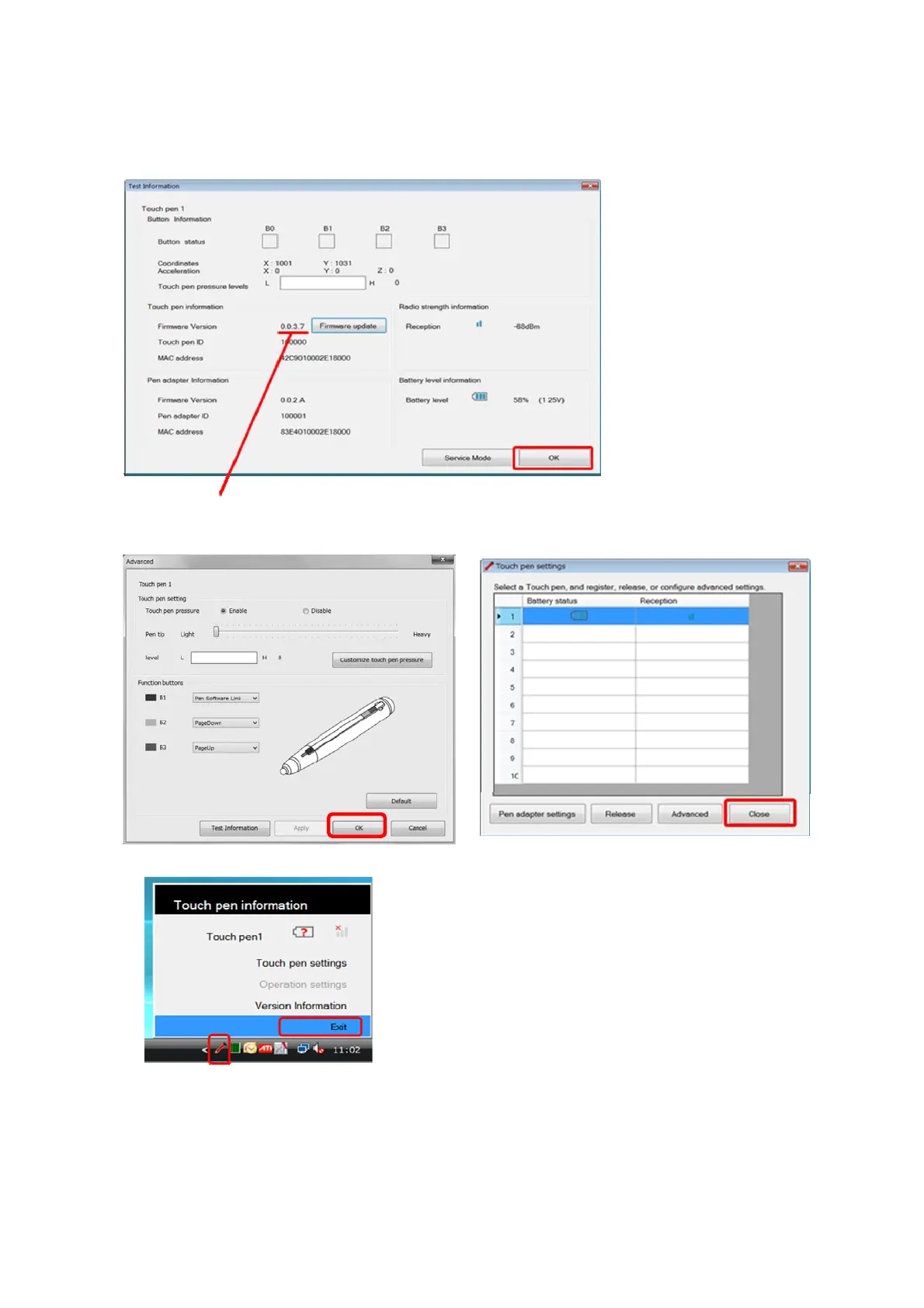
11) The process returns to Test information window, check that the firmware version is that after updating, and click [OK].
12) Click [OK] in Advance window, and click [Close] in Touch pen settings.
13) Left-click Touch pen utility icon in task tray, and select [Exit].
14) Extract pen adapter from PC.
15) If you update other pen adapter and touch pen, perform again the process from "5. Start Touch pen utility (service mode)" after inserting
pen adapter,
Updated firmware version


 To Next Page