PN-L803C/80TC3 INSTALLATION, ADJUSTMENT, SETTING, OPERATION 2 - 7
1 – 4.CONNECTING THE POWER CORD
(Caution)
- Use only the power cord supplied with the monitor.
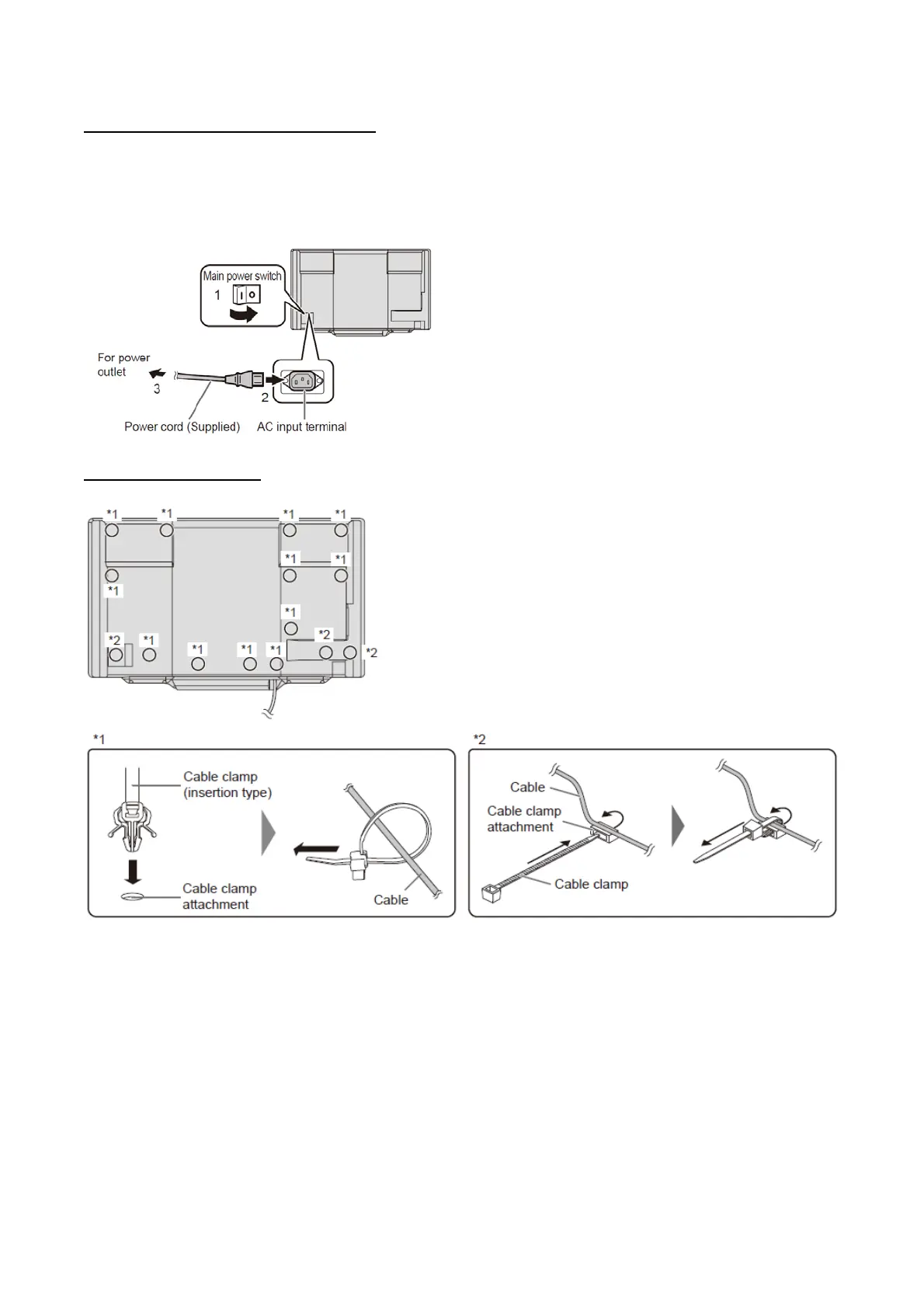
1 ) Turn off the main power switch.
2 ) Plug the power cord (supplied) into the AC input terminal.
3 ) Plug the power cord (supplied) into the AC power outlet.
1 – 5. BINDING CABLES
The cables connected to the terminals on the rear of the monitor can be fastened with the cable clamp.


 To Next Page