n
Height/angle adjustment
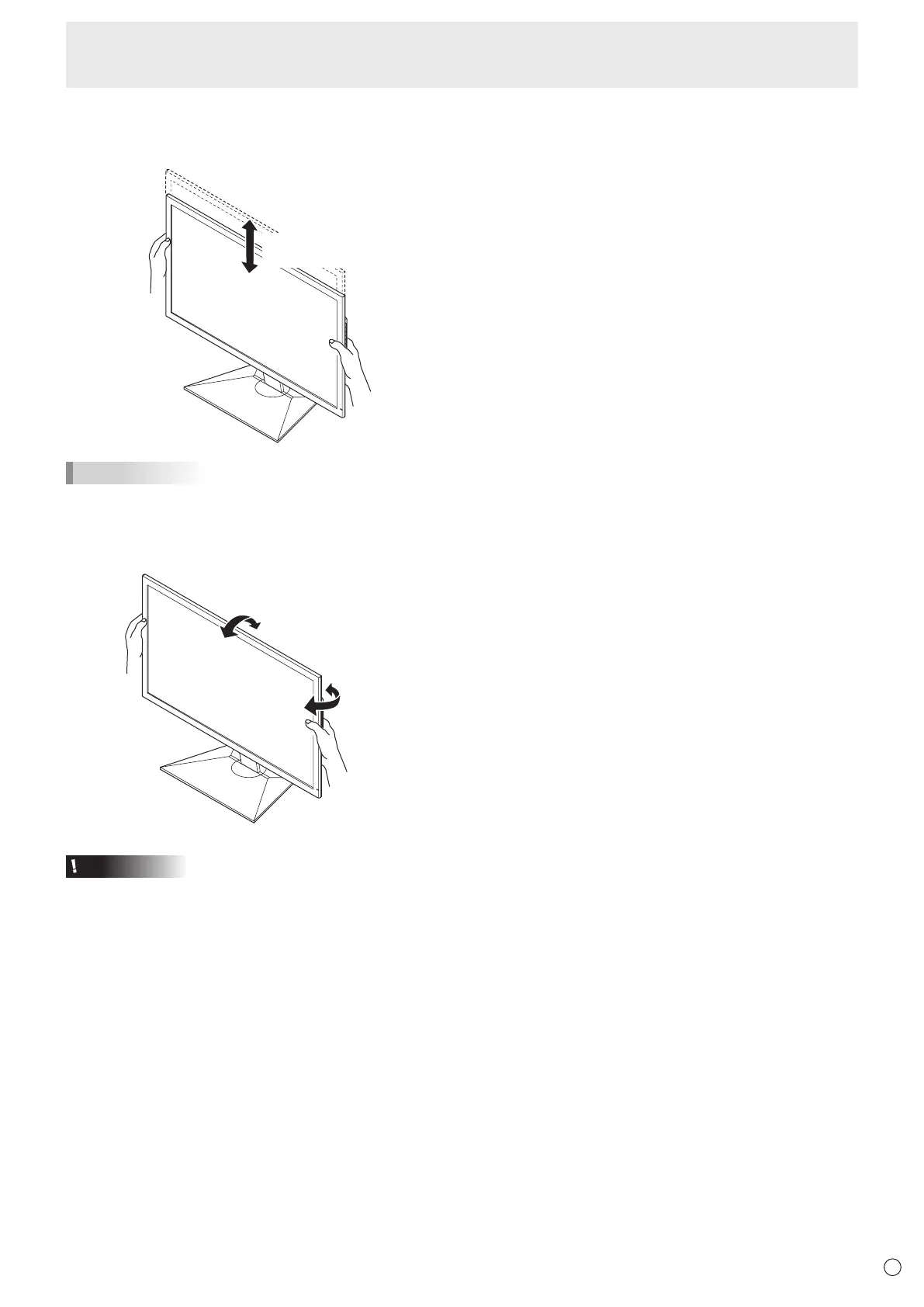
• Adjusting the height
Adjusttoaheightthatiseasytoview.
Approx.
5-29/32inch (15cm)
TIPS
• Theheightcannotbeadjustedinaverticalinstallation.
• Adjustingtheangle
Adjusttoananglethatiseasytoview.
Approx.45°
Approx.25°
Approx.5°
Approx.45°
Caution
• Whenmovingthemonitor,besuretograsponlytheframe.
GraspingandapplyingpressuretotheLCDpanelmay
damageit.
• Takecarenottopinchyourngers.
• Ifyouareinstallingthemonitorinlandscapeorientation,
takecautionwhenadjustingtheangleataraisedheight,so
thatitdoesnottopple.
Installing the stand (supplied)



 To Next Page